Category: Whatsapp Business Api

  • The Role of Webhooks in Handling Real-Time WhatsApp API Messages

    The Role of Webhooks in Handling Real-Time WhatsApp API Messages

    A customer sends a message to your WhatsApp Business API number at 2:00 PM. Meta’s server receives the message. The question: how does your business system know a new message arrived? There are two ways: your server continuously asks Meta (polling), or Meta notifies your server when a new message arrives (webhook).

    Polling is wasteful and slow. Your server spends resources continuously asking ‘any new message?’ every few seconds, and response latency to the customer can reach tens of seconds.

    Webhooks are efficient and real-time. Meta automatically sends message data to your server in milliseconds after a message arrives. This is the standard mechanism for WhatsApp Business API and the foundation for chatbots, auto-reply, and real-time CRM integration.

    This guide covers what webhooks are, the WhatsApp API events that can be triggered, how to set up a webhook, common failures to anticipate, and best practices for production systems.

    Key Advantages

    • Real-time response: Incoming messages processed in milliseconds, enabling responsive chatbots and auto-reply.
    • Resource efficient: No need for continuous polling; the server only works when an event actually happens.
    • Foundation for automation: AI chatbots, CRM integration, and automated flows all need webhooks to run.
    • Message status tracking: Webhooks also notify when your messages are delivered, read, or fail, enabling accurate analytics.

    What is a Webhook?
    Person holding coffee cup while working on a laptop

    A webhook is a mechanism where one system (in this case, Meta) automatically sends data to another system (your business server) when a certain event happens. Unlike a regular API where you have to request data, a webhook is a ‘push’, Meta actively sends.

    Technically, a webhook works through an HTTP POST request. Meta sends a POST request to a URL you register (usually called the webhook endpoint), with a payload containing event data. Your server processes the payload and responds with HTTP 200 OK within a certain time limit (typically 20 seconds).

    For WhatsApp Business API, the webhook is the primary way to receive incoming messages and message status updates. Without a webhook, WhatsApp API integration would be very limited.

    WhatsApp API Events That Can Be Triggered

    Meta sends several types of events via webhook. The most important for business operations:

    Incoming messages. New messages from customers. The payload contains the sender number, message content (text, image, document, or other media), timestamp, and message ID.

    Message status updates. Status updates for messages the business sends: sent, delivered, read, failed. Useful for tracking delivery rate and read rate.

    Template status updates. Notifications when template messages are approved, rejected, or flagged by Meta for quality issues.

    Account alerts. Important status changes like quality rating drop, messaging tier change, or a policy violation. This is very important for account health monitoring.

    Message reactions. When customers give a reaction (emoji) to your business message.

    Businesses typically register webhooks for all these event types, even if not all are processed. Registering all events makes the system ready when new needs emerge.

    For broader context on WhatsApp Business API and its components, see WhatsApp Business API: A Complete Guide.

    How to Set Up a Webhook

    Webhook setup involves three components: URL endpoint, verify token, and HTTPS.

    URL endpoint. Your business server URL that will receive POST requests from Meta. Example: `https://api.your-business.com/webhook/whatsapp`. The URL must be public and accessible to Meta.

    Verify token. A secret string you create yourself to verify that incoming requests are genuinely from Meta, not from an attacker. Meta sends this token in every request and your server must match it.

    HTTPS. Meta only sends webhooks to HTTPS URLs. Plain HTTP is not accepted. The SSL certificate must be valid and not self-signed.

    After these three components are ready, webhook configuration is done in the WhatsApp Business Platform dashboard or through a BSP. Initial setup requires a Meta verification challenge process: Meta sends the verify token and your server must respond with the appropriate echo.

    Common Failures to Anticipate

    word FAIL written in white letters

    Server down or slow response
    If your server does not respond within 20 seconds, Meta considers it a failure and retries. Retries continue with increasing intervals. If failure persists, Meta may temporarily disable the webhook.

    Missing events due to downtime
    When the server is down for several hours, events arriving in that period may be lost if Meta retries fail. For production systems, use a queue system (like RabbitMQ or AWS SQS) to buffer events before processing.

    Signature verification failure
    Meta signs every request with a signature that can be verified. If this verification is skipped, the system is vulnerable to fake webhooks. Always verify the signature before processing the payload.

    Rate limit on business server
    If webhook volume is high (like large broadcasts with many delivery status updates), the business server must handle hundreds of requests per second. Underspec’d servers become bottlenecks.

    To understand the BSP’s role in managing webhooks and providing a managed endpoint, see What Is a WhatsApp BSP?.

    Best Practices for Production Systems

    Respond fast, process async
    Your webhook endpoint should just accept the payload, queue it, and immediately respond 200 OK. The actual processing (calling AI, updating CRM, etc.) is done async by a separate worker. This keeps webhook response time under 1 second.

    Idempotency
    Meta can send the same event twice due to retry logic. Your server must be able to process duplicate events without side effects. Common way: track processed message IDs.

    Monitoring and alerting
    Track webhook response time, error rate, and event volume. If there is an anomaly (like event volume suddenly dropping or spiking), alert the ops team.

    Retry handling
    For async processing that fails (like AI service down), implement retry with exponential backoff and a dead letter queue for events that repeatedly fail.

    Security beyond signature
    Signature verification is the minimum. For sensitive data, add authentication at the network layer (like Meta IP whitelisting) and encrypt payloads at rest.

    Where the Tool Stack Fits

    Building production-grade webhook infrastructure from scratch requires an experienced engineering team: queue system, monitoring, retry logic, security. For most businesses, this is overhead they do not need.

    Platforms like Cekat provide a production-ready webhook layer: event queue, monitoring, retry, and security. Businesses only need to interact with a high-level API or dashboard, and all webhook complexity is abstracted behind it.

    For WhatsApp Business API capability details that include managed webhook infrastructure, see the WhatsApp Business API page.

    Where to Start

    If you are building WhatsApp API integration from scratch, start with webhook setup in a test environment before production. Send a few test messages and verify events come in correctly, signatures verify, and response time stays under 1 second.

    For production systems, do not skip the queue system. Although it looks like overkill at low volume, it becomes mandatory when volume rises and saves you from expensive missing events.

    If you use a BSP like Cekat, most of the webhook complexity is already handled. Your focus can be on business logic, not infrastructure.

    Enable Real-Time WhatsApp Automation

    Every second without a running webhook is a second your chatbot cannot respond, CRM integration lags, and the customer service team loses incoming message context. For businesses already scaled to hundreds or thousands of chats per day, the webhook is not optional; it is foundational.

    If you want to use a webhook to power AI chatbots and real-time automation without building the infrastructure yourself, AI WhatsApp Chatbot from Cekat provides chatbots already integrated with Meta webhooks and ready to use.

    Start a free trial to see a chatbot running in real time on your WhatsApp or chat with our team for a webhook and WhatsApp automation setup consultation matching your needs


  • WhatsApp Service vs Marketing Pricing: Understanding the Four Conversation Categories

    WhatsApp Service vs Marketing Pricing: Understanding the Four Conversation Categories

    A business checks last month’s WhatsApp Business API bill. The total is surprising: Rp 45 million. After breakdown, it turns out 85% of the cost comes from marketing conversations, while service conversations (which have higher volume) are only 15% of the total cost.

    This is not an anomaly. This is Meta’s pricing structure by design: conversations started by customers (service) are far cheaper than conversations started by the business (marketing, utility, authentication). Businesses that understand this mechanism can shift volume from expensive to cheap categories, saving 30-60% on monthly WhatsApp API costs.

    This guide covers Meta’s four conversation categories, why they are priced differently, when each category applies, and how to structure workflows that shift volume toward cheaper categories.

    Key Advantages

    • Reduce monthly WhatsApp API costs: Understanding pricing structure is the most direct way to lower bills without reducing communication volume.
    • Correct template categorization: Templates categorized correctly (utility instead of marketing) save significantly.
    • Campaign optimization for service sessions: Broadcasts that trigger customer replies open free service windows for follow-up.
    • More accurate campaign cost prediction: Knowing the rate per category enables budget planning that does not miss.

    Meta’s Four Conversation Categories

    Office workers sitting in a row working at computer desks

    Since 2023, Meta uses a session-based billing model: businesses are charged per conversation (24 hours), not per message. Every conversation falls into one of four categories:

    Marketing. Conversations the business starts for promotional purposes: new product ads, discount campaigns, cross-sell, upsell, welcome message for new leads. Highest rate.

    Utility. Conversations the business starts for transactional communication: order confirmations, shipping notifications, appointment reminders, account status updates, invoices. Middle rate.

    Authentication. Conversations the business starts for identity verification: OTP, 2FA verification, login confirmation. Lowest rate among business-initiated categories.

    Service. Conversations started by the customer (customer messages first). Meta made them free for the first 1,000 conversations per month per number. After that, the rate is much lower than other categories. [Medium confidence: Meta adjusts the free quota and rates periodically; verify specific figures against Meta pricing documentation.]

    Why Meta Prices It This Way

    Meta’s pricing structure is not arbitrary. It reflects the spam risk of each category.

    Marketing has the highest spam risk. Unwanted promotional messages are the worst WhatsApp experience. Meta raises its rate to provide an economic disincentive against excessive marketing volume.

    Utility has moderate risk. Order confirmations are important to customers, but if sent excessively (like 5 updates per order) they still annoy. The middle rate reflects clear value to customers alongside moderate abuse potential.

    Authentication has very low risk. Customers actively request OTP by starting a login or transaction process. Meta agrees that this is a direct customer need and sets a low rate.

    Service has no spam risk. Because the customer starts the conversation, there is no risk of unwanted message delivery. Meta rewards businesses whose communication is customer-driven with the lowest rate.

    When Each Category Applies

    The category is determined when the conversation starts, not when the template is submitted. Some concrete examples:

    • You send a discount promo broadcast to 10,000 contacts who have not chatted in the last 24 hours: 10,000 marketing conversations.
    • You send an automated order confirmation template to a customer who just checked out: 1 utility conversation per customer.
    • Your system sends an OTP to a customer who initiated login: 1 authentication conversation.
    • A customer chats “Hi, want to ask about pricing” to your business number: 1 service conversation (started by customer).
    • A customer replies to your marketing broadcast: the conversation already paid for as marketing stays open for 24 hours, no additional cost for your replies.

    For a deeper understanding of 24-hour window mechanics and their impact on cost, see Understanding the WhatsApp 24-Hour Window.

    Common Template Categorization Mistakes

    The most expensive mistake is categorizing utility templates as marketing. The difference can reach 4-5x the cost per conversation.

    Examples of miscategorization:

    • Order confirmation with an added “Check our new products at this link” is categorized as marketing. If it were just confirmation without added promo, it would be utility.
    • Appointment reminder with added “Don’t forget to check this month’s promo” is categorized as marketing. Without the promo, it would be utility.
    • Shipping update with a CTA “Buy again at this link” is categorized as marketing. Without the CTA, it would be utility.

    Meta’s rule: if a template contains promotional content (link to products, discount code, buy call-to-action), it must be categorized as marketing even if the main context is transactional. The solution is to separate messages: one utility template for transactional updates, one separate marketing template for promo.

    How to Structure an Efficient Workflow

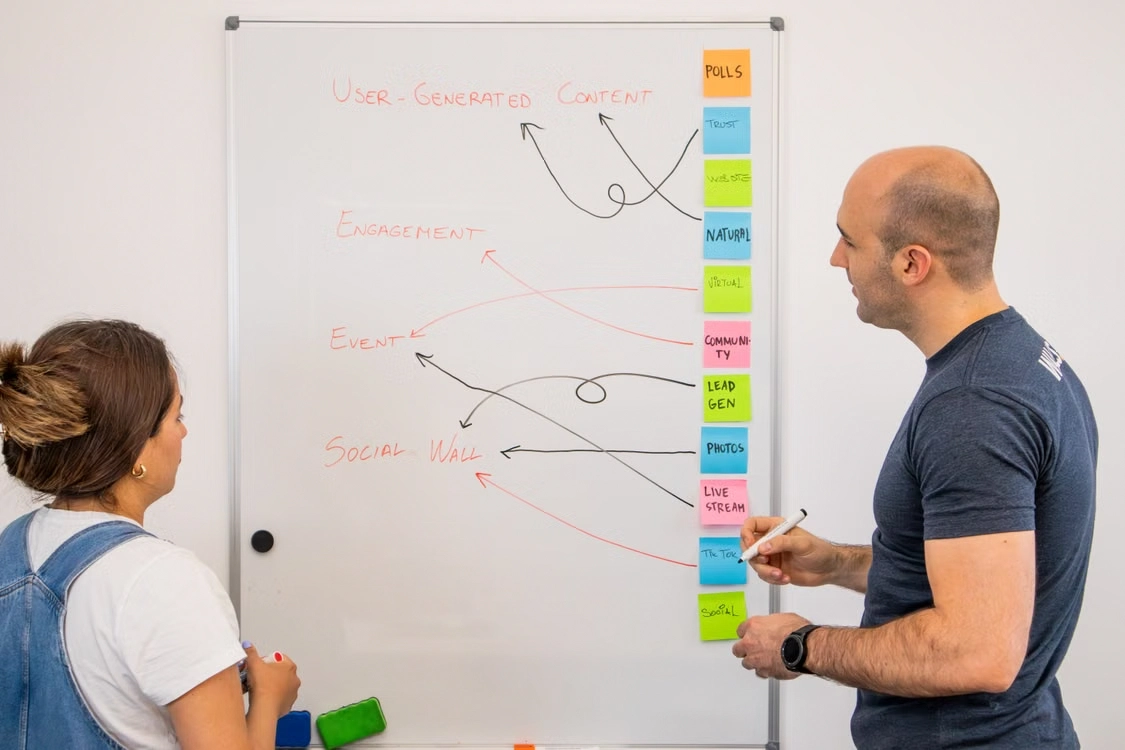
    Two colleagues brainstorming user-generated content on whiteboard

    Three most effective strategies to shift volume to cheaper categories.

    Strategy 1: Prioritize user-initiated channels. Every time the business can trigger a customer to start a chat (via click-to-WhatsApp ads, WhatsApp button on website, DM ads), the conversation becomes service (cheap or free) instead of business-initiated (expensive).

    Strategy 2: Separate transactional templates from promotional templates. Do not mix order updates with promo. One utility template for transactions, one separate marketing template for promo. This lowers the rate for transactional updates.

    Strategy 3: Take advantage of the 24-hour window. When a customer replies to a marketing broadcast, the service window opens for 24 hours. Use this time for free follow-up instead of sending a new marketing template.

    For campaign strategies that optimize active session patterns and conversation rates, see WhatsApp Marketing Campaign Guide.

    Where the Tool Stack Fits

    Applying categorization and window optimization strategies manually is hard for teams with high volume. A good BSP dashboard displays cost breakdown per category, allows segmentation by window status, and automatically selects the cheapest message format for a given situation.

    Platforms like Cekat display real-time cost breakdown per category and provide automation to route communication to the cheapest category that still meets the business objective.

    For broadcast capabilities that manage categories and segmentation in an integrated way, see the WhatsApp Broadcast page.

    Where to Start

    Take last month’s WhatsApp Business API bill. Break it down by category: what percentage is marketing, utility, authentication, service. If marketing is more than 50%, there is significant optimization opportunity.

    Audit active templates: how many are categorized as marketing when they should be utility? Reclassifying to the correct category usually lowers the bill 20-30% without changing operations.

    Finally, look at acquisition patterns: what percentage of customers come through channels that trigger user-initiated conversations (service) versus those that must be contacted through templates? Shifting some acquisition to user-initiated channels has a lasting effect on cost.

    Cut Your Monthly WhatsApp API Costs

    Every month without a conversation category audit is a month you likely pay marketing rates for messages that should be utility, or miss free service opportunities. The difference for businesses with 10,000+ conversations per month can reach tens of millions of rupiah.

    If you want to shift volume to cheaper conversation categories without reducing communication output, WhatsApp Blast from Cekat provides automatic segmentation and category optimization for your business broadcasts.

    Start a free trial to see the cost breakdown per category and a savings simulation.

    Or chat with our team for a review of last month’s WhatsApp API bill and an estimate of the savings possible.

  • WhatsApp Messaging Tier Limits: How Tier 1K, 10K, and 100K Work

    WhatsApp Messaging Tier Limits: How Tier 1K, 10K, and 100K Work

    A business sends a promotional broadcast to 50,000 customers. The broadcast fails halfway through. A notification from Meta appears: “Messaging limit reached.” The team panics, not knowing how many messages went out and how many were held.

    The problem is not a system error. The problem is that the business does not know its current messaging tier. Meta assigns every WhatsApp Business API number a tier that limits how many unique customers can receive business-initiated messages in 24 hours.

    This guide covers what messaging tier limits are, Meta’s standard tiers, what triggers a tier increase, what triggers a downgrade, and how to protect the tier from sudden drops.

    Key Advantages

    • Predict broadcast capacity: Knowing the current tier lets you plan campaigns that will not stall midway.
    • Plan tier increases: Moving from tier 1K to 10K to 100K takes a specific strategy that can be executed deliberately.
    • Avoid sudden downgrades: Tiers drop when quality rating falls, and once dropped, take weeks or months to recover.
    • Measure account health continuously: Tier and quality rating are indicators of how Meta perceives the quality of the business’s communication.

    What Messaging Tier Limits Are

    A messaging tier limit is the maximum number of unique customers (distinct phone numbers) a business can reach with business-initiated messages in a rolling 24-hour window. “Business-initiated” means messages the business sends without a customer reply in the last 24 hours, typically template messages.

    Messages that fall under service (sent within an active session after the customer replies) do not count against this tier limit. Only messages that open a new conversation from the business side are counted.

    A rolling 24-hour window means the limit is calculated backward from the current time. If the tier is 10,000, then at any point in the last 24 hours, the business cannot have contacted more than 10,000 unique customers via business-initiated messages.

    What Triggers a Tier Increase

    Meta raises the tier automatically when two conditions are met: the business consistently reaches or exceeds its current tier limit, and quality rating stays high.

    To move from starting tier to Tier 1, a business usually needs to message more than 250 unique customers in 24 hours (filling the current tier capacity) while maintaining a green quality rating. Meta typically raises the tier within a few days after this pattern is consistent.

    Moving from Tier 1 to Tier 2, and so on, follows the same principle: consistently hit the current limit with good quality. Meta does not announce the exact formula, but the common pattern is: send 2x the current tier limit for several consecutive days, and the tier will rise within 7-14 days.

    The key is not raw volume, but broadcast quality: recipients who do not block, do not report spam, and do not ignore messages.

    What Triggers a Downgrade

    A downgrade happens when quality rating falls to red and stays there. Quality rating has three levels: green (high), yellow (medium), red (low).

    Meta measures quality rating based on recipient feedback over the last 7 days:

    • Block rate: percentage of recipients who block the number after receiving a message.
    • Spam report rate: percentage of recipients who report a message as spam.
    • No-response rate: percentage of recipients who never reply to business-initiated messages.

    When quality rating stays red for 7 consecutive days without recovery, Meta drops the tier. A downgrade from Tier 3 to Tier 2, or from Tier 2 to Tier 1, and so on. After a downgrade, the business must go through the same recovery process to rise again.

    How to Protect and Grow the Tier

    Four practices matter most for tier health.

    Tight audience segmentation. Broadcasting to irrelevant audiences produces high block rates. Broadcasting a skincare promo to customers who buy motorcycle spare parts will immediately drop the quality rating. Segmenting by behavior and opt-in preferences protects the tier.

    Reasonable frequency. Daily broadcasts to the same list produce spam reports. A frequency of 1-2 marketing broadcasts per week per customer is usually safe; more than that needs case-by-case review based on audience reaction.

    Clear and relevant template messages. Generic templates (“Hi, new promo!”) produce worse reactions than personalized templates (“Hi Bagus, the promo for the laptop category you often buy has started”). Personalization raises response rate and lowers block rate.

    Monitor quality rating daily. Meta displays quality rating in WhatsApp Business Manager. Check daily, and immediately halt broadcasts if the rating drops to yellow. Waiting until red is usually too late because a downgrade will happen 7 days later.

    For more detailed broadcast practices to avoid tier drops or number blocking, see How to Broadcast WhatsApp Without Getting Banned.

    Common Mistakes

    Chasing volume without watching quality. Filling tier capacity to rise to the next tier is good, but if done with unwanted or irrelevant messages, quality rating will drop, and the business will end up at a lower tier.

    Broadcasting to old lists without updates. Customer lists from 2 years ago have many inactive numbers or customers who are no longer interested. Broadcasting to them produces high no-response rates.

    Ignoring opt-out feedback. When a customer replies “STOP” or requests to stop receiving messages, ignoring that request leads to spam reports.

    Panicking when a downgrade happens. Downgrades are not permanent, but recovery takes time. Reducing volume and improving message quality for 2-4 weeks is usually enough to trigger an upgrade back.

    For campaign strategies that keep broadcast quality consistent, see WhatsApp Marketing Campaign Guide.

    Where the Tool Stack Fits

    Maintaining tier and quality rating manually is hard for high-volume businesses. A good BSP dashboard displays the current tier, real-time quality rating, and broadcast reception metrics (delivered, read, replied, blocked).

    Platforms like Cekat display tier and quality rating in the dashboard, with audience segmentation by behavior and automatic alerts when quality rating drops. This allows fast intervention before a downgrade happens.

    For broadcast capabilities that manage tier and segmentation in an integrated way, see the WhatsApp Broadcast page.

    Where to Start

    Check your current tier in WhatsApp Business Manager. Also check your quality rating: green, yellow, or red. These two numbers are the baseline that determines the next step.

    If you are at the starting tier or Tier 1 and want to rise, start by measuring your active customer list: how many were genuinely responsive in the last 90 days. Broadcast to this active list with personal, relevant messages, and the tier will rise in weeks.

    If your tier has already dropped, do not panic. Reduce volume to 50% of the current tier limit for 2 weeks, while focusing communication on customers who typically reply. Quality rating will recover, and the tier will rise again.

    For broader context on WhatsApp Business API overall, see WhatsApp Business API: A Complete Guide.

    Grow Your Broadcast Tier

    Every week without a clear tier strategy is a week when your broadcast capacity is not growing, or worse, dropping. Teams that do not monitor quality rating daily often only notice a problem after a downgrade has already happened, and recovery takes weeks.

    If you want to monitor tier, quality rating, and broadcast health in one dashboard, WhatsApp Business API from Cekat provides real-time visibility plus automatic alerts for intervention before a downgrade.

    Start a free trial to see the tier and quality rating dashboard directly or chat with our team for a current-tier audit and a recommended tier-growth strategy for your business.

  • Risiko WhatsApp Business API: Kegagalan Verifikasi dan Bahaya Gateway Tidak Resmi

    Risiko WhatsApp Business API: Kegagalan Verifikasi dan Bahaya Gateway Tidak Resmi

    Two situations equally damaging to your business: first, a WhatsApp Business API application rejected by Meta because legal verification failed, and the business loses weeks of setup time. Second, a business takes a shortcut by using an unofficial WhatsApp API gateway to avoid the verification process; then the number is permanently blocked, and customer data leaks to third parties.

    Both risks can be avoided with the right understanding. The first requires careful document preparation. The second requires discipline to not take a shortcut that looks cheaper but is far more dangerous.

    This guide covers two main categories of WhatsApp Business API risk: why legal verification at Meta Business can fail, and the real dangers of using an unofficial WA API gateway.

    Key Advantages

    • Faster setup: Verification that passes on the first try saves weeks of setup time.
    • Customer data protection: Using official channels prevents customer data from leaking to unaccountable third parties.
    • Business number stays safe: Avoiding unofficial gateways protects against number blocking that is typically permanent and cannot be recovered.
    • Regulatory compliance: The official WhatsApp Business API path meets data protection regulation standards.

    Part 1: Why Legal Verification Can Fail

    Meta Business verification is a prerequisite for activating WhatsApp Business API. Meta verifies that your business is legitimate, legally registered, and owned by the entity you actually claim.

    The process involves submitting legal documents (business registration, tax ID, company deed), an official website domain, and often utility invoices or business bills showing the operating address. Meta checks the consistency between all of these.

    The Most Common Rejection Causes

    Legal name does not match website domain
    A business submits registration under ‘PT Solusi Teknologi Nusantara’ but the website domain is ‘solusidigital.com’. Meta sees this inconsistency and rejects. The solution: ensure the domain whois is registered under the same company name, or prepare additional proof (like a hosting invoice) showing the connection.

    Utility invoices do not match legal address
    Meta sometimes asks for electricity, phone, or internet invoices as proof of operating address. If the invoice address differs from the registration address, verification fails.

    Website is not yet active or has minimal content
    A newly created website, one with minimal content, or one still ‘under construction’ is often rejected. Meta wants to see a website that genuinely reflects real business operations.

    Legal documents are expired or in the wrong format
    Expired business registration, or documents in an unclear format (blurry photos, unreadable scans) will be rejected for resubmission.

    Business Manager is not properly set up
    Meta Business Manager (the parent account for all Meta business accounts) must have the correct business name, correct admins, and a link to the business Facebook Page. Incomplete setup here can also cause rejection.

    For technical registration steps of WhatsApp Business API including verification, see How to Register WhatsApp Business API.

    How to Prevent Verification Failure

    Frustrated man holding his head in front of a laptop

    Four preparation steps that raise first-attempt approval rate:

    • Verify name and address consistency across all documents (registration, tax ID, utility invoices, domain whois) before submitting. If there is inconsistency, fix it first.
    • Ensure the website is active and complete. About, Contact, and product or service pages must be clear. Domain and hosting must be stable.
    • Set up a Facebook Business Page connected to your business. Meta more easily verifies businesses that already have a presence in the Meta ecosystem.
    • Consult with a BSP before submitting. Experienced BSPs have seen thousands of applications and know which details commonly cause rejection specifically in each region.

    Part 2: The Dangers of Unofficial WA API Gateways

    When a business is frustrated with Meta’s verification process or wants to avoid per-conversation costs, they are sometimes tempted by vendors promising ‘WhatsApp API access without Meta verification’ or ‘unlimited broadcast at cheaper prices’.

    Services like these typically use unofficial WhatsApp gateways, where the vendor exploits WhatsApp through reverse-engineered APIs or a combination of WhatsApp Web with automation scripts. This violates Meta’s terms of service and carries risks far greater than the cost savings.

    Four Real Risks of Unofficial Gateways

    Risk 1: Number blocking that is usually permanent. Meta actively detects usage patterns inconsistent with the official WhatsApp Business App or Business API. Numbers detected using unofficial gateways are blocked without warning. Unlike tier downgrades that can be recovered, this blocking is often permanent, and the number cannot be used for WhatsApp again.

    Risk 2: Customer data leaks. Unofficial gateways typically run their business as resellers with no formal Meta contract. Customer conversation data (name, phone number, chat content) passes through vendor servers that are not accountable. Leaks or misuse of this data cannot be traced, and there is no legal mechanism for compensation.

    Risk 3: No official Meta support. When there are problems (template rejected, tier drops, verification fails), businesses using official gateways can escalate to Meta through the BSP. Businesses using unofficial gateways do not have this path; they depend entirely on vendor goodwill.

    Risk 4: Non-compliance with local regulations. Personal data protection laws in most jurisdictions require businesses to process customer data through accountable channels. Using an unofficial gateway creates compliance risk that can lead to regulatory sanctions.

    Why Unofficial Gateways Look Attractive

    Unofficial gateway vendors typically offer three things: (1) cheaper per-message pricing because there is no Meta fee, (2) no need for complex legal verification, (3) ‘unlimited broadcast’ without messaging tier limits.

    These three offers are attractive to small businesses with limited budgets, but ignore the long-term cost of the risks that accompany them. One incident of blocking a business number already known to customers can damage many times over the cost savings gained.

    Affordable Official Alternatives

    If the cost of official WhatsApp Business API feels expensive, there are several strategies safer than using unofficial gateways:

    • Start with WhatsApp Business App. For volume under 100 chats per day, Meta’s free app is enough and is official.
    • Optimize conversation categories. Shifting volume from marketing to service or utility can lower official API costs by 30-60%.
    • Choose a BSP with transparent pricing. Price differences between official BSPs can be significant; evaluate 2-3 BSPs before committing.

    To understand the role of Meta-authorized BSPs in providing safe WhatsApp Business API access, see What Is a WhatsApp BSP?.

    Where the Tool Stack Fits

    Meta-authorized BSPs provide complete WhatsApp Business API access with verification, template support, and data compliance. They bridge the business and Meta, ensuring every component runs to standard.

    Platforms like Cekat provide Business API access with a guided verification process, a dashboard displaying compliance status, and automatic alerts if there are account status changes. This removes most of the risk that comes from misconfiguration or choosing the wrong vendor.

    For official WhatsApp Business API capability details that support verification and compliance, see the WhatsApp Business API page.

    Where to Start

    If you have not activated WhatsApp Business API, do not start by seeking the cheapest option. Start by verifying that your business meets Meta’s legal requirements: valid business registration, active website domain, and documents consistent with each other.

    If you already use an unofficial gateway and want to migrate, start now. Every additional month magnifies the blocking and compliance risk. Consult with an official BSP to plan migration without disrupting the customer service operations already running.

    For broader context on WhatsApp Business API and the options available, see WhatsApp Business API: A Complete Guide.

    Migrate to the Official Path Before It Is Too Late

    Every day using an unofficial gateway is a day your business number can be permanently blocked or customer data can leak to unaccountable parties. Recovery from both scenarios takes months (or is impossible), while migration to the official path is usually done in 1-3 weeks.

    If you want to ensure your entire WhatsApp business operation runs on Meta’s official, safe, and compliant infrastructure, Omnichannel Application from Cekat combines official WhatsApp Business API with other channels in one trusted workspace.

    Start a free trial to see an official WhatsApp Business API setup ready to use.

    Or chat with our team for a risk audit of your current WhatsApp setup and a migration strategy if needed.

  • How the WhatsApp Verified Badge Impacts Trust and Conversion

    How the WhatsApp Verified Badge Impacts Trust and Conversion

    Two businesses with similar products contact prospective customers via WhatsApp. One business appears with a plain name. The other appears with a small blue tick next to its name. The second business consistently has a higher response rate, and its conversion rate for large fund transfers is also higher.

    This blue tick is Meta’s verified badge. It signals that the WhatsApp Business API account has been verified by Meta as a legitimate and reasonably known business. For consumers increasingly cautious about online fraud, this mark works as an instant trust signal.

    This guide covers what the WhatsApp verified badge is, how it differs from the often-confused blue tick (read receipt), the requirements to obtain it, its impact on business, and the most common rejection reasons.

    Key Advantages

    • Instant credibility: The verified badge is a visual verification that your business is legitimate in Meta’s eyes, reducing customer skepticism on first interaction.
    • Higher conversion on high-value transactions: Customers are more comfortable transferring funds to a verified account than an unverified one.
    • Brand protection: Meta is more responsive to impersonation reports from verified accounts, reducing the risk of fake accounts using your business name.
    • Long-term credibility: The verified badge is a brand asset that grows in value over time and cannot be faked.

    What the WhatsApp Verified Badge Is

    The verified badge (blue tick) is a visual mark from Meta stating that the WhatsApp Business API account has been verified as a business that is notable (known), authentic (real), and complete (has a complete profile).

    Unlike the basic business verification required by every WhatsApp Business API account, the verified badge is high-level verification. Not every business-verified API account automatically gets the blue tick. Meta selectively grants it based on fairly strict criteria.

    The badge appears at several customer touchpoints:

    • In the WhatsApp conversation header on the customer’s screen, next to the business name.
    • In the customer’s chat list, when a message from the business appears.
    • In WhatsApp notification previews.

    Requirements for the Verified Badge

    Meta evaluates three main criteria for granting the verified badge.

    Criterion 1: Notability. The business must be publicly known in its industry or region. Meta checks: coverage in major media, Wikipedia articles (if any), presence in business directories, Google search ranking, and social media activity with significant followers.

    Criterion 2: Authenticity. The business must be proven real. Legal documents (business registration, tax ID), an active official website domain, verified social media accounts (Instagram or Facebook Verified), and brand name consistency across all channels.

    Criterion 3: Completeness. The WhatsApp Business API profile must be complete. An appropriate display name, clear business description, official address, operating hours, correct business category, and a professional profile photo.

    All three criteria must be met. A business with a good website but not known in the media will be rejected. A well-known business with an incomplete profile will also be rejected.

    For an understanding of how to structure a display name that is one prerequisite for the verified badge, see How to Set a WhatsApp API Display Name.

    Business Impact

    The verified badge is not just decoration. It affects real commercial metrics.

    Higher response rate
    Customers are more likely to reply to messages from verified accounts. For cold outreach and marketing broadcasts, this can mean a significant difference in engagement rate.

    Trust on high-value transactions
    For businesses that request bank transfers or payments outside formal payment gateways (such as dropshippers or B2B custom-order businesses), the verified badge directly reduces customer hesitation.

    Protection against impersonation
    Meta prioritizes reports from verified accounts and acts faster to shut down fake accounts imitating your brand. For high-brand-value businesses, this is asset protection.

    Trust in B2B negotiations
    When a B2B prospect sees the blue tick, they are more likely to see your business as serious and established, which affects the tone of initial negotiations.

    How to Apply for the Verified Badge

    The verified badge cannot be applied for directly by a business via the WhatsApp Business App or a regular dashboard. It must be applied for through a Meta-authorized BSP, which forwards the application to Meta.

    close-up of account verification prompt on a screen

    The general steps:

    • Ensure the WhatsApp Business API account is active and business-verified (basic level).
    • Prepare notability proof: links to media coverage, articles, Google ranking, social media followers.
    • Ensure the WhatsApp profile is complete per the completeness criteria.
    • Apply through the BSP by including all proof and reasons why your business meets Meta criteria.
    • Wait for Meta review, which can take from several weeks to several months.

    For an understanding of the BSP’s role in verified badge submission and Meta escalation, see What a WhatsApp BSP Is?.

    The Most Common Rejection Reasons

    Business is not sufficiently known. This is the most common reason. Meta has a high notability standard. Local SMBs without significant media coverage or digital presence are usually rejected, even if the business is legitimate.

    Profile is incomplete. An empty business description, no profile photo, or incorrect business category are easily avoidable rejection reasons that happen often.

    Brand name inconsistency. The name on WhatsApp differs from the name on the website, Instagram, or legal documents. Meta checks this and rejects if inconsistent.

    Inactive or problematic website. Expired domain, website down when Meta checks it, or a website whose connection to the WhatsApp Business account is unclear.

    Unconvincing notability proof. Submitting links to personal opinion articles or non-credible blogs as coverage proof will not be enough. Meta looks for mainstream media or industry publications.

    Where the Tool Stack Fits

    Applying for the verified badge requires an experienced BSP because they know how to structure an application that captures Meta reviewer attention. Some BSPs also provide pre-application consultation to assess whether your business is ready to apply or needs to strengthen notability first.

    Platforms like Cekat provide a dashboard layer that helps ensure the WhatsApp Business API profile is complete and consistent, as a foundation before verified badge submission.

    For WhatsApp Business API capability details that support verified badge preparation, see the WhatsApp Business API page.

    Where to Start

    Before applying for the verified badge, do an honest self-audit. Check your business on Google search: is there media coverage in the last 12 months? Check presence on Instagram and Facebook: are you verified there? Check the website domain: is it active and professional?

    If the answer to those three questions is yes, apply now. If any are no, focus there first. Notability cannot be bought directly but can be built gradually: press releases picked up by media, collaboration with industry influencers, or content marketing that produces organic mentions.

    For broader context on WhatsApp Business API and the role of the verified badge within it, see WhatsApp Business API: A Complete Guide.

    Build Customer Trust with Official Verification

    Every day without a verified badge is a day when your customers have to guess whether your business WhatsApp account is real or not. For industries with high fraud risk (financial services, dropshippers, online retail), the blue tick is the differentiator that decides conversion.

    If you want to ensure your WhatsApp business profile is consistent and ready for verified badge submission, the CRM Application from Cekat provides integrated business identity management across channels that meets Meta’s completeness criteria.

    Start a free trial to see a business profile setup ready for verification.

    Or chat with our team for an audit of your business readiness to apply for the verified badge and a strategy to raise notability.

  • Understanding the WhatsApp 24-Hour Window and Its Impact on Conversation Costs

    Understanding the WhatsApp 24-Hour Window and Its Impact on Conversation Costs

    A business sends a template message to 1,000 customers as a promotional broadcast. Meta charges for 1,000 marketing conversations. Some customers reply. For 24 hours after their reply, the business can send free follow-up messages. After 24 hours, sending again without a new customer reply requires another template message, which is charged.

    This mechanism is the “24-hour window”, one of the most important concepts determining the operational cost of WhatsApp Business API. Businesses that understand how it works can reduce conversation costs by 30-50%. Businesses that do not understand pay for broadcasts that did not need to be repeated.

    This guide covers what the 24-hour window is, how it works, the Meta conversation categories that affect cost, and how to structure workflows to keep costs under control.

    Key Advantages

    • Control per-conversation cost: Understanding the 24-hour window is the most direct way to lower monthly WhatsApp Business API bills.
    • Free follow-up in active sessions: Follow-up messages within the 24-hour window add no cost, letting customer service and sales work without worrying about each reply.
    • More efficient campaign planning: Broadcasts scheduled around customer reply patterns generate more active sessions from the same template cost.
    • Avoid unnecessary costs: Applying the window rules incorrectly often produces bills much higher than they should be.

    What is a 24-Hour Window?

    Male call center representative wearing a headset

    The 24-hour window (24-hour customer service window) is the period during which a business can send free-form (non-template) messages to a customer at no additional cost. This window opens when a customer sends a message to the business and stays open for 24 hours from the customer’s last message.

    Within the window, the business can send any type of message (free text, images, documents, links) without having to use a Meta-approved template. These messages fall under the “service” session, which is far cheaper, or even free, depending on the billing tier in effect.

    Outside the window, the business can only initiate conversations using Meta-approved template messages. These templates fall into marketing, utility, or authentication categories, each with a different rate.

    User-Initiated vs Business-Initiated Conversations

    The fundamental distinction between these two conversation types determines the cost.

    User-initiated conversation. The customer sends the first message to the business. This opens the 24-hour window. In 2024, Meta made service sessions (started by a customer reply) free for the first 1,000 conversations per month per number. After that, there is a per-conversation rate that is much lower than marketing.

    Business-initiated conversation. The business starts the conversation by sending a template message. The cost varies by category:

    • Marketing: For promotions, campaigns, new products. Highest rate.
    • Utility: For transactional updates (order confirmations, shipping status, appointment reminders). Middle rate.
    • Authentication: For OTP, verification. Lowest business-initiated rate.

    Rates differ by country. Each region has its own rates that can be checked in Meta documentation. What matters: understanding the category differences is as important as understanding the window itself.

    Session Mechanics: When the Window Opens and Resets

    The operational rules of the window are more specific than typically understood.

    The window opens every time the customer sends a message to the business, regardless of content (even just “OK”).

    The window resets every time the customer sends a new message within an already-open window. So if the customer sends a message at 10:00 Monday, the window is open until 10:00 Tuesday. If the customer replies again at 15:00 Monday, the window resets to 15:00 Tuesday.

    The window closes 24 hours after the customer’s last message without a new customer message. Once closed, the business must send a template to start a new conversation.

    Multiple sessions can occur in a single month for the same customer. Each time a new session starts (whether user-initiated or business-initiated), it is counted as a separate paid conversation with cost according to its category.

    Common Cost Mistakes

    Three patterns cause bills higher than they should be.

    Sending a template while the session is still active. Some teams send an automated order-confirmation template even though the customer just chatted 5 minutes ago. The session is still active, and a free-form message would work and be free. Building the habit of checking window status before sending a template saves quite a bit.

    Broadcasting marketing at times that produce few replies. If broadcasts go out at 3 AM, reply rates are low, and few active sessions result. Template cost is expensive but generates no free follow-up. Broadcasting at prime times (morning, midday, or after work) produces more active sessions from the same template cost.

    Wrong template category. Sending shipping status updates as a marketing template (rather than utility) charges the much higher marketing rate. Ensuring templates are categorized correctly when submitted to Meta saves significantly.

    For broadcast practices that avoid tier downgrades or blocking, see How to Broadcast WhatsApp Without Getting Banned.

    Structuring an Efficient Workflow

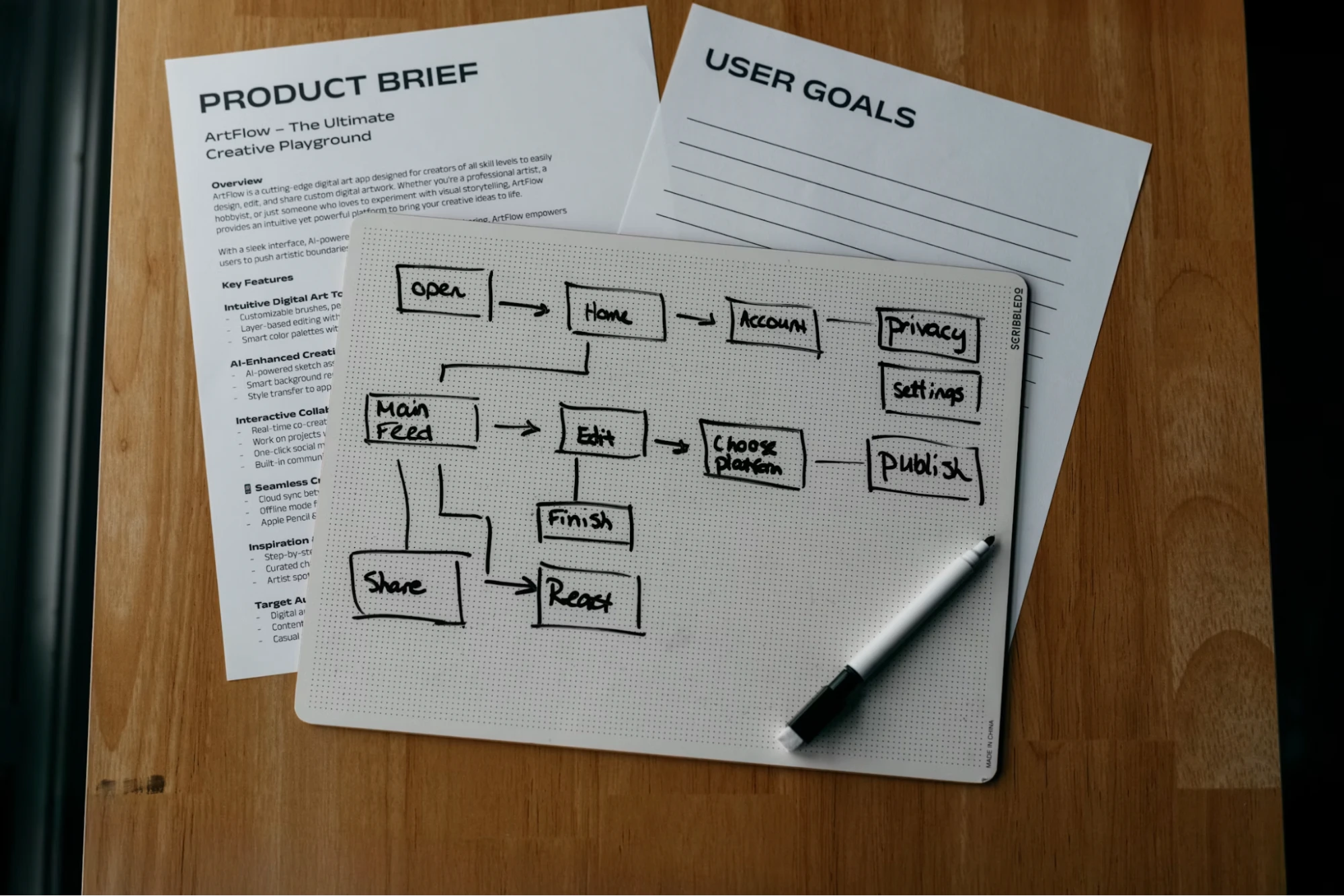
    User experience flow chart drawn on a whiteboard pad

    A few practical principles for optimizing conversation cost.

    Prioritize customer-triggered conversations. Any time a customer contacts the business (web form, click-to-WhatsApp ad, DM), the workflow should immediately encourage the customer to reply, opening the window. This creates free service sessions for subsequent follow-ups.

    Group broadcasts by active window. If some customers are already in an active session (chatted within 24 hours), send free-form messages to them instead of a template. The rest, outside the window, receive templates in a separate batch.

    Use utility templates, not marketing, for transactional updates. Order confirmations, shipping status, invoices, all fall under the utility category, which is cheaper than marketing.

    Limit template frequency to unresponsive customers. Repeatedly sending templates to customers who have not replied for 3 months is wasteful and risks a messaging tier downgrade if too many are reported as spam.

    For WhatsApp campaign strategies that optimize active session patterns, see WhatsApp Marketing Campaign Guide.

    Where the Tool Stack Fits

    Applying 24-hour window optimization manually is hard for teams at high volume. A good BSP dashboard shows window status per contact, allows segmentation by session status, and automatically chooses between free-form or template based on window conditions.

    Platforms like Cekat display window status in the agent inbox, so the team knows at any moment whether the next message will be free (within the window) or charged as a template. For broadcasts, the system automatically groups recipients by window status and chooses the optimal message format.

    For broadcast flow and automatic session management detail, see the WhatsApp Broadcast page.

    Where to Start

    Check the WhatsApp Business API bill from last month. What percentage is marketing conversations versus utility versus service? If marketing dominates, there is likely optimization opportunity by directing more conversations to user-initiated or utility.

    Then audit the active template messages. How many are categorized as marketing when they are actually utility (transactional updates)? Reclassifying templates to the correct category often lowers the bill without changing operations.

    Finally, look at broadcast patterns: when they are sent, reply rates, and how many follow-ups happen in active windows. This data shows where costs can be cut without sacrificing communication volume.

    For broader context on WhatsApp Business API overall, see WhatsApp Business API: A Complete Guide.

    Cut Your WhatsApp Business API Costs Now

    Every month without understanding the 24-hour window mechanics is a month you pay for marketing templates when the messages should have been free within a service session. For high-volume businesses, the gap can reach tens of millions of rupiah per month.

    If your WhatsApp broadcasts and conversation flows do not yet apply window-status optimization, WhatsApp Blast from Cekat groups recipients by active session and picks the most cost-efficient message format.

    Start a free trial to see how conversation costs can drop without reducing volume.

    Or chat with our team for an analysis of your broadcast pattern and an estimate of the savings possible.

  • What Is WhatsApp Business API? A Complete Guide vs. Messenger and Business App

    What Is WhatsApp Business API? A Complete Guide vs. Messenger and Business App

    and choosing the wrong one can mean paying for features that are not needed or worse, hitting a product ceiling that cannot accommodate the business as it scales.

    The three options are WhatsApp Messenger (the personal version), WhatsApp Business App (a separate app for small businesses), and WhatsApp Business API (the enterprise version for mid-market and above). The names sound similar; the capabilities differ dramatically.

    This guide covers what WhatsApp Business API actually is, how it differs from the other two versions, when each version fits a business, and how to migrate as the business grows beyond the previous version’s limits.

    Key Advantages

    • The right choice saves upfront cost: Small businesses using API pay for capabilities they will not use; large businesses using Business App hit capacity walls.
    • Measurable scalability: API supports multi-agent, automation, and high-volume things Business App cannot.
    • Official compliance and security: Business API is the only version that officially supports enterprise integration, with SLA and Meta compliance.
    • Planned migration: Understanding the differences upfront makes moving from Business App to API far smoother when the business is ready.

    The Three WhatsApp Products at a Glance

    Before the details on each, here is the core distinction:

    • WhatsApp Messenger: Free, personal, one account per device, no business features, no official automation, not permitted for business scale (violates ToS).
    • WhatsApp Business App: Free, for small businesses, separate app, basic product catalog, simple auto-reply, primary single-device (with limited multi-device mode), no API access.
    • WhatsApp Business API (Cloud/On-Premise): Paid per conversation, for mid-market to enterprise, supports multi-agent (dozens to hundreds), CRM integration, chatbots, managed broadcasts, official template messages.

    WhatsApp Messenger: For Personal Use, Not Business

    The Messenger version is the most familiar the green app that nearly everyone has on their phone. It is designed for personal communication, not commercial use.

    Some micro-businesses still use it to serve customers, but this technically violates Meta’s terms of service. The main risk is being blocked without warning, especially if any customer reports the number as spam. A business relying on Messenger for operations is building infrastructure on a foundation that can disappear at any time.

    WhatsApp Business App  For Small Businesses

    Business App is designed for small shops, SMBs, and solo businesses. It is free, easy to set up, and adds basic business features on top of the regular Messenger.

    What Business App can do: an official business profile (operating hours, address, description), a simple product catalog, conversation labels for categorization, basic auto-reply (working hours, welcome message), quick-reply templates, basic message statistics.

    What Business App cannot do: integration with other systems (no API), truly simultaneous multi-agent (multi-device mode is still limited), advanced chatbots, broadcasts to thousands of contacts without blocking risk, official Meta-validated template messages.

    When Business App is enough: a business with one operator, volume under 100 chats per day, no need for integration with other systems, and no large-scale broadcast marketing.

    WhatsApp Business API  For Mid-Market and Above

    Business API is the version designed for serious businesses with customer service teams, high volume, integration to CRMs or order systems, and automation needs.

    What sets API apart: it is not an app installed on a phone. It is a technical endpoint accessed through third-party software (BSP) Business Solution Provider). Businesses do not interact with the API directly; they use dashboards built on top of it.

    Key API capabilities: multi-agent access (dozens to hundreds of agents on the same number simultaneously), integration with CRM and internal systems, AI chatbots and flow automation, broadcasts with Meta-validated template messages, messaging tier limits scalable to 100,000+ business-initiated conversations per day, verified business badge (green tick), detailed tracking and analytics.

    API trade-offs: there is a per-conversation cost (not free like Business App), setup requires going through a BSP, and Meta rules are stricter, particularly around template messages and the 24-hour conversation window.

    Decision Framework: Which One Fits

    Four simple questions usually settle the choice.

    How many agents need simultaneous access?
    One → Business App is enough. Two or more that need to see the same conversation in real-time → API.

    Do you need integration to CRM, order system, or other software?
    No → Business App. Yes → API.

    What is the monthly broadcast volume?
    Under 500 contacts, one at a time → Business App. Thousands or more with managed templates → API.

    Do you need chatbots or flow automation?
    No (basic auto-reply is enough) → Business App. Yes (AI bots, automatic classification, routing) → API.

    If the answers to two or more of these point toward API, start planning the migration. Business App will not scale up just by adding agents or features; the difference is architectural, not configuration.

    Common Mistakes When Choosing

    Choosing API too early
    A business with one operator and 30 chats a day using API pays a per-conversation cost that is not needed, on top of managing BSP complexity that is not required. Business App is usually enough.

    Staying on Business App too long
    Businesses that reach 5+ agents and try multi-device workarounds on Business App typically experience: messages routed to the wrong agent, fragmented conversation history, and blocking risk from volume above the threshold.

    Using Messenger at business scale
    Violates Meta’s ToS and risks losing the number. Business App is the minimum if serious about running a business on WhatsApp.

    Choosing a BSP without evaluation
    A good BSP provides an easy dashboard, fast template approval support, and transparent pricing. A poor BSP can make the API experience feel more complicated than Business App.

    The Migration Path from Business App to API

    Migrating from Business App to API is not an automatic upgrade  it is a fresh setup. The same phone number can be used (with prerequisite removal from Business App first), but chat history from Business App does not transfer to the API.

    The typical steps: choose a BSP, prepare Meta Business verification documents (business registration, website domain, company proof), submit the number for verification, wait for Meta approval (usually a few days), set up the dashboard, migrate customer contacts manually or via CRM. The process takes 1-3 weeks for a business that has documents ready.

    Where the Tool Stack Fits

    Business API is an endpoint, not a product that can be used directly. For a business, the day-to-day experience is a dashboard built by a BSP on top of the API: omnichannel inbox, CRM, chatbot builder, analytics dashboard.

    Platforms like Cekat are Meta-authorized BSPs that provide this layer  inbox for agents, CRM integration, AI chatbot, and template management in one workspace. Businesses get Business API capability without having to build a UI on top of the raw API.

    Where to Start

    Answer the four questions in the framework section above. If the answers point to Business App, start with Business App and monitor when its capacity starts to hit the ceiling. If they point to API, start by evaluating 2-3 BSPs and compare per-conversation pricing, template approval speed, and quality of technical support.

    One of the most consequential long-term decisions on cost and productivity is not which WhatsApp version to choose, but which BSP is used if you go with API. The right BSP makes the API feel like a powerful tool; the wrong BSP makes migration feel like a step backward.

    For a specific guide on how to register WhatsApp Business API officially, see How to Register WhatsApp Business API.

    Choosing the right WhatsApp version is not a purely technical decision  it is a decision about how much the business will grow, how important integration with other systems is, and how quickly customer service needs to scale. The right choice from the start saves an expensive migration later.