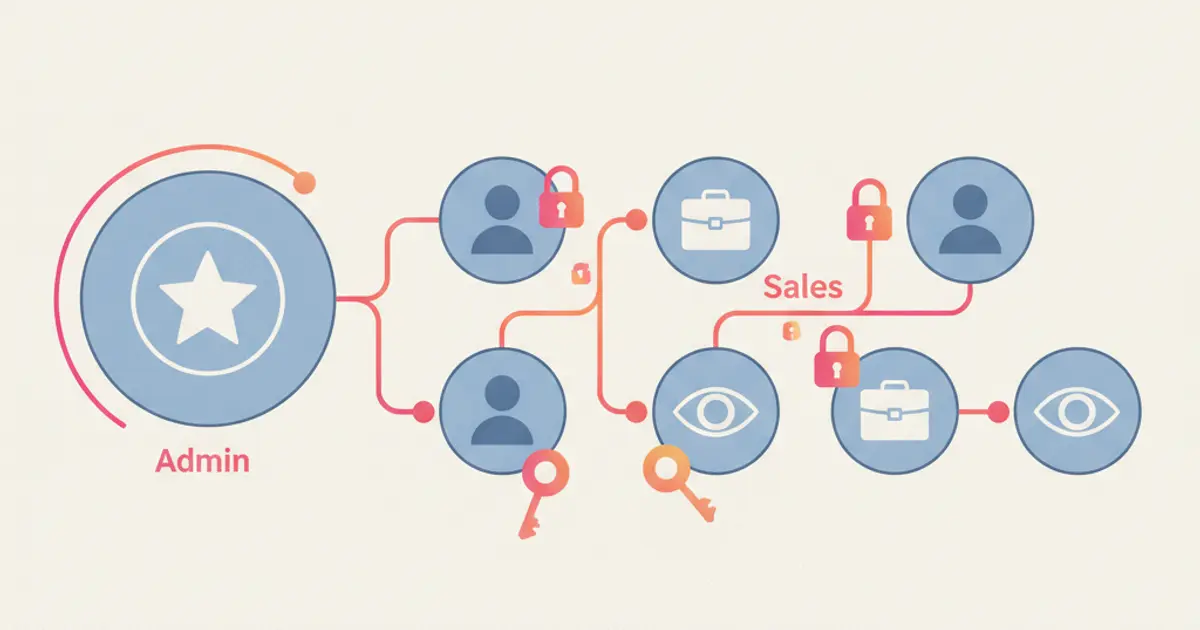
Key Advantages
- Customer Database Leakage Prevention: Restricts bulk export permissions so representatives cannot download proprietary records.
- Territory and Division Access Scoping: Ensures sales reps only view opportunities and contacts assigned to their active portfolio.
- Operational Conflict Elimination: Manages editing and deletion privileges to prevent accidental deal overwrites across teams.
- Data Privacy Regulatory Compliance: Enforces governance standards through multi-tiered Role-Based Access Control architectures.
Your customer database represents one of your organization’s most valuable assets. However, as sales and customer care teams expand, internal security vulnerabilities increase if every user maintains unrestricted administrative access. Configuring granular user permissions builds directly upon best practices for structuring CRM contact data.
Without strict access scoping, high-value prospect records remain vulnerable to data theft during employee turnover. Implementing disciplined hak akses crm through structured role permission software crm policies ensures commercial records remain secure without hindering frontline productivity. This security framework aligns with broader protocols for data privacy on WhatsApp API.
Why Role-Based Access Control (RBAC) Is Essential
The principle of least privilege states that team members should only access information necessary to execute their specific job functions. Deploying RBAC across CRM systems provides vital safeguards:
- Eliminates Internal Data Theft Risks: Restricts CSV and spreadsheet download utilities exclusively to executive administrators.
- Focuses Sales Representative Bandwidth: Prevents reps from colliding over unassigned accounts inside visual pipeline management software.
- Maintains Complete Operational Audit Trails: Simplifies auditing stage modifications through structured CRM conversation audit logging.
CRM User Permission Matrix by Organizational Role
| Organizational Role | Data Visibility Scope | Granted Functional Privileges |
|---|---|---|
| Super Admin / Executive | Complete access across all branches, transactions, and system settings. | Full Privileges: Create, Read, Update, Delete, Export, and System Integrations. |
| Sales Manager / Team Lead | Views all prospect deals within their assigned department or regional team. | Privileges: Create, Read, Update, Lead Routing; Bulk Export Button Disabled. |
| Sales Representative | Restricted exclusively to personally assigned contacts and opportunities. | Privileges: Create Contact, Read, Update Notes; Cannot Delete Records or Export. |
| Customer Service Agent | Accesses inbound customer conversation threads and active support tickets. | Privileges: Reply Threads, Update Tickets; Sensitive Financial Data Hidden. |
5 Practical Steps to Configure Role Permissions in CRM Software
Establishing dependable database security requires systematic technical configuration:
1. Restrict Bulk Contact Export Privileges
Lock CSV data download functions exclusively to executive administrators. Frontline representatives do not need export tools to execute daily outreach calls or send quotes.
2. Enforce Data Scoping by Territory and Ownership
Configure scoping rules inside customer data management software so representatives only access records aligned with their territory, preventing representative collisions.
3. Apply Field-Level Security for Sensitive Attributes
Use field-level controls to hide sensitive parameters, such as product profit margins or customer banking details, from unauthorized user roles.
4. Manage Multi-Agent Messaging Workspaces Securely
Route customer touchpoints through a collaborative workspace using WhatsApp multi-agent software, preventing agents from deleting customer conversation histories.
5. Automate Offboarding Access Revocation
Leverage a visual workflow automation engine to revoke login credentials and reassign open portfolios instantly when staff depart, preserving long-term customer retention strategies.
Secure Your Customer Database with Cekat.ai
Protecting database integrity does not mean slowing down frontline operations. Intelligent permission architectures empower sales teams to work efficiently within secure, controlled boundaries.
The enterprise platform at Cekat.ai provides an all-in-one CRM application with granular Role-Based Access Controls, export protection, native WhatsApp Business API connectivity, and autonomous Agentic AI technology.
Explore plan options on our pricing and plans page or schedule a discovery consultation with our solutions engineering team today.
Leave a Reply