
Blog

  • How Payment Gateways Work: Complete Step-by-Step Guide

    How Payment Gateways Work: Complete Step-by-Step Guide

    Imagine checking out on an online store. You select your products, click payment, and clear instructions appear—such as a dynamic QRIS code or a dedicated Virtual Account number. Within seconds of completing the transfer, the status updates to “Success,” and your order is instantly marked ready for fulfillment without ever needing to upload a bank transfer slip. That seamless, automated checkout experience happens because a dedicated system bridges the payment flow from initial customer action to merchant confirmation.

    Behind the scenes, a payment gateway functions as a digital communication bridge. The system ingests transactional payloads, generates valid payment instructions for the buyer, and routes the authorization requests. Once the transaction clears, the confirmed settlement status returns directly to the merchant’s backend system.

    To eliminate guesswork from your commercial checkout workflows, you can consult with the engineering and growth team at Cekat.ai.

    Understanding Core Terminology in the Payment Ecosystem

    To design an effective checkout architecture, it is essential to distinguish between these three fundamental components:

    • Payment Gateway: The front-facing data communication bridge that transmits payment instructions and returns definitive transaction statuses (success, pending, or failed) to the merchant’s application.
    • Payment Processor: The backend financial infrastructure connected directly to banking networks and card schemes to verify fund availability and execute fund routing.
    • Merchant Account: A specialized holding account where transactional funds accumulate before being disbursed into your primary corporate bank account.

    Without a dedicated payment gateway, businesses are forced to manually cross-reference bank statement mutations against buyer payment slips. This manual approach is not only time-consuming, but also creates severe reconciliation errors as transaction volumes scale.

    Step-by-Step: How a Payment Gateway Works

    Understanding how a payment gateway works is best seen through the step-by-step data journey from the moment a buyer clicks pay until order confirmation:

    1. Transaction Payload Ingestion: When a customer initiates checkout, your store system dispatches transaction parameters (order value, unique order ID, and chosen payment instrument) to the payment gateway API.
    2. Payment Instruction Generation: The payment gateway processes this payload and renders specific payment instructions—such as a dynamic QRIS code, a dedicated Virtual Account number, a hosted payment link, or an encrypted credit card tokenization form.
    3. Processing and Automated Status Callbacks: Once the buyer completes payment on their banking or wallet app, the gateway receives real-time verification from the processing network. It then dispatches automated status updates back to the merchant system via dashboard notifications and secure webhooks (callbacks), automatically marking the order as paid.

    Deployment Models Across Business Scales

    • Direct QRIS Channels for Small Enterprises: Ideal for micro and small businesses requiring rapid payment acceptance without complex technical software development.
    • Native Website and App API Integration: Best suited for expanding mid-market companies and enterprise organizations requiring complete workflow automation, structured accounting reconciliation, and full brand control over checkout interfaces.

    Cost Architecture Note: When evaluating payment service providers, audit all fee components—including Merchant Discount Rates (MDR), flat per-transaction fees, and settlement disbursement charges. “Free” marketing claims typically apply only to account registration, not transaction processing.

    Common Misconceptions to Watch Out For

    Payment gateway misconceptions and monitoring best practices

    • QRIS Is Not a Payment Gateway: QRIS is a standardized QR payment method specification; a payment gateway is the underlying data processing engine that reconciles the transaction.
    • Neglecting Webhook and System Monitoring: Payment integrations require automated health monitoring to ensure webhook notifications execute reliably without leaving pending orders hanging in limbo.
    • Falling for the Lowest Rate Trap: Selecting a vendor purely for minimal transaction fees often leads to degraded checkout uptime and elevated payment failure rates.

    Related resource: Payment Gateway vs. Payment Link: Key Differences Explained

    Pre-Launch Checklist and Production Monitoring

    Before launching digital payment gateways to live production customers, ensure you have validated the following technical criteria:

    • Payment instructions render accurately matching the buyer’s selected method.
    • Transaction status codes (success, pending, failed) synchronize accurately with your internal database.
    • Order records update to paid status automatically without requiring manual staff intervention.
    • Reporting ledgers inside the provider dashboard match internal financial transaction logs.

    Understanding the complete architecture of a payment gateway empowers you to build a resilient, secure, and frictionless checkout workflow. With unified payment rails in place, operational overhead drops substantially while customer satisfaction rises.

    If you want to ensure your payment status integrations and conversational checkout workflows operate seamlessly from checkout to fulfillment, the team at Cekat.ai is ready to help structure the ideal technical strategy.
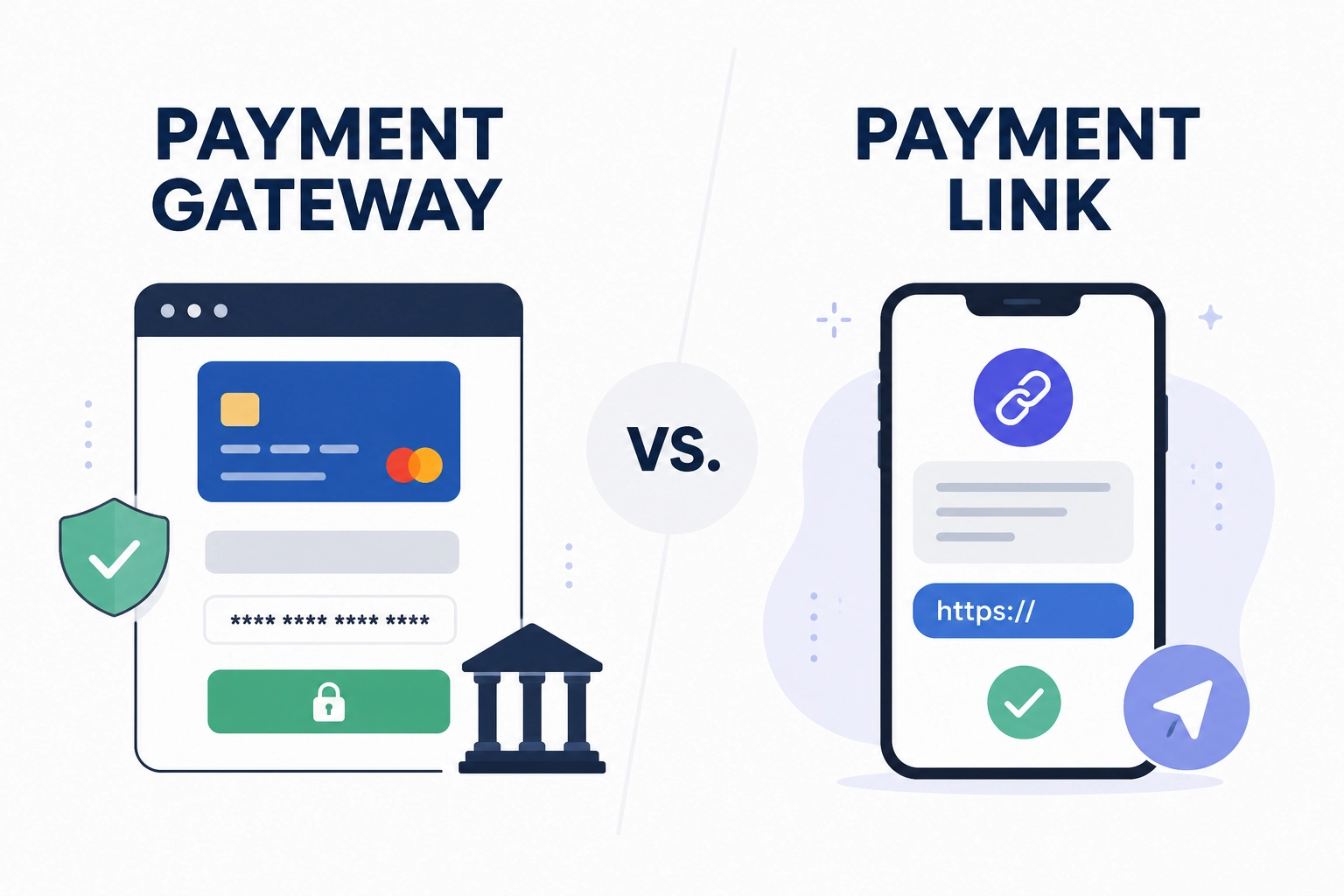
  • Payment Gateway vs Payment Link: Key Differences & Guide

    Payment Gateway vs Payment Link: Key Differences & Guide

    If you have ever heard the terms payment gateway and payment link used interchangeably and felt confused about which one to choose, you are not alone. Many business owners simply want transactions to process rapidly and funds to settle smoothly. However, these two mechanisms deliver distinctly different checkout workflows and buyer experiences.

    This guide will help you determine when to deploy an integrated payment gateway for native website or mobile app checkouts, and when a dynamic payment link is more suitable for instant chat invoicing and direct billing.

    If you want to structure your enterprise payment workflows smoothly from day one, you can consult with the team at Cekat.ai.

    Definitions: Payment Gateway vs. Payment Link

    • Payment Gateway (Integrated Checkout Infrastructure): The technical system connecting your online storefront (website or custom app) directly with financial processing networks. A gateway operates natively within your checkout pages to encrypt transactional data, execute real-time banking authorizations, and return definitive order status updates instantaneously.
    • Payment Link (Instant Hosted Invoicing URL): A unique, shareable URL generated for a specific transaction amount. This link redirects buyers to a secure, hosted payment page managed by the payment service provider. Merchants simply distribute this link via WhatsApp, email, or social media messaging so customers can choose their preferred payment method and complete the purchase.

    In simple terms, a payment gateway acts as an automated, integrated checkout terminal within your digital store, whereas a payment link functions as a dedicated digital invoice sent directly to individual buyers.

    Customer Journey & Operational Workflows Compared

    Understanding the distinction between a payment gateway and a payment link is easiest when examining the end-to-end customer purchase journey:

    1. Payment Gateway Flow for Website Checkouts: The buyer browses product catalogs, adds items to their digital shopping cart, and enters the integrated website checkout page. Transaction details encrypt and route to the payment processor. Once authorized by the issuing bank, order statuses synchronize and update within the merchant’s store backend in real time.
    2. Payment Link Flow for Direct Chat Billing: The merchant generates a transaction link configured with a specific invoice amount and shares it with the customer inside a messaging thread. The customer clicks the link, lands on a secure external payment interface, and selects their preferred payment instrument. Upon settlement, automated webhook notifications confirm the payment to both buyer and seller.

    Decision Framework: Choosing the Right Solution for Your Business

    Analyzing your commercial workflows will help you determine which payment option maximizes operational efficiency:

    Decision framework comparing payment gateway and payment link use cases

    • Choose a Payment Gateway If: You operate an e-commerce platform or custom application with high daily transaction volumes and standardized product catalogs. A gateway automates order processing, simplifies refund management, and maintains structured accounting reconciliation at scale.
    • Choose a Payment Link If: You manage a service-based business (such as creative design or consulting), sell bespoke/custom-order goods, close sales inside messaging apps, or require down payment (deposit) invoicing without the overhead of building a complex web storefront.
    • The Hybrid Approach: Many scaling mid-market enterprises combine both tools. The payment gateway powers the primary website checkout flow, while sales representatives leverage payment links to bill custom quotations or negotiate deals outside standard storefronts.

    Common Misconceptions to Avoid

    • Assuming Both Tools Are Identical: Forcing manual links onto high-volume e-commerce catalogs complicates automated inventory reconciliation, while building custom gateway integrations for simple 1-on-1 client consulting is unnecessary overkill.
    • Assuming Payment Links Are Less Secure: Both mechanisms utilize identical enterprise-grade PCI-DSS data encryption protocols. The difference lies in where the user interface renders, not in the underlying security standards.
    • Overlooking Operational Features for Lower Fees: Selecting a payment vendor purely for marginal basis-point fee savings often means sacrificing automated webhooks, robust reporting dashboards, and responsive customer support.

    Deciding between a payment gateway and a payment link ultimately depends on your customer engagement touchpoints and internal operational workflows. If you need automated, centralized transactions directly inside your website, a payment gateway is the proper choice. However, if you require flexible, rapid invoicing without technical deployment friction, a payment link delivers immediate value.

    If you need assistance designing an automated conversational checkout flow and financial reconciliation system for your business, the team at Cekat.ai is ready to help structure the ideal strategy.

  • Payment Gateway for SMEs: Complete Integration Guide

    Payment Gateway for SMEs: Complete Integration Guide

    Have you ever experienced a customer clicking pay, transferring the money, but the transaction status remains unconfirmed? Or perhaps you constantly have to cross-check bank transfer receipts because administrative staff are overwhelmed and verifications lag behind. When this recurs daily, transactions feel like double the effort: sales happen, but recording and manual verification become a constant operational burden.

    Manual confirmation bottlenecks frequently stifle growing small and medium-sized enterprises (SMEs). This is where integrating a dedicated payment gateway for SMEs becomes a foundational solution—automating transaction inflows, centralizing reconciliation, and eliminating manual bookkeeping friction entirely.

    What Is a Payment Gateway and How Does It Differ from an E-Wallet?

    Technically, a payment gateway is the intermediary infrastructure connecting a merchant’s digital storefront or point-of-sale system with diverse financial networks, including banks, credit card processors, and digital financial institutions. It functions as an automated terminal that verifies, encrypts, and authorizes transactions in real time.

    Many business owners confuse payment gateways, e-wallets, and manual bank transfers:

    • Payment Gateway: A centralized transaction processing platform. It does not hold stored balances like a bank; rather, it routes transactional data securely across multiple payment channels.
    • E-Wallet: Digital wallet applications (such as GoPay, OVO, ShopeePay, or DANA) that serve as payment instruments or funding sources used by customers at checkout.
    • Manual Bank Transfer: Direct account-to-account funds transfers where the merchant must manually review payment slips and bank statement mutations one by one.

    Within this ecosystem, several core technical terms are essential to understand:

    • Merchant: The business or seller receiving the commercial payment.
    • Buyer: The end customer executing the purchase and transaction.
    • Acquiring Bank: The partner financial institution processing transactions on behalf of the merchant.
    • Issuing Bank: The financial institution that issued the card or account held by the buyer.
    • Authorization: The real-time verification process validating fund availability and payment authenticity.
    • Settlement: The transfer of approved funds into the merchant’s designated commercial bank account.
    • Dashboard & Reconciliation: The administrative portal used to monitor payment statuses and reconcile sales reports against financial ledgers.

    Related resource: AI for SMEs: Accelerating Growth with Automation

    Why a Payment Gateway Is Critical for SME Growth

    Transitioning from manual transfer checks to automated payment systems drives measurable operational advantages:

    1. Enhances Customer Trust: A seamless checkout experience with instant automated confirmations gives buyers immediate transaction security.
    2. Eliminates Costly Human Error: Prevents shipping orders before funds clear or confusing similar transfer amounts during peak sales periods.
    3. Saves Operational Hours: Administrative teams stop spending hours every day manually verifying bank statements.
    4. Scales with Transaction Volume: As daily order volumes surge, automated gateways process hundreds or thousands of concurrent transactions without expanding bookkeeping headcount.

    How a Payment Gateway Operates from Checkout to Settlement

    Payment gateway transaction workflow from checkout to settlement

    Behind the scenes, transaction processing executes across structured, high-speed stages:

    1. Payment Method Selection: The customer selects their preferred payment method on the checkout page or via a payment link.
    2. Data Encryption: The system encrypts sensitive cardholder and transaction data to prevent interception or fraud.
    3. Authorization Request: The payment gateway routes the authorization request to the acquiring bank or relevant payment rail.
    4. Transaction Response: The issuing institution verifies account balances and returns a definitive status code: approved, declined, or pending.
    5. Instant Status Notification: The system delivers real-time webhooks updating the merchant dashboard and buyer confirmation screen instantaneously.
    6. Settlement Disbursement: Approved transactional funds aggregate and transfer to the merchant’s linked bank account according to scheduled payout cycles.
    7. Auditing and Reconciliation: Clean ledger records populate the reporting dashboard to simplify accounting and manage customer refunds smoothly.

    How SMEs Can Deploy a Payment Gateway Across Sales Channels

    You can deploy payment gateway solutions tailored to your specific commercial channels:

    • Website and E-Commerce Integration: If you run a custom online store or CMS, integrate the gateway using native plugins or REST APIs to enable in-app checkout flows.
    • Payment Links for Conversational Commerce: If you primarily sell via WhatsApp, Instagram, or social channels, generate secure payment links from your dashboard and share them directly inside customer chat threads.
    • Dynamic QRIS for Physical Stores and Pop-Ups: For on-premise retail transactions, display dynamic or static QRIS codes connected to your gateway so register payment statuses update automatically.

    Related resource: Best Omnichannel CRM for SMEs

    Framework for Selecting the Right Payment Gateway Provider

    Checklist for evaluating payment gateway software

    Avoid rushing vendor selection. Audit candidate payment gateways against these essential criteria:

    • Transparent Transaction Fees: Compare per-transaction Merchant Discount Rates (MDR) and ensure no hidden recurring maintenance charges erode profit margins.
    • Comprehensive Payment Method Support: Ensure the provider supports local preferred channels, including QRIS, major bank Virtual Accounts, leading e-wallets, and PayLater services.
    • Developer-Friendly Integration: Choose platforms offering well-documented APIs, software development kits (SDKs), and turnkey plugins for rapid deployment.
    • Responsive Technical Customer Support: Verify that local support engineers are readily accessible to resolve technical anomalies or payout inquiries quickly.
    • Regulatory Licensing & Security Compliance: Confirm the provider is officially licensed by central banking authorities (e.g., Bank Indonesia) and holds PCI-DSS Level 1 data security certification.
    • Clear Settlement Payout Cycles: Understand disbursement turnaround times (e.g., T+1, T+2) to maintain predictable business working capital.

    Common Mistakes to Avoid When Adopting a Payment Gateway

    Avoid these frequent pitfalls when implementing a digital payment system:

    • Focusing Solely on the Lowest MDR: Choosing a platform strictly for rock-bottom fees while ignoring system uptime reliability and support responsiveness can lead to severe revenue loss during technical outages.
    • Delaying Implementation Due to Perceived Small Scale: Postponing automated payments until order volumes become overwhelming causes operational chaos down the road.
    • Neglecting Dashboard Access Governance: Enforce strict role-based access permissions internally to secure administrative settings and withdrawal privileges.
    • Treating Pending Statuses as Immediate Failures: A pending status indicates the customer has initiated the transaction and has an active window to complete payment; uncoordinated cancellations risk alienating buyers.

    Operational Next Steps After Gateway Deployment

    Optimizing payment operations and reconciliation

    Once your payment gateway is live, maximize its operational value through these ongoing best practices:

    1. Maintain Routine Financial Reconciliation: Periodically cross-reference dashboard transaction logs with backend order records and bank deposit statements.
    2. Analyze High-Converting Payment Methods: Identify which payment channels buyers utilize most and feature those prominently at the top of your checkout menu.
    3. Leverage Transaction Insights for Marketing: Use peak purchase time data and average order values (AOV) from reporting dashboards to structure high-impact promotional campaigns.
    4. Establish Standard Operating Procedures (SOP) for Refunds: Create clear operational workflows for processing order cancellations and refunds to ensure transparent tracking and buyer satisfaction.

    Building a Scalable Financial Foundation with Payment Gateways

    Adopting a dedicated payment gateway for SMEs is no longer merely an optional upgrade; it is an essential foundation for operating an efficient, trustworthy, and scalable enterprise. By eliminating manual payment verifications, your team can redirect focus toward refining product quality and scaling customer acquisition strategies.

    Digitalizing business payments does not have to be complex. Choose a payment solution that fits your current commercial workflows, standardize your bookkeeping, and let automated systems support your business expansion.

    If you want to structure conversational checkout and automated payment workflows for your business, the team at Cekat.ai is ready to help you implement the ideal strategy.

  • Types of Digital Payments: Full Guide & Business Benefits

    Types of Digital Payments: Full Guide & Business Benefits

    Imagine just paying for coffee at a café using QRIS. It is seamless, fast, and eliminates counting change. The next day, you settle your monthly utility bills via mobile banking on the same smartphone. A week later, while shopping online, you select a PayLater option that removes the need to pay the entire balance upfront.

    All three scenarios belong to one overarching category: digital payment methods. The distinction between each type matters. Every method possesses unique characteristics—from where the underlying funds originate and how transactions are verified to its operational impact on consumers and merchants alike.

    Why is this increasingly critical? Digital payments deliver a more convenient, friction-free experience. For consumers, transactions are faster and less error-prone. For businesses, bookkeeping becomes automated, cash flow improves, and targeted promotional campaigns such as discounts or cashback incentives can be executed seamlessly through specific payment channels.

    Looking to identify the ideal types of digital payments for your operational requirements before committing to the wrong setup? Consult our strategic guide at Cekat.ai.

    What Is Digital Payment and What Are Its Core Types?

    E-Wallets

    An e-wallet (digital wallet) is an application that stores monetary balances within its ecosystem so you can pay directly inside the app or during checkout. Users typically top up balances from bank accounts and deploy those funds for transactions via QR codes, payment buttons, or connected merchant platforms.

    E-Money

    E-money (electronic money) represents monetary value stored on an electronic medium, typically a chip-based smart card. Transactions are executed by tapping or swiping the physical card against a terminal, functioning reliably even without active internet connectivity.

    Debit Cards

    A debit card is a payment instrument linked directly to your active bank checking or savings account. Each transaction deducts available funds instantly, meaning purchases are strictly bounded by existing account balances.

    Credit Cards

    A credit card operates against a revolving credit line extended by the issuing bank. You utilize borrowed funds upfront and settle the accumulated balance during the designated billing cycle under specified terms.

    QRIS

    QRIS (Quick Response Code Indonesian Standard) is a standardized national QR framework enabling a single merchant QR code to be scanned across diverse digital payment providers in Indonesia. When seeing a QRIS code at checkout, shoppers do not need specific, proprietary codes for different e-wallet apps.

    Virtual Accounts

    A virtual account is a unique, system-generated transaction identification number created to streamline payment verification. Payments transferred to this dedicated number are recognized and reconciled by backend systems instantly, making it ideal for high-volume, recurring business billing.

    PayLater

    PayLater (Buy Now, Pay Later / BNPL) allows buyers to obtain goods immediately and defer payment or split the total cost across structured installment tenors. Credit limits and approvals are evaluated via automated digital underwriting.

    Payment Gateways

    A payment gateway is not a standalone consumer payment method like a card or e-wallet, but rather the technical middleware that manages payment routing for merchants. Gateways empower businesses to accept diverse payment channels within a unified workflow while handling transaction encryption and settlement security.

    Strategic Benefits of Digital Payments for Consumers and Businesses

    “The most effective checkout experience is one that requires minimal cognitive friction from the buyer.” This operational reality explains why digital transactions consistently outperform cash.

    Customer executing digital payment on mobile smartphone terminal

    Immediate Benefits for Consumers

    For consumers, digital payments provide near-instant settlement alongside verifiable digital receipts. It eliminates the hassle of carrying physical currency, handling change, and waiting in protracted checkout queues.

    The practical convenience impacts everyday routines: e-commerce orders no longer require cash preparation upon delivery, while in-store QR scans and card taps streamline register throughput.

    Operational and Financial Benefits for Businesses

    For merchants, digital payment infrastructure simplifies reconciliation and cash flow monitoring because every transaction logs digitally in real time. This accelerates revenue tracking, prevents revenue leakage, and enables accurate financial forecasting through clean ledger reporting.

    Furthermore, digital channels facilitate dynamic marketing strategies such as exclusive discounts or loyalty cashback promotions. Real-time transaction confirmations also allow fulfillment teams to process orders immediately without awaiting manual bank transfer verification.

    Intersection of Security and Operational Efficiency

    Both buyers and merchants gain robust security protections. Digital payment infrastructure utilizes end-to-end encryption, multi-factor authentication, PINs, OTP tokens, and biometric authorization to safeguard transaction integrity. For enterprises, automated settlement minimizes cash handling risks and manual accounting discrepancies.

    If you operate a business looking to accelerate checkout flows, discover how to manage multi-channel payment options through integrated payment workflows.

    Framework for Selecting the Right Payment Methods

    When selecting payment instruments for your daily routine or commercial operation, evaluate options against specific operational contexts:

    Consumer Decision Checklist

    Select methods tailored to your everyday lifestyle and financial discipline:

    • Deploy QRIS or e-wallets for rapid everyday purchases across retail merchants.
    • Use debit cards when seeking direct deductions against available bank savings.
    • Utilize PayLater options strictly when cash flow permits disciplined installment repayment schedules.
    • Prioritize chip-based e-money cards for high-speed offline transit and toll road gates.
    • Avoid switching methods unnecessarily if your current setup satisfies your daily needs.

    Business Strategy Checklist

    For commercial enterprises, payment configuration is not merely about accumulating badges; it is about delivering frictionless checkout while ensuring automated reconciliation:

    • Offer payment channels preferred by your target demographic across online and brick-and-mortar touchpoints.
    • Prioritize virtual accounts for automated transaction verification and zero-friction reconciliation.
    • Present a curated selection of payment options at checkout to prevent decision fatigue.
    • Establish risk management parameters when accepting PayLater to maintain healthy working capital.
    • Leverage transaction telemetry to identify failed payment friction points and optimize checkout conversion.

    For the most seamless payment collection workflow, the Cekat.ai AI Support Agent generates and delivers dynamic payment QR codes directly inside conversational chat windows and executes automated pending-order follow-ups—securing collections without requiring manual staff outreach.

    Matching Methods to Transaction Types

    Align the payment mechanism with the underlying nature of the transaction:

    • For one-off retail purchases, deploy fast e-wallets and universal QRIS codes.
    • For recurring subscriptions, implement direct debit to eliminate manual monthly authorizations.
    • For flexible financing on larger purchases, utilize structured PayLater options with realistic tenors.
    • For micro offline payments, rely on chip-based e-money cards that operate independently of internet uptime.
    • For commercial B2B transactions requiring settlement guarantees, enforce automated reconciliation channels.

    Actionable Takeaways

    Consider the complete cycle: scanning a QRIS code for morning coffee, settling utility bills via mobile banking in the evening, and utilizing PayLater for scheduled online purchases. Together, these methods form the modern digital payment landscape—powering secure, cashless commerce across interconnected digital networks.

    Card tap and contactless digital payment terminal in action

    Each payment instrument serves a distinct functional purpose. You have e-wallets and chip-based e-money, debit and credit cards, alongside multi-channel rails like QRIS, virtual accounts, and PayLater. For recurring billing, direct debit provides automation, while for offline transit, e-money cards offer unmatched speed. For merchants, payment gateways act as the essential bridge to orchestrate these diverse methods within a unified, secure infrastructure.

    The key is aligning each payment method with its operational context—online versus offline, one-off versus recurring, and credit financing versus strict budget control. Selecting the right payment framework accelerates transaction speeds, safeguards customer data, and optimizes business cash flow.

    To ensure your enterprise deploys the ideal types of digital payments and conversational checkout workflows, the team at Cekat.ai is ready to help structure the optimal strategy.

  • What Is Cash on Delivery (COD)? How It Works & Safety Guide

    What Is Cash on Delivery (COD)? How It Works & Safety Guide

    Imagine browsing an online marketplace for an item you genuinely need. You find the perfect match, but one hesitation holds you back: you feel uncomfortable transferring funds upfront or using online payment gateways. Seeing a Cash on Delivery (COD) option brings immediate relief, offering an alternative that feels much safer and clearer in your mind.

    Understanding what COD is means looking at the exact moment of payment rather than simply how a parcel moves. This method provides a transaction alternative that feels secure for buyers who prefer clarity before handing over their money.

    If you want to ensure your retail or e-commerce COD strategy operates smoothly, you can consult with the team at Cekat.ai.

    What Exactly Is COD?

    COD stands for Cash on Delivery. At its core, COD is a transaction method where the buyer pays directly upon receiving the physical package from the courier. You do not need to pay upfront to initiate the order, and the seller expects payment completion once delivery is fulfilled.

    Within the COD transaction ecosystem, clear roles are established across all participating parties:

    • Buyer: Pays the courier upon receiving the package according to the total invoice amount. The buyer’s responsibility is accepting delivery and completing payment according to platform terms.
    • Seller: Prepares the order and chooses whether to enable or disable COD payment options on their storefront.
    • Courier: Delivers the parcel and collects the cash or digital on-site payment directly from the buyer upon handover.
    • Marketplace: Establishes platform policies, determines regional coverage availability, and provides dispute resolution channels if issues arise.

    Why Is COD a Preferred Solution in Online Shopping?

    It is no surprise that this payment method remains widely utilized. COD serves as a practical solution due to several key advantages:

    • COD vs. Upfront Bank Transfers: With standard digital payments like bank transfers, you complete payment at checkout before shipping begins. Conversely, with COD, payment occurs only when the parcel arrives in your hands, reducing transaction anxiety.
    • Buyer Security and Accessibility: COD reduces hesitation for shoppers who are less familiar with digital payment gateways or skeptical of new, unverified online storefronts.
    • Unbanked Financial Accessibility: Serves as a vital bridge for consumers who lack digital banking access or credit cards, allowing them to participate in online commerce.

    Related resource: How to Create Payment Links in WhatsApp

    How Does the COD Workflow Operate from Checkout to Delivery?

    The COD fulfillment process operates systematically through five distinct operational stages:

    1. Selecting the COD Method at Checkout: The buyer chooses the pay-on-delivery option on the marketplace or e-commerce platform.
    2. Seller Order Fulfillment: The seller packs the order and hands it over to a logistics partner supporting COD collection.
    3. Delivery and Payment Collection: The courier delivers the parcel to the destination address and collects payment from the recipient.
    4. Dispute Resolution via the Platform: If the product arrives damaged or incorrect, the issue is resolved through the platform’s official return system, not directly absorbed by the courier.
    5. Package Refusal Rights: If you receive an unrequested delivery that you never ordered, you have the right to refuse the parcel on arrival so it returns to the sender.

    Best Practices for Safe and Secure COD Transactions

    Cash on delivery parcel handover transaction

    Using COD safely requires understanding and adhering to handover protocols so transactions proceed smoothly without disputes.

    Pre-Delivery Checklist for Buyers:

    • Prepare exact cash matching the total order invoice and delivery charges.
    • Ensure the destination address and recipient contact number are accurate and reachable.
    • Understand the standard protocol: payment must be completed before opening package packaging.
    • Know the platform’s official return and complaint channels if the item inside is damaged or incorrect.

    Responsible Handover Practices:

    • For Buyers: Follow delivery guidelines. Complete the payment to the courier before unboxing the package. If discrepancies arise, submit a claim through the official marketplace app.
    • For Sellers: Activate COD thoughtfully by accounting for return rates (RTS), and maintain a responsive support team to resolve buyer inquiries quickly.
    • Regional Coverage Awareness: Understand that COD availability depends on specific geographic coverage determined by logistics partners and platform policies.

    Common Mistakes to Avoid in COD Transactions

    Several operational misunderstandings frequently occur during COD deliveries:

    • Assuming Packages Can Be Opened Before Payment: Unboxing parcels before completing payment violates standard logistics terms and leads to unnecessary disputes with couriers.
    • Refusing Deliveries Without Legitimate Cause: Repeatedly rejecting valid orders damages merchant operations and can trigger platform penalties or account restrictions.
    • Blaming Couriers for Package Contents: Couriers are responsible solely for transit and payment collection. Product quality or order accuracy issues must be resolved between the buyer, seller, and platform.
    • Assuming Every Store Offers COD: COD availability depends on individual merchant preferences and regional logistics capabilities.
    • Overlooking Service and Handling Fees: Total invoice amounts may include a modest COD processing fee alongside product and shipping costs.

    Related resource: AI for Social Commerce: Turning Conversations into Sales

    Conclusion: Building Confidence with Cash on Delivery

    Understanding Cash on Delivery thoroughly empowers you to participate in online commerce safely, confidently, and responsibly. By respecting standard handover protocols, unboxing rules, and official resolution channels, both buyers and merchants can leverage this payment method without operational friction.

    Preparing exact payment, ensuring recipient availability, and utilizing official dispute resolution workflows are the keys to a successful COD experience.

    If you want assistance streamlining your conversational commerce and e-commerce payment workflows, the team at Cekat.ai is ready to help you deploy the right operational strategy.

  • Cut CS Operational Costs by 60% with WhatsApp Chatbots

    Cut CS Operational Costs by 60% with WhatsApp Chatbots

    Key Advantages

    • Support Operational Cost Reduction: Deploys automation technology to eliminate repetitive headcount expenditures when customer messaging volumes surge.
    • Peak-Hour Message Loss Prevention: Guarantees incoming customer inquiries receive instant replies in seconds without creating queue backlogs on support dashboards.
    • Automated Inbound Lead Qualification: Screens high-intent prospective buyers before escalating conversations to sales representatives, boosting team efficiency by up to 80%.
    • Protected Official API Connectivity: Operates automated conversational workflows over official Meta WhatsApp Business API infrastructure without account ban risks.

    Surging inbound messaging volume during commercial scaling is often a double-edged sword for executive management. On one hand, elevated conversation traffic signals expanding market demand. On the other hand, linearly increasing customer service (CS) headcount to maintain response SLA standards inflates enterprise operational cost structures rapidly.

    Cost Analysis: Human Headcount vs. Conversational Automation

    In traditional support operations, handling 10,000 daily customer conversations requires at least 10 to 15 support agents working across multiple shifts. This manual approach creates several direct and indirect financial burdens, including:

    • Continuous Recruitment & Training Costs: Substantial time and financial resources are expended onboarding new staff on frequently updated product catalogs.
    • High Risk of Human Error: Increased likelihood of communicating inaccurate stock levels, shipping calculations, or pricing tiers when agents operate under queue backlog pressure.
    • Working Hour Constraints: Escalating overtime labor expenses required to keep support channels responsive outside standard office hours.

    By deploying an AI-powered WhatsApp chatbot, enterprises can automate up to 80% of repetitive, Tier-1 inquiries. This allows core human support staff to concentrate their energy strictly on complex customer complaints and high-value commercial negotiations.

    WhatsApp Chatbot Workflow for Sales and Support Efficiency

    Conversational automation does not mean eliminating human agents entirely; it creates a balanced hybrid collaboration between intelligent systems and frontline specialists. Here is an optimized operational workflow:

    1. Instant Greeting & Intent Recognition: The system greets incoming inquiries instantaneously and identifies conversational intent using Natural Language Processing (NLP).
    2. Autonomous Tier-1 FAQ Resolution: Foundational inquiries such as branch locations, product catalogs, shipping fee estimates, and order tracking numbers resolve automatically without human intervention.
    3. Automated Lead Qualification: The bot guides buyers through structured qualification questions to verify budget parameters, timeline urgency, and specific product requirements.
    4. Specialist Agent Escalation: Qualified, purchase-ready conversations route automatically to active sales specialists within an omnichannel application dashboard alongside full interaction histories.

    Core Criteria for Enterprise-Grade WhatsApp Chatbot Platforms

    Before integrating a conversational platform, verify that candidate solutions support your organizational scalability and data governance requirements:

    1. Official WhatsApp Business API Infrastructure

    Ensure the platform operates directly on Meta’s official WhatsApp Business API network, guaranteeing high-throughput message delivery and protecting primary business phone numbers from security bans.

    2. Dynamic Contextual AI Processing

    Avoid rigid, legacy chatbots that depend solely on numerical menu trees or exact keyword triggers. Choose generative AI Agents capable of interpreting natural language context, slang, and unstructured customer inquiries dynamically.

    3. Real-Time CRM and Enterprise Database Integration

    The messaging engine must integrate natively with your sales CRM, e-commerce backend, and internal ticketing databases to query live transaction and inventory data in real time.

    Strategic Conclusion

    Optimizing operational support costs is not about cutting service quality, but about allocating human resources to workflows that deliver the highest ROI. Transitioning toward conversational automation is a foundational investment to scale your enterprise sustainably in fast-moving digital markets.

    Ready to discover how conversational automation reduces operational costs while improving response SLA times? Consult Your Business Needs with the Cekat.ai Team and test the live demo today!

  • How to Choose a CRM System to Maximize Business ROI

    How to Choose a CRM System to Maximize Business ROI

    Key Advantages

    • Software Investment ROI Evaluation: Delivers a structured framework to evaluate cost efficiency and measurable revenue impact prior to deploying a sales CRM system.
    • Implementation Failure Prevention: Mitigates internal team adoption resistance by selecting platforms engineered with automated data capture.
    • Centralized Customer Data Consolidation: Unifies conversational histories from messaging channels into a single dashboard to eliminate manual administrative friction.
    • Customer Retention & LTV Expansion: Leverages historical transaction data to execute post-purchase engagement workflows and increase customer lifetime value.

    Adopting enterprise software is often a high-stakes decision for executive management. Many scaling mid-market enterprises allocate substantial budgets to global legacy platforms, only to encounter implementation failure because the software is overly complex and misaligned with daily frontline operations.

    When sales representatives and support agents avoid manual data entry, the software investment quickly becomes an operational cost burden without delivering measurable revenue growth.

    3 Primary Reasons Why CRM System Implementations Fail

    Before selecting a platform, decision-makers must identify the critical failure points that frequently derail CRM adoption initiatives:

    1. Internal Team Resistance (Manual Data Entry): Sales reps and support agents feel overburdened by having to manually copy-paste contact details and chat histories outside their primary messaging apps.
    2. Excessive System Complexity: Overengineered feature sets and cluttered user interfaces prolong employee onboarding cycles across multiple months.
    3. Communication Channel Silos: The CRM operates in isolation from daily messaging apps like WhatsApp, leaving transaction records and conversation histories desynchronized in real time.

    To overcome these challenges, organizations require an integrated CRM system that logs conversation threads and enriches customer profiles automatically without disrupting frontline productivity.

    A Practical Formula for Measuring CRM Investment ROI

    To ensure that platform adoption delivers a net-positive financial return, leadership can apply the following ROI calculation framework:

    ROI = [(Revenue Growth + Operational Cost Savings) – Total CRM Investment Cost] / Total CRM Investment Cost x 100%

    1. Operational Cost Savings: Calculated from the administrative working hours saved across sales and customer support teams once data entry automation is deployed.
    2. Revenue Growth: Measured by the incremental transaction conversions generated from faster messaging response times and automated prospect follow-up cadences.

    Essential Modern CRM Capabilities to Guarantee 100% Team Adoption

    To ensure your software investment is actively utilized by daily operational staff, verify that candidate CRM systems incorporate the following technical capabilities:

    1. Automated Data Capture via Conversational AI

    The system must capture customer attributes, intent tags, and deal qualification statuses automatically during live conversations using a WhatsApp AI chatbot.

    2. Official WhatsApp Business API Connectivity

    Provides a unified multi-agent workspace connected to an official business number, ensuring all customer conversation histories are securely stored in the corporate CRM database rather than on individual staff handsets.

    3. Real-Time Pipeline Visualizations & Analytics Dashboards

    Delivers visual Kanban deal pipelines that allow supervisors to track opportunity velocity and evaluate agent performance KPIs objectively.

    Strategic Conclusion & Next Steps

    The success of a CRM deployment is not measured by the price tag of the software, but by how consistently it is adopted by your team to accelerate commercial growth. Choosing a flexible platform that connects natively with daily messaging channels is the key to winning in high-velocity digital markets.

    Ready to deploy a conversational CRM and omnichannel platform designed for high-growth businesses? Schedule a Free Consultation & Live Demo with Cekat.ai Today!

  • Customer Management Software: Essential B2B Checklist

    Customer Management Software: Essential B2B Checklist

    Key Advantages

    • B2B Software Procurement Standard: Delivers a structured technical evaluation matrix to streamline vendor selection for executive leadership and procurement teams.
    • Enterprise Data Security Assurance: Verifies that candidate platform architectures support enterprise encryption and role-based access controls to safeguard customer databases.
    • Transparent Total Cost of Ownership (TCO): Helps leadership project accurate total operational expenditures without unexpected add-ons or hidden consulting costs.
    • Verified API & Omnichannel Compatibility: Ensures the software connects seamlessly with official WhatsApp Business API infrastructure and internal sales CRM systems.

    Enterprise software procurement demands rigorous, structured technical evaluation. Committing operational budgets to a platform without auditing its underlying specifications often leads to costly setbacks, ranging from escalating subscription fees driven by hidden add-ons to infrastructure that fails during peak conversation traffic.

    Essential Checklist for Selecting Customer Management Software

    For executive leadership and procurement decision-makers, maintaining an objective evaluation framework is the key to ensuring customer management software delivers measurable return on investment (ROI).

    1. Official WhatsApp Business API Infrastructure Support

    In conversational digital economies, WhatsApp serves as the primary touchpoint for buyer interactions. Ensure candidate software providers maintain direct, verified integration with Meta’s official network:

    • Account Ban Protection: Systems reliant on unauthorized web-scraping methods risk permanent business phone number bans and communication downtime.
    • Official Green Tick Verification: Strengthens brand authority and customer trust when delivering verified transactional and promotional messaging.
    • Multi-Agent Team Scalability: Allows dozens of frontline support representatives to manage a single official business number simultaneously via an omnichannel application.

    2. Autonomous AI Agents and Natural Language Processing (NLP)

    Avoid platforms limited to rigid, keyword-matching chatbots. Ensure the solution incorporates generative AI capabilities engineered to operate autonomously:

    1. Contextual Language Comprehension: AI engines interpret natural dialogue, complex buyer intent, regional colloquialisms, and typos dynamically.
    2. Autonomous Task Execution: Directly queries connected databases to verify inventory, calculate shipping costs, and qualify leads automatically via a WhatsApp AI chatbot.
    3. Seamless Hybrid Escalation: Detects sensitive complaints or high-value negotiation requests automatically, transferring conversational threads to the designated human specialist with full context.

    3. Data Security Governance and Granular Access Controls

    For growing enterprises, proprietary customer records represent valuable corporate assets. Audit the following security controls during vendor evaluations:

    • Role-Based Access Control (RBAC): Restricts data visibility based on employee hierarchy. Frontline agents access only assigned conversation threads, while supervisors review aggregate reporting dashboards.
    • Comprehensive Audit Trails: Logs all user activities—including contact edits and report downloads—to prevent internal data exfiltration and ensure compliance.

    4. Transparent Licensing Models and Onboarding Support

    Require detailed Total Cost of Ownership (TCO) breakdowns from candidate vendors, covering:

    • Subscription Pricing Models: Clarify whether platform fees calculate per user seat, conversation session volume, or modular feature tiers.
    • Dedicated Local Technical Support: Responsive technical teams capable of delivering rapid onboarding assistance and real-time troubleshooting in your operating timezone.

    Selecting the right Customer Management Software is a foundational strategic investment that determines long-term operational efficiency and customer retention. Enforcing a rigorous evaluation checklist minimizes deployment risks while maximizing software ROI across your organization.

    Ready to evaluate an enterprise platform that satisfies every operational criterion above? Schedule a Live Demo with Cekat.ai and test its full capabilities today!

  • Business Chat Management: Scale Support & Cut SLAs

    Business Chat Management: Scale Support & Cut SLAs

    Key Advantages

    • Accelerated Support Response Times: Guarantees incoming customer inquiries receive replies in seconds to protect customer satisfaction and curb churn rates.
    • Customer Data Leakage Prevention: Consolidates conversation logs and business contacts within a centralized, secure infrastructure protected from data loss.
    • Support Staff Time Efficiency: Automates routine, repetitive inquiries so frontline operations can focus on high-value escalations.
    • High-Volume Communication Scalability: Manages thousands of daily conversations reliably without operational dashboard bottlenecks.

    Surging inbound messaging volume during business scaling frequently triggers operational dilemmas across frontline support teams. On one hand, high conversation traffic reflects strong commercial demand.

    On the other hand, handling messages manually across staff personal mobile devices risks queue backlogs, elevated average response times, and critical customer data loss when employees depart. Establishing a centralized digital conversation management strategy is a fundamental priority for sustainable business growth.

    3 Operational Risks of Managing Business Chats Manually

    Before overhauling communication infrastructure, leadership must map the core vulnerabilities inherent in traditional messaging methods:

    1. Customer Contact Details Scattered Across Personal Devices: Transaction histories and buyer records remain trapped on individual staff handsets, depriving the enterprise of centralized ownership over proprietary customer databases.
    2. Inflated Customer Wait Times: Prospective buyers endure multi-hour delays during peak traffic periods due to the absence of automated queue assignment mechanisms.
    3. Inconsistent Support Information: Pricing tiers, real-time stock levels, and warranty return policies are communicated inconsistently by different frontline representatives.

    To overcome these operational limitations, organizations must consolidate all communication touchpoints into a unified omnichannel application, ensuring every interaction logs securely within a central database.

    Messaging Automation Workflows to Maintain SLA Performance

    Integrating automation into primary conversational channels enables organizations to eliminate routine administrative friction while safeguarding customer relationships:

    1. Instant Greetings and Automated Triage: Deploy an AI-driven WhatsApp chatbot to greet incoming inquiries and answer recurring questions—such as office locations, operating hours, and shipping cost calculations—24/7 without delay.
    2. Skill-Based Ticket Distribution: Inquiries requiring complex troubleshooting or commercial negotiation route directly to active human agents based on predefined category qualifications.
    3. Automated Interaction Logging: Every customer interaction dynamically updates the user profile inside your central sales CRM system to simplify historical auditing and future engagement.

    Core Criteria for Enterprise-Grade Business Messaging Infrastructure

    When evaluating conversational management platforms for your enterprise, ensure the software meets the following technical reliability standards:

    1. Verified Official API Connectivity

    Utilize official API connections from communication platform providers to guarantee high-volume delivery reliability without risking business account bans.

    2. Role-Based Access Controls and Audit Trails

    Enforce granular agent permissions based on organizational roles to ensure representatives access only assigned conversations, maintaining strict buyer data confidentiality.

    3. Real-Time Operational KPI Analytics

    Deliver accurate, real-time reporting on First Contact Resolution (FCR), Average Handling Time (AHT), and Customer Satisfaction (CSAT) scores across active teams.

    Designing a structured customer service chat strategy extends far beyond replying quickly; it is a foundational measure to protect enterprise data assets and brand reputation. Combining intelligent automation with a centralized management dashboard provides the operational efficiency needed to scale competitively.

    Ready to secure your customer database and accelerate support response speeds? Schedule a Live Demo with the Cekat.ai Team Today!

  • Support Ticketing System: SLA Architecture & Escalation

    Support Ticketing System: SLA Architecture & Escalation

    Key Advantages

    • Standardized SLA & Priority Matrices: Classifies support tickets based on financial impact and operational urgency (P0 to P3) to prevent mission-critical issues from stalling.
    • Elimination of L1 to L2 Escalation Bottlenecks: Establishes automated routing workflows so technical inquiries route directly to specialized engineering tiers without manual ping-pong delays.
    • End-to-End Ticket Lifecycle Visibility: Tracks resolution statuses transparently across Open, In Progress, Waiting on Customer, and Resolved stages.
    • Telemetry & Customer Context Integration: Links support tickets directly to CRM profiles and historical purchase data to accelerate root-cause investigations.

    In mid-market and enterprise customer support operations, the fundamental bottleneck is rarely inquiry volume alone, but rather an organization’s inability to manage the end-to-end issue lifecycle systematically.

    When customer complaints are handled inside unstructured chat threads without defined data schemas, leadership loses operational visibility over critical technical incidents occurring in production.

    The business consequences are severe: inflated operational overhead, repeated Service Level Agreement (SLA) breaches, and eroded customer trust caused by unresolved support inquiries.

    Anatomy of a Modern Customer Support Ticket Lifecycle

    A customer service ticket is far more than a raw text note; it is a structured data entity containing granular attributes that govern resolution workflows. An enterprise-grade ticket schema includes the following core components:

    • Customer Context Data: User identity profile, subscription tier, transaction history, and customer lifetime value (LTV) synchronized automatically from central databases.
    • Categorization & Severity Attributes: Explicit tags indicating issue type (such as billing errors, system bugs, or logistics delays) and business urgency ratings.
    • Audit Trail & Timestamp Telemetry: Precise time-stamped logs recording initial ticket generation, First Response Time (FRT), and final resolution timestamps.

    To enforce operational discipline across support tiers, tickets advance through defined lifecycle stages:

    1. Open / New: A new support ticket is generated automatically by the platform upon receiving an inbound inquiry.
    2. Assigned / In Progress: The ticket is routed to a specialized representative or engineering team and is currently under active investigation.
    3. Pending / Waiting on Customer: Active resolution pauses temporarily while awaiting necessary logs, screenshots, or verifications from the user.
    4. Resolved / Closed: The solution has been delivered and verified by the customer, triggering automated CSAT survey dispatches.

    Structuring SLA Priority Matrices and Escalation Frameworks

    A common failure mode in customer operations is treating every inquiry with identical priority using First-In, First-Out (FIFO) queuing. This approach creates severe operational risk, as minor FAQ inquiries delay critical blockers that threaten commercial revenue. Management must implement an objective priority matrix based on Severity Levels:

    Priority Level Criteria & Operational Impact Target First Response Target Resolution Time
    P0 – Critical Core system downtime, widespread transaction outages, or data security vulnerabilities. < 15 Minutes < 2 Hours
    P1 – High Primary product features degraded for a segment of users with no immediate workaround. < 30 Minutes < 6 Hours
    P2 – Medium Minor glitches on secondary features where a viable temporary workaround exists. < 2 Hours < 24 Hours
    P3 – Low General informational requests (FAQs), account profile adjustments, or feature requests. < 4 Hours < 48 Hours

    Deploying the Cekat.ai ticketing management system allows organizations to detect high-risk keywords automatically and classify incoming inquiries into P0 or P1 queues without manual triage overhead.

    3 Operational Bottlenecks and Their Technical Solutions

    In high-velocity support environments, issue resolution workflows frequently stall across three primary operational friction points:

    1. Cross-Departmental Ticket Ping-Pong (L1 to L2 Escalations)

    The Bottleneck: Tier-1 frontline agents lack sufficient technical context, leading them to pass unvetted tickets to Tier-2 engineering teams, causing circular reassignment delays.

    The Solution: Enforce strict *Required Form Fields* during escalation workflows. L1 representatives must attach system error logs, relevant screenshots, and completed troubleshooting steps before a ticket can transfer to Tier-2 engineers.

    2. Lack of Tier-0 Self-Service Automation

    The Bottleneck: Skilled human agents spend hours managing repetitive P3 inquiries, such as tracking order shipments or explaining standard terms of service.

    The Solution: Position an intelligent WhatsApp AI chatbot at the front line to deflect up to 80% of routine P3 inquiries autonomously, allowing human staff to focus strictly on P0 and P1 issues.

    3. Absence of Real-Time SLA Breach Alerts

    The Bottleneck: Tickets sit unmonitored in active queues because representatives lose track of approaching SLA resolution deadlines.

    The Solution: Configure automated escalation triggers. If a P1 ticket remains unacknowledged after 20 minutes, the platform dispatches automated alerts directly to support supervisors and operations managers.

    Key Metrics to Measure Support Operational Health

    To evaluate support infrastructure performance objectively, leadership must look beyond simple Customer Satisfaction (CSAT) scores. Track a balanced set of quantitative telemetry metrics:

    • Mean Time to Resolve (MTTR): The average time elapsed from initial ticket creation to complete operational resolution.
    • First Contact Resolution Rate (FCR): The percentage of inbound inquiries resolved completely during the initial interaction without requiring escalations.
    • Ticket Deflection Rate: The percentage of total inquiry volume resolved autonomously by AI and self-service knowledge portals without generating human agent tickets.
    • Backlog Volume Trends: The daily ratio comparing newly created tickets against successfully resolved tickets to monitor operational queue health.

    Frequently Asked Questions (FAQ)

    1. What is the fundamental difference between standard live chat and a ticketing system?

    Standard live chat functions solely as a real-time messaging interface where conversational history can easily be lost once windows close. In contrast, a ticketing system transforms every incoming message into an official work entity equipped with a unique tracking ID, priority SLA targets, explicit agent ownership, and full lifecycle auditing.

    2. How long does it take to integrate a support ticketing system with the official WhatsApp API?

    Modern cloud platforms like Cekat.ai connect with the official WhatsApp Business API in hours to one business day without complex custom development. Once the API connection establishes, automated ticket generation and queue routing activate immediately.

    3. Is a ticketing system suitable for B2B enterprises and growing mid-market businesses?

    Yes. For B2B organizations and expanding mid-market companies, ticketing platforms prevent lead leakage, organize post-purchase client requests, and ensure SLA compliance without requiring exponential support team headcount growth.

    4. How does the system detect and notify teams of SLA breaches?

    The platform utilizes automated background timers calculated from the exact moment of ticket generation. If an agent fails to deliver a First Response or resolve the issue within designated severity thresholds (P0 to P3), the platform triggers automated system alerts and escalates the ticket up management tiers.

    Strategic Conclusion

    Building a resilient post-purchase support architecture is not about demanding agents work faster, but about constructing disciplined workflow systems. Implementing a modern ticketing system augmented with conversational AI automation guarantees every customer inquiry is tracked transparently, accurately, and measurably against enterprise SLA commitments.

    Ready to modernize your issue resolution workflows and eliminate SLA breach risks? Schedule a Technical Consultation & System Demo with Cekat.ai Today!