Category: CRM

  • The Function of CRM Systems in Eliminating Human Error in Client Data Entry

    The Function of CRM Systems in Eliminating Human Error in Client Data Entry

    Key Advantages

    • Permanent elimination of duplicate contact entries and the risk of losing historical client records.
    • Multi-channel database centralization from WhatsApp conversations to the sales pipeline in one timeline.
    • Prevention of sales leakage through automated prospect status updates without manual entry.
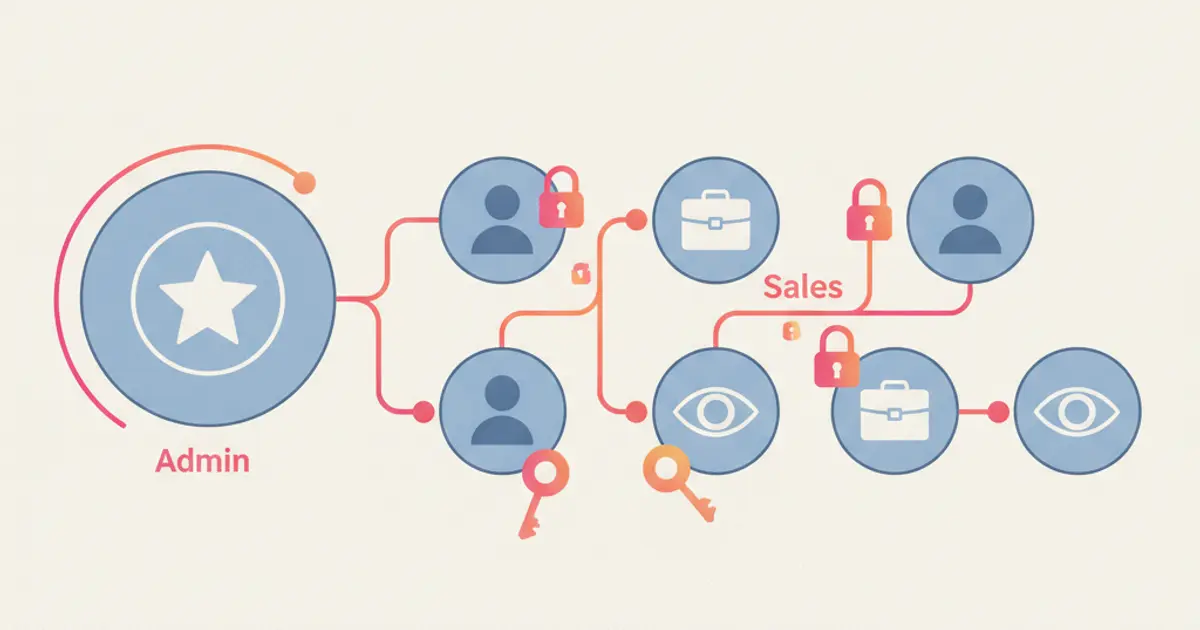
    • Enforcement of customer data governance via Role-Based Access Control and transparent audit trails.

    Relying on manual spreadsheets often represents an unseen point of operational fragility in growing commercial organizations. Small oversights such as mistyping contact numbers, leaving follow-up notes on private representative phones, or duplicating prospect outreach are critical forms of human error that directly degrade revenue potential.

    Deploying a modern crm application provides a structural solution to overcome manual vulnerabilities. By consolidating customer interactions into an integrated ecosystem, organizations ensure that commercial records and communication logs remain accurate, uniform, and transparent across all teams.

    Vulnerability Points of Human Error in Manual Data Record-Keeping

    As commercial operations scale, daily interaction volumes increase exponentially. Sales representatives managing dozens of active discussions frequently postpone updating central spreadsheets. Consequently, client preference details, scheduled demonstration deadlines, and critical customer feedback become distorted because teams rely entirely on individual memory.

    This dynamic fosters severe data fragmentation where vital negotiation history stays isolated on personal employee hardware. If a sales representative leaves the company unexpectedly, the organization forfeits entire relationship contexts that were never centrally archived, putting high-value enterprise accounts at risk.

    How CRM Validation Mechanisms Guarantee Enterprise Data Integrity

    Implementing an advanced crm system introduces automated standardization from the moment a new prospect reaches out. The platform executes instant syntax validation, such as converting regional telephone entries into standardized E.164 international formats to avoid duplicate profile generation.

    Furthermore, the system leverages automated matching logic across unique identifiers such as email addresses and messaging session IDs. When an existing customer initiates contact through an alternative communication channel, the platform merges the interaction into the master client profile without creating cluttered records.

    Evaluation Parameter Manual Spreadsheets Centralized CRM Database
    Contact Syntax Validation Manual, highly prone to typos and duplicate profiles Automated input standardization engine
    Communication History Logging Dependent on individual representative discipline Synchronized automatically in real time
    Pipeline Stage Visibility Requires periodic, error-prone manual compilation Transparent and dynamic visual dashboard
    Follow-up Task Delegation Verbal coordination or disconnected personal notes Systematic automated task alerts and routing
    Information Security Governance High risk of uncontrolled file downloads and copying Encrypted storage with granular role permissions

    Standard Operating Procedure for Migrating Spreadsheets to CRM

    Migrating from unorganized spreadsheets to an integrated business database requires structured execution to prevent legacy bad data from corrupting the new system. Commercial teams should enforce the following structured SOP:

    1. Initial Data Audit and Cleansing: Identify duplicate records, purge unresponsive historical contacts, and normalize all phone numbers to standardized syntax.
    2. Custom Property Mapping: Define mandatory tracking fields for every client profile, including deal valuation, acquisition origin, and priority tiers.
    3. Communication Gateway Integration: Connect primary messaging channels so inbound chats immediately create lead profiles without manual input. Explore technical mechanics in our comprehensive guide on integrating WhatsApp with CRM.
    4. Role Governance and Team Enablement: Configure user access levels and run operational onboarding so representatives consistently manage records directly inside the workspace.

    Automating Lead Status to Prevent Commercial Revenue Leakage

    A primary cause of commercial pipeline leakage is the lag between sales activities and record updates. When a qualified prospect requests a formal contract and the representative forgets to update the deal status, that commercial opportunity remains abandoned. Best practices for plugging these gaps are detailed in our analysis on lead management software automations.

    Through rule-based workflow automation, pipeline stages update dynamically based on verified client triggers, such as clicking a proposal document or responding to an evaluation message. Sales leadership maintains complete visibility across active deals utilizing an interactive sales pipeline management dashboard.

    Client Data Governance and Security Compliance

    Storing proprietary customer information on unprotected digital spreadsheets introduces severe corporate security vulnerabilities. Without role governance, customer databases can be downloaded, distributed, or deleted without leaving an immutable audit trail.

    Modern CRM platforms neutralize these vulnerabilities by applying Role-Based Access Control (RBAC). Representatives only access customer records assigned directly to their portfolio, while bulk data exports and structural schema modifications remain locked to executive leadership to protect business integrity.

    Achieve Accurate and Automated Customer Data with Cekat.ai

    Eliminating human error in customer data management is essential for sustaining commercial efficiency and business growth. Cekat.ai provides an intelligent CRM platform that connects customer databases directly with conversational AI agents and official messaging channels.

    With Cekat.ai, prospect communications, pipeline stage advancements, and representative assignments execute automatically without administrative friction. Eliminate manual data entry errors and accelerate your sales cycle by starting a free trial on our Cekat.ai pricing plans today.

    Frequently Asked Questions

    How does a CRM system prevent duplicate contact creation?

    The system evaluates incoming data against unique parameters such as standardized phone numbers and email addresses, matching new interactions with existing records before creating entries.

    Is communication history preserved if a sales representative leaves the company?

    Yes, all conversation logs, requirement notes, and deal stages are archived on central servers, enabling seamless account reassignment to new team members without losing context.

    How long does the transition from spreadsheets to a CRM system typically take?

    Implementation timelines generally range from 3 to 7 business days, depending on contact volumes, initial data hygiene, and the complexity of required workflow automations.

  • Lead Scoring Guide: Frameworks, Criteria & CRM Automation

    Lead Scoring Guide: Frameworks, Criteria & CRM Automation

    Key Advantages

    • Data-Driven Pipeline Prioritization: Assigns objective numeric values to inbound inquiries, allowing sales reps to focus exclusively on high-intent opportunities.
    • Marketing & Sales Alignment: Eliminates subjective disputes over contact quality by establishing standardized, quantifiable qualification benchmarks.
    • Real-Time CRM Scoring Automation: Aggregates behavioral points from chat interactions, website visits, and form submissions instantly without manual data entry.
    • Elevated Deal Closing Velocity: Equips sales representatives to engage high-value prospects at the exact peak of their active purchasing consideration window.

    Sales representatives frequently report that a significant portion of inbound marketing contacts fail to convert into paying customers. Simultaneously, marketing teams struggle to understand why substantial lead volumes yield sluggish commercial traction. This operational friction typically stems from the absence of an objective qualification mechanism to distinguish casual browsers from verified buyers ready to purchase.

    Implementing a structured lead scoring framework resolves this misalignment by assigning quantifiable weights to every prospect interaction. Combining this methodology with a centralized lead management platform ensures your commercial pipeline remains populated exclusively with sales-qualified opportunities.

    What Is Lead Scoring in Modern Sales Operations?

    Lead scoring is a quantitative qualification methodology utilized by revenue teams to measure an inbound contact’s conversion probability based on demographic fit, company firmographics, and behavioral engagement telemetry.

    In practice, the system awards positive points for high-intent actions (such as viewing commercial pricing tiers or requesting product demonstrations) and deducts points for non-commercial indicators (such as career page visits or invalid contact details). When an account’s score surpasses a predefined threshold, the contact routes automatically to frontline sales specialists for consultative closing.

    Core Architectural Dimensions: Lead Scoring vs. Lead Grading

    A comprehensive enterprise qualification architecture evaluates prospects across two distinct analytical dimensions:

    Qualification Dimension Analytical Focus Evaluative Telemetry Examples
    Lead Scoring (Behavioral Telemetry) Measures how interested the prospect is in your offering (Engagement Interest). Opening outbound WhatsApp alerts, clicking pricing links, downloading whitepapers, submitting discovery forms.
    Lead Grading (Firmographic Fit) Measures how suitable the prospect is for your product (Ideal Customer Profile Fit). Decision-maker seniority (C-level/Director), company headcount, annual revenue tier, industry vertical.

    Intent Segmentation: Hot vs. Warm vs. Cold Leads

    Aggregating behavioral scores and firmographic grades categorizes contacts into three distinct maturity tiers:

    • Cold Leads (Low Score): Early-stage contacts who downloaded top-of-funnel educational assets or casually browsed your website. These contacts require gradual education and are not ready for direct sales outreach.
    • Warm Leads (Moderate Score): Prospects who repeatedly engage with product updates, review comparison sheets, or explore catalog pricing. These contacts enter structured lead nurturing workflows.
    • Hot Leads (High Score): Verified decision-makers who actively request solution demos, review payment terms, or engage consultative WhatsApp prompts. These accounts require immediate sales intervention within minutes.

    Step-by-Step Guide: How to Construct a Lead Scoring Model

    Designing an accurate, high-performing lead qualification model involves five foundational steps:

    1. Define Your Ideal Customer Profile (ICP)

    Audit historical closed-won transaction records inside your CRM application to identify the shared demographic and organizational traits of your highest-retention accounts.

    2. Map High-Intent Behavioral Trigger Points

    Isolate key digital touchpoints that correlate strongly with successful closed deals, assigning proportional point values to each action:

    • Submitting a formal consultation discovery form: +30 Points
    • Replying to a sales inquiry on WhatsApp: +25 Points
    • Reviewing commercial pricing tier tables: +15 Points
    • Opening targeted broadcast campaign links: +5 Points
    • Browsing employment or career openings: -20 Points
    • Inactivity for more than 30 days: -15 Points (Score Decay)

    3. Establish the Sales-Qualified Lead (SQL) Handoff Threshold

    Define the explicit score benchmark where a marketing lead officially qualifies for sales engagement (e.g., reaching 75 accumulated points). Explore automated triage playbooks in our guide on automating lead qualification on WhatsApp.

    4. Implement Score Decay Protocols

    Buyer intent degrades over time. An account that demonstrated high activity two months ago but has since gone dormant must experience automated point deductions to ensure sales reps focus exclusively on active opportunities.

    5. Execute Continuous Calibration Sprints

    Conduct monthly review cadences between revenue leadership and sales teams to confirm that high-scoring contacts consistently correlate with high closed-won conversion rates.

    Automating Lead Scoring in CRM with Cekat.ai AI Architecture

    Tracking behavioral scores manually across hundreds of conversational interactions creates severe operational latency. Integrating qualification workflows with the official WhatsApp Business API powered by Agentic AI technology delivers an automated solution:

    • Real-Time Event Tracking: Contact score properties update dynamically upon every inbound message, link engagement, or transaction milestone.
    • Conversational Intent Discovery: An autonomous WhatsApp AI chatbot engages inbound inquiries conversationally, validates budget fit, and assigns numeric score values in real time.
    • Automated Agent Routing: When an account crosses the Hot Lead threshold, the thread routes immediately to designated sales representatives in a WhatsApp multi-agent workspace with contextual summaries.

    This automated coordination ensures sales teams strike during peak buyer interest, nurture deals using our playbook on how to follow up on WhatsApp sales to close deals, and build a scalable foundation for long-term customer retention.

    Frequently Asked Questions (FAQ)

    1. What is the primary commercial benefit of implementing lead scoring?

    The primary benefit is maximizing sales productivity by directing representative outreach exclusively toward high-intent opportunities, shortening deal cycles, and aligning marketing qualification standards with sales realities.

    2. What does score decay mean in lead scoring architecture?

    Score decay is an automated protocol that deducts points from prospect records after extended periods of inactivity, reflecting the natural degradation of buyer interest over time.

    3. How do you automate lead scoring across WhatsApp messaging channels?

    Deploy official WhatsApp Business API endpoints integrated with an intelligent CRM. The system automatically awards points based on keyword intents, reply velocity, catalog link clicks, and verified budgetary criteria.

    Scale Inbound Lead Qualification with Cekat.ai

    Deploying a disciplined, automated lead scoring system is essential for accelerating sales conversion rates without expanding administrative overhead. Ensuring your sales force engages buyers at the ideal moment transforms conversational interest into predictable enterprise revenue.

    The enterprise platform at Cekat.ai delivers conversational commerce infrastructure combining official WhatsApp Business API connectivity, automated CRM pipelines, and autonomous 24/7 AI Agents. Explore our plan options on our pricing and plans page or schedule a discovery consultation with our growth solutions team today.

  • How to Choose a CRM System to Maximize Business ROI

    How to Choose a CRM System to Maximize Business ROI

    Key Advantages

    • Software Investment ROI Evaluation: Delivers a structured framework to evaluate cost efficiency and measurable revenue impact prior to deploying a sales CRM system.
    • Implementation Failure Prevention: Mitigates internal team adoption resistance by selecting platforms engineered with automated data capture.
    • Centralized Customer Data Consolidation: Unifies conversational histories from messaging channels into a single dashboard to eliminate manual administrative friction.
    • Customer Retention & LTV Expansion: Leverages historical transaction data to execute post-purchase engagement workflows and increase customer lifetime value.

    Adopting enterprise software is often a high-stakes decision for executive management. Many scaling mid-market enterprises allocate substantial budgets to global legacy platforms, only to encounter implementation failure because the software is overly complex and misaligned with daily frontline operations.

    When sales representatives and support agents avoid manual data entry, the software investment quickly becomes an operational cost burden without delivering measurable revenue growth.

    3 Primary Reasons Why CRM System Implementations Fail

    Before selecting a platform, decision-makers must identify the critical failure points that frequently derail CRM adoption initiatives:

    1. Internal Team Resistance (Manual Data Entry): Sales reps and support agents feel overburdened by having to manually copy-paste contact details and chat histories outside their primary messaging apps.
    2. Excessive System Complexity: Overengineered feature sets and cluttered user interfaces prolong employee onboarding cycles across multiple months.
    3. Communication Channel Silos: The CRM operates in isolation from daily messaging apps like WhatsApp, leaving transaction records and conversation histories desynchronized in real time.

    To overcome these challenges, organizations require an integrated CRM system that logs conversation threads and enriches customer profiles automatically without disrupting frontline productivity.

    A Practical Formula for Measuring CRM Investment ROI

    To ensure that platform adoption delivers a net-positive financial return, leadership can apply the following ROI calculation framework:

    ROI = [(Revenue Growth + Operational Cost Savings) – Total CRM Investment Cost] / Total CRM Investment Cost x 100%

    1. Operational Cost Savings: Calculated from the administrative working hours saved across sales and customer support teams once data entry automation is deployed.
    2. Revenue Growth: Measured by the incremental transaction conversions generated from faster messaging response times and automated prospect follow-up cadences.

    Essential Modern CRM Capabilities to Guarantee 100% Team Adoption

    To ensure your software investment is actively utilized by daily operational staff, verify that candidate CRM systems incorporate the following technical capabilities:

    1. Automated Data Capture via Conversational AI

    The system must capture customer attributes, intent tags, and deal qualification statuses automatically during live conversations using a WhatsApp AI chatbot.

    2. Official WhatsApp Business API Connectivity

    Provides a unified multi-agent workspace connected to an official business number, ensuring all customer conversation histories are securely stored in the corporate CRM database rather than on individual staff handsets.

    3. Real-Time Pipeline Visualizations & Analytics Dashboards

    Delivers visual Kanban deal pipelines that allow supervisors to track opportunity velocity and evaluate agent performance KPIs objectively.

    Strategic Conclusion & Next Steps

    The success of a CRM deployment is not measured by the price tag of the software, but by how consistently it is adopted by your team to accelerate commercial growth. Choosing a flexible platform that connects natively with daily messaging channels is the key to winning in high-velocity digital markets.

    Ready to deploy a conversational CRM and omnichannel platform designed for high-growth businesses? Schedule a Free Consultation & Live Demo with Cekat.ai Today!

  • Customer Management Software: Essential B2B Checklist

    Customer Management Software: Essential B2B Checklist

    Key Advantages

    • B2B Software Procurement Standard: Delivers a structured technical evaluation matrix to streamline vendor selection for executive leadership and procurement teams.
    • Enterprise Data Security Assurance: Verifies that candidate platform architectures support enterprise encryption and role-based access controls to safeguard customer databases.
    • Transparent Total Cost of Ownership (TCO): Helps leadership project accurate total operational expenditures without unexpected add-ons or hidden consulting costs.
    • Verified API & Omnichannel Compatibility: Ensures the software connects seamlessly with official WhatsApp Business API infrastructure and internal sales CRM systems.

    Enterprise software procurement demands rigorous, structured technical evaluation. Committing operational budgets to a platform without auditing its underlying specifications often leads to costly setbacks, ranging from escalating subscription fees driven by hidden add-ons to infrastructure that fails during peak conversation traffic.

    Essential Checklist for Selecting Customer Management Software

    For executive leadership and procurement decision-makers, maintaining an objective evaluation framework is the key to ensuring customer management software delivers measurable return on investment (ROI).

    1. Official WhatsApp Business API Infrastructure Support

    In conversational digital economies, WhatsApp serves as the primary touchpoint for buyer interactions. Ensure candidate software providers maintain direct, verified integration with Meta’s official network:

    • Account Ban Protection: Systems reliant on unauthorized web-scraping methods risk permanent business phone number bans and communication downtime.
    • Official Green Tick Verification: Strengthens brand authority and customer trust when delivering verified transactional and promotional messaging.
    • Multi-Agent Team Scalability: Allows dozens of frontline support representatives to manage a single official business number simultaneously via an omnichannel application.

    2. Autonomous AI Agents and Natural Language Processing (NLP)

    Avoid platforms limited to rigid, keyword-matching chatbots. Ensure the solution incorporates generative AI capabilities engineered to operate autonomously:

    1. Contextual Language Comprehension: AI engines interpret natural dialogue, complex buyer intent, regional colloquialisms, and typos dynamically.
    2. Autonomous Task Execution: Directly queries connected databases to verify inventory, calculate shipping costs, and qualify leads automatically via a WhatsApp AI chatbot.
    3. Seamless Hybrid Escalation: Detects sensitive complaints or high-value negotiation requests automatically, transferring conversational threads to the designated human specialist with full context.

    3. Data Security Governance and Granular Access Controls

    For growing enterprises, proprietary customer records represent valuable corporate assets. Audit the following security controls during vendor evaluations:

    • Role-Based Access Control (RBAC): Restricts data visibility based on employee hierarchy. Frontline agents access only assigned conversation threads, while supervisors review aggregate reporting dashboards.
    • Comprehensive Audit Trails: Logs all user activities—including contact edits and report downloads—to prevent internal data exfiltration and ensure compliance.

    4. Transparent Licensing Models and Onboarding Support

    Require detailed Total Cost of Ownership (TCO) breakdowns from candidate vendors, covering:

    • Subscription Pricing Models: Clarify whether platform fees calculate per user seat, conversation session volume, or modular feature tiers.
    • Dedicated Local Technical Support: Responsive technical teams capable of delivering rapid onboarding assistance and real-time troubleshooting in your operating timezone.

    Selecting the right Customer Management Software is a foundational strategic investment that determines long-term operational efficiency and customer retention. Enforcing a rigorous evaluation checklist minimizes deployment risks while maximizing software ROI across your organization.

    Ready to evaluate an enterprise platform that satisfies every operational criterion above? Schedule a Live Demo with Cekat.ai and test its full capabilities today!

  • Support Ticketing System: SLA Architecture & Escalation

    Support Ticketing System: SLA Architecture & Escalation

    Key Advantages

    • Standardized SLA & Priority Matrices: Classifies support tickets based on financial impact and operational urgency (P0 to P3) to prevent mission-critical issues from stalling.
    • Elimination of L1 to L2 Escalation Bottlenecks: Establishes automated routing workflows so technical inquiries route directly to specialized engineering tiers without manual ping-pong delays.
    • End-to-End Ticket Lifecycle Visibility: Tracks resolution statuses transparently across Open, In Progress, Waiting on Customer, and Resolved stages.
    • Telemetry & Customer Context Integration: Links support tickets directly to CRM profiles and historical purchase data to accelerate root-cause investigations.

    In mid-market and enterprise customer support operations, the fundamental bottleneck is rarely inquiry volume alone, but rather an organization’s inability to manage the end-to-end issue lifecycle systematically.

    When customer complaints are handled inside unstructured chat threads without defined data schemas, leadership loses operational visibility over critical technical incidents occurring in production.

    The business consequences are severe: inflated operational overhead, repeated Service Level Agreement (SLA) breaches, and eroded customer trust caused by unresolved support inquiries.

    Anatomy of a Modern Customer Support Ticket Lifecycle

    A customer service ticket is far more than a raw text note; it is a structured data entity containing granular attributes that govern resolution workflows. An enterprise-grade ticket schema includes the following core components:

    • Customer Context Data: User identity profile, subscription tier, transaction history, and customer lifetime value (LTV) synchronized automatically from central databases.
    • Categorization & Severity Attributes: Explicit tags indicating issue type (such as billing errors, system bugs, or logistics delays) and business urgency ratings.
    • Audit Trail & Timestamp Telemetry: Precise time-stamped logs recording initial ticket generation, First Response Time (FRT), and final resolution timestamps.

    To enforce operational discipline across support tiers, tickets advance through defined lifecycle stages:

    1. Open / New: A new support ticket is generated automatically by the platform upon receiving an inbound inquiry.
    2. Assigned / In Progress: The ticket is routed to a specialized representative or engineering team and is currently under active investigation.
    3. Pending / Waiting on Customer: Active resolution pauses temporarily while awaiting necessary logs, screenshots, or verifications from the user.
    4. Resolved / Closed: The solution has been delivered and verified by the customer, triggering automated CSAT survey dispatches.

    Structuring SLA Priority Matrices and Escalation Frameworks

    A common failure mode in customer operations is treating every inquiry with identical priority using First-In, First-Out (FIFO) queuing. This approach creates severe operational risk, as minor FAQ inquiries delay critical blockers that threaten commercial revenue. Management must implement an objective priority matrix based on Severity Levels:

    Priority Level Criteria & Operational Impact Target First Response Target Resolution Time
    P0 – Critical Core system downtime, widespread transaction outages, or data security vulnerabilities. < 15 Minutes < 2 Hours
    P1 – High Primary product features degraded for a segment of users with no immediate workaround. < 30 Minutes < 6 Hours
    P2 – Medium Minor glitches on secondary features where a viable temporary workaround exists. < 2 Hours < 24 Hours
    P3 – Low General informational requests (FAQs), account profile adjustments, or feature requests. < 4 Hours < 48 Hours

    Deploying the Cekat.ai ticketing management system allows organizations to detect high-risk keywords automatically and classify incoming inquiries into P0 or P1 queues without manual triage overhead.

    3 Operational Bottlenecks and Their Technical Solutions

    In high-velocity support environments, issue resolution workflows frequently stall across three primary operational friction points:

    1. Cross-Departmental Ticket Ping-Pong (L1 to L2 Escalations)

    The Bottleneck: Tier-1 frontline agents lack sufficient technical context, leading them to pass unvetted tickets to Tier-2 engineering teams, causing circular reassignment delays.

    The Solution: Enforce strict *Required Form Fields* during escalation workflows. L1 representatives must attach system error logs, relevant screenshots, and completed troubleshooting steps before a ticket can transfer to Tier-2 engineers.

    2. Lack of Tier-0 Self-Service Automation

    The Bottleneck: Skilled human agents spend hours managing repetitive P3 inquiries, such as tracking order shipments or explaining standard terms of service.

    The Solution: Position an intelligent WhatsApp AI chatbot at the front line to deflect up to 80% of routine P3 inquiries autonomously, allowing human staff to focus strictly on P0 and P1 issues.

    3. Absence of Real-Time SLA Breach Alerts

    The Bottleneck: Tickets sit unmonitored in active queues because representatives lose track of approaching SLA resolution deadlines.

    The Solution: Configure automated escalation triggers. If a P1 ticket remains unacknowledged after 20 minutes, the platform dispatches automated alerts directly to support supervisors and operations managers.

    Key Metrics to Measure Support Operational Health

    To evaluate support infrastructure performance objectively, leadership must look beyond simple Customer Satisfaction (CSAT) scores. Track a balanced set of quantitative telemetry metrics:

    • Mean Time to Resolve (MTTR): The average time elapsed from initial ticket creation to complete operational resolution.
    • First Contact Resolution Rate (FCR): The percentage of inbound inquiries resolved completely during the initial interaction without requiring escalations.
    • Ticket Deflection Rate: The percentage of total inquiry volume resolved autonomously by AI and self-service knowledge portals without generating human agent tickets.
    • Backlog Volume Trends: The daily ratio comparing newly created tickets against successfully resolved tickets to monitor operational queue health.

    Frequently Asked Questions (FAQ)

    1. What is the fundamental difference between standard live chat and a ticketing system?

    Standard live chat functions solely as a real-time messaging interface where conversational history can easily be lost once windows close. In contrast, a ticketing system transforms every incoming message into an official work entity equipped with a unique tracking ID, priority SLA targets, explicit agent ownership, and full lifecycle auditing.

    2. How long does it take to integrate a support ticketing system with the official WhatsApp API?

    Modern cloud platforms like Cekat.ai connect with the official WhatsApp Business API in hours to one business day without complex custom development. Once the API connection establishes, automated ticket generation and queue routing activate immediately.

    3. Is a ticketing system suitable for B2B enterprises and growing mid-market businesses?

    Yes. For B2B organizations and expanding mid-market companies, ticketing platforms prevent lead leakage, organize post-purchase client requests, and ensure SLA compliance without requiring exponential support team headcount growth.

    4. How does the system detect and notify teams of SLA breaches?

    The platform utilizes automated background timers calculated from the exact moment of ticket generation. If an agent fails to deliver a First Response or resolve the issue within designated severity thresholds (P0 to P3), the platform triggers automated system alerts and escalates the ticket up management tiers.

    Strategic Conclusion

    Building a resilient post-purchase support architecture is not about demanding agents work faster, but about constructing disciplined workflow systems. Implementing a modern ticketing system augmented with conversational AI automation guarantees every customer inquiry is tracked transparently, accurately, and measurably against enterprise SLA commitments.

    Ready to modernize your issue resolution workflows and eliminate SLA breach risks? Schedule a Technical Consultation & System Demo with Cekat.ai Today!

  • Best Ticketing Software in Indonesia: Top 7 Platforms

    Best Ticketing Software in Indonesia: Top 7 Platforms

    Key Advantages

    • Objective Software Evaluation: Delivers a comparative matrix of core capabilities, local messaging integrations, and system reliability across leading support platforms.
    • Verified Local WhatsApp Ecosystem: Ensures your chosen platform integrates natively with Meta’s official WhatsApp Business API infrastructure.
    • Total Cost of Ownership (TCO) Optimization: Helps leadership assess transparent licensing tiers without hidden overhead or unexpected consulting fees.
    • Centralized Support Management: Consolidates customer issue tickets from multiple channels into a unified omnichannel workspace.

    Surging volumes of customer complaints and inquiries represent a major operational bottleneck as an enterprise expands. Without structured issue management workflows, customer interaction histories get buried beneath incoming message queues, leading to Service Level Agreement (SLA) breaches and rising customer churn rates.

    Deploying a reliable digital ticketing system is a strategic operational decision to guarantee that every customer issue is tracked, assigned to the appropriate representative, and resolved transparently within measurable timeframes.

    Top Recommended Customer Support Platforms

    1. Cekat.ai (Best for Official WhatsApp API & Local AI Agent Automation)

    Cekat.ai is an enterprise communication and customer service automation platform built specifically for modern digital businesses. The platform excels at transforming multi-channel conversations—from WhatsApp and Instagram DM to web live chat—into structured support tickets automatically.

    • Core Highlights: AI-powered automated ticket logging, official WhatsApp Business API integration (Green Tick verification), real-time ticket status dispatch, and smart multi-agent queue routing.
    • Strengths: Intuitive interface, rapid onboarding cycles, and responsive local technical support.
    • Best Suited For: Mid-market to enterprise organizations relying on WhatsApp as their primary sales and post-purchase customer support channel.

    Explore comprehensive platform capabilities and integrations on the Cekat.ai ticketing management system feature page.

    2. Zendesk

    Zendesk represents a globally recognized benchmark for enterprise customer service software, providing comprehensive workflow customization and modular capabilities.

    • Strengths: Expansive third-party application marketplace and deep, granular reporting analytics.
    • Limitations: Premium USD pricing tiers and complex initial technical configuration timelines.

    3. Freshdesk

    Freshdesk provides a user-friendly cloud support system with an organized interface, well-suited for organizations requiring foundational to mid-tier escalation workflows.

    • Strengths: Flexible starter plans and built-in team gamification features to motivate frontline support agents.
    • Limitations: Advanced automation capabilities and enterprise routing rules require upgrading to higher-priced licensing tiers.

    4. Zoho Desk

    Part of the broader Zoho application ecosystem, Zoho Desk provides context-aware support ticket handling integrated with Zoho’s suite of business tools.

    • Strengths: Cost-effective pricing structure and solid customer record mapping capabilities.
    • Limitations: Connecting with popular local conversational messaging channels requires additional connector setup.

    5. Salesforce Service Cloud

    An enterprise-grade CRM and service suite built for large multinational corporations with complex operational structures requiring extensive customization.

    • Strengths: Vast data capacity and high-tier enterprise compliance security standards.
    • Limitations: High total implementation costs requiring specialized system integration consultants.

    6. LiveAgent

    A unified helpdesk platform combining live chat, support ticketing, and cloud call center functionality in a single workspace.

    • Strengths: Built-in agent time-tracking capabilities and accessible foundational features.
    • Limitations: User interface design feels legacy compared to modern conversational tools.

    7. HubSpot Service Hub

    A customer service platform engineered to align support ticket data directly with inbound marketing and sales pipelines within a shared CRM database.

    • Strengths: Seamless tracking of customer issue histories within central contact deals and pipelines.
    • Limitations: Standard tier feature caps often necessitate upgrading to enterprise plans for advanced automated routing.

    Core Platform Comparison Matrix

    Platform Primary Channel Focus Local Support Availability Onboarding Ease
    Cekat.ai WhatsApp API, Omnichannel & AI Agents Dedicated & Local Very Fast & Intuitive
    Zendesk Enterprise Multi-channel Global / Ticket-based Requires Setup Period
    Freshdesk Email & Website Live Chat Global / Ticket-based Moderate
    Zoho Desk Zoho CRM Ecosystem Global / Ticket-based Moderate

    Pairing digital issue tracking with conversational intelligence via a WhatsApp AI chatbot allows organizations to resolve up to 80% of routine inquiries autonomously without requiring constant manual agent intervention.

    3 Critical Criteria Before Finalizing Software Contracts

    To ensure your software investment delivers measurable operational ROI, evaluate these key criteria during vendor assessments:

    1. Official WhatsApp Business API Connectivity: Ensure the software links directly via official Meta API channels, avoiding unofficial scraping tools that risk business account bans.
    2. Total Cost of Ownership (TCO) Transparency: Account for total operational expenses, including per-seat agent fees, conversation messaging rates, and technical onboarding support.
    3. Vendor Post-Sales Responsiveness: Partner with solution providers offering responsive local support teams to resolve day-to-day technical questions quickly.

    Frequently Asked Questions (FAQ)

    1. What is the primary function of ticketing software for customer service teams?

    Its primary function is aggregating, categorizing, and tracking customer inquiries from disparate communication channels into unique tracking IDs, ensuring support teams resolve issues transparently and measurably.

    2. Why do businesses need support ticketing systems connected to WhatsApp?

    WhatsApp is the dominant messaging channel for consumer engagement. Integrating your ticketing architecture with the WhatsApp Business API prevents dropped inquiries and enables scalable multi-agent management on a single official business number.

    3. Can support ticketing platforms enforce SLA response limits?

    Yes. Leading platforms include Service Level Agreement (SLA) configuration tools that track first response and resolution times, alerting supervisors when tickets approach SLA breach limits.

    Strategic Approach to Selecting Your Support Platform

    Selecting the right customer support platform depends on your operational scale, budget allocation, and the primary communication channels favored by your target buyers.

    Prioritizing platforms engineered with verified messaging integrations and conversational artificial intelligence establishes a strong foundation for scalable, high-efficiency customer support.

    Ready to experience a dedicated support ticketing platform connected to official WhatsApp channels? Schedule a Live Demo of Cekat.ai Today!

  • Helpdesk Knowledge Base: Deflect Support Tickets with AI

    Helpdesk Knowledge Base: Deflect Support Tickets with AI

    Key Advantages

    • Routine Inquiry Ticket Deflection: Reduces agent workloads by up to 80% through an AI-powered self-service knowledge portal.
    • Standardized Support Responses: Guarantees all product specifications, company policies, and technical guidelines are delivered accurately and consistently.
    • Support Working Hour Efficiency: Frees frontline operations to focus on high-value issues and complex ticket escalations.
    • Centralized Knowledge Repository: Accelerates new agent onboarding through structured, searchable operational troubleshooting documentation.

    Escalating volumes of repetitive customer inquiries represent a primary bottleneck for customer support team efficiency. As an enterprise grows, support representatives spend excessive hours answering identical questions regarding onboarding procedures, return policies, and basic troubleshooting steps.

    This operational dynamic not only inflates overhead costs, but also delays resolution times for mission-critical inquiries requiring personalized human attention. Establishing a structured, self-service knowledge infrastructure has become an urgent priority for modern operations leadership.

    Deploying a systematic support framework empowers organizations to deliver instantaneous 24/7 answers while maintaining peak internal team productivity.

    3 Operational Vulnerabilities of Lacking a Centralized Knowledge Base

    Before overhauling customer support workflows, management must identify the core vulnerabilities inherent in unmanaged support models:

    • Inflated SLA Response Times: Customers wait in human agent queues for basic informational requests that could easily be resolved independently.
    • Inconsistent Information Delivery: Knowledge discrepancies among support reps lead to conflicting answers being delivered to prospective buyers.
    • Excessive Dependency on Senior Staff: Technical troubleshooting knowledge remains isolated within the memories of tenured agents, leaving newer staff struggling during ticket escalations.

    Deploying a modern helpdesk software platform equipped with a centralized self-service repository serves as the foundation for consolidating all organizational resolution documents into a verified single source of truth.

    AI-Agent-Powered Self-Service Workflows

    Connecting a structured knowledge base with primary messaging channels creates a responsive, scalable support ecosystem:

    1. Automated Self-Service Resolution: When customers submit routine questions via a WhatsApp AI chatbot, the system automatically retrieves and formats the most relevant solution directly from internal knowledge docs.
    2. Structured Human Escalation: If self-service articles do not fully resolve the inquiry, the system routes the thread directly into a ticketing management system dashboard alongside the customer’s search and chat history.
    3. Continuous Documentation Enrichment: Whenever operational teams encounter novel technical issues, documented solutions are added to the knowledge base to assist future inquiries.

    Tired of Answering the Same FAQ Inquiries Every Day?

    Automate up to 80% of routine customer inquiries using intelligent knowledge bases and Cekat.ai AI Support Agents.

    Explore Cekat.ai Knowledge Base Features →

    Core Criteria for Intelligent Knowledge Bases in Scaling Enterprises

    When evaluating knowledge base and helpdesk platforms, ensure the software satisfies these essential technical capabilities:

    1. Context-Aware Natural Language Search

    The system interprets user intent and conversational phrasing dynamically rather than relying solely on rigid keyword matching, ensuring customers receive the most relevant solution documents instantly.

    2. Native Omnichannel Inbox Integration

    Knowledge base articles and response snippets remain directly accessible to customer service agents within an omnichannel application while handling inquiries across WhatsApp, Instagram, and website live chat.

    3. Search Analytics and Content Gap Reporting

    The platform surfaces quantitative data detailing high-traffic help articles, search failure rates, and recurring customer inquiry topics that lack documented solutions.

    Frequently Asked Questions (FAQ)

    1. What is the primary function of a self-service knowledge base in support systems?

    Its primary function is hosting structured troubleshooting guides, FAQ manuals, and operational documentation accessible directly by customers for self-resolution or by support representatives as a standardized answering benchmark.

    2. How does a knowledge base reduce customer support operational costs?

    By resolving high volumes of routine inquiries autonomously, inbound human ticket volumes decline substantially, eliminating the necessity for continuous support headcount expansion as business volume scales.

    3. Can knowledge base content integrate with an AI Chatbot?

    Yes. Modern platforms like Cekat.ai ingest your entire knowledge repository to empower generative AI Agents to deliver natural, context-grounded conversational responses to customers automatically 24/7.

    Strategic Roadmap for Scalable Customer Support

    Constructing a resilient customer support architecture is not accomplished merely by adding frontline representatives, but by providing accessible, structured information systems. Combining a centralized knowledge base with conversational artificial intelligence is the most effective operational decision to maintain rapid SLA response times while elevating customer satisfaction sustainably.

    Ready to reduce agent ticket burdens and launch an intelligent knowledge portal for your organization? Schedule a Consultation & Demo of the Cekat.ai Knowledge Base Today!

  • Lead Management Software: 9 Automations to Boost Sales

    Lead Management Software: 9 Automations to Boost Sales

    Many sales teams spend the majority of their working hours not pursuing deal closings, but manually inputting prospect records, sorting repetitive incoming inquiries, and guessing which buyers possess genuine purchasing intent. Meanwhile, leads arriving from digital advertisements, web forms, and instant messaging channels frequently face delayed follow-ups.

    Industry research indicates that responding to an inbound lead within the first 5 minutes increases conversion likelihood by up to 9 times. However, in daily practice, most scaling enterprises suffer significant “lead leakage” along conversational sales funnels due to reliance on manual, disconnected workflows.

    Why 70% of Inbound Leads Are Lost Despite Using a CRM

    Many companies assume their sales pipeline is secure simply because they use a popular CRM platform to log contacts. Yet, their conversion numbers remain stagnant.

    This breakdown happens due to intent decay in unmanaged lead pipelines. Three primary leak points frequently go unnoticed:

    1. Inbound Channel Response Latency

    Modern buyers rely heavily on instant messaging apps like WhatsApp to inquire about products. When an incoming lead requires manual copy-pasting into a CRM system first, a 10 to 15-minute delay is often enough to drive the buyer directly to faster competitors.

    2. Manual Qualification Draining Sales Capacity

    Sales representatives waste valuable hours repeatedly asking basic administrative questions (such as regional location, company size, or budget thresholds). Consequently, their capacity to engage Sales Qualified Leads (SQLs) who are ready to buy becomes severely constrained.

    3. Context-Free, Unautomated Follow-Ups

    Prospects require an average of 3 to 5 touchpoints before finalizing a purchase decision. When follow-ups depend on an agent’s memory or physical sticky notes, dozens of high-value opportunities slip through the cracks.

    What Is Lead Management Software?

    Lead management software is a purpose-built system designed to capture, track, qualify, and route commercial prospects from initial touchpoint through final customer conversion.

    Unlike traditional CRMs that often function as static, passive databases, lead management software operates actively on the frontline of sales operations to guarantee that no commercial opportunity is left unattended.

    Core Workflow of Modern Lead Management:

    • Lead Capture: Aggregates prospect data across multiple acquisition channels into a unified database (Meta/Google ads, web forms, and WhatsApp).
    • Lead Scoring & Qualification: Automatically filters high-intent buyers from casual, top-of-funnel inquiries.
    • Lead Distribution: Routes qualified prospects instantly to the most relevant sales representative.
    • Nurturing & Follow-Up: Executes structured multi-touch message cadences to keep prospects engaged until closing.

    9 Essential Automations to Accelerate Sales Closing

    To eliminate costly manual friction, modern lead management platforms incorporate these core operational automations:

    1. Centralized Lead Capture

    Consolidates all incoming prospects across disparate marketing campaigns into a unified dashboard without data loss.

    2. Automated Qualification via AI Chatbots

    Deploys an AI Chatbot to greet inbound inquiries and execute structured qualification logic 24/7, ensuring only verified opportunities advance to sales reps.

    3. Instant Round-Robin Lead Assignment

    Distributes qualified leads equitably and immediately to available sales staff as soon as predefined criteria are satisfied.

    4. Automated Call Transcription & Summarization

    Utilizes voice intelligence like WhatsApp Call AI to transcribe voice interactions and automatically append key discussion summaries directly to the CRM deal card.

    5. Automated Follow-Up Sequences

    Schedules dynamic nurturing message cadences triggered by specific prospect behaviors or pipeline stage transitions.

    6. Dynamic Lead Scoring

    Assigns real-time lead scores based on chat responsiveness, product catalog engagement, or explicit budget indicators inside an enterprise customer database.

    7. Official WhatsApp Business API Integration

    Connects conversational lead pipelines directly via the official WhatsApp Business API to synchronize conversation logs and contact details bi-directionally in real time.

    8. Real-Time Sales Funnel & SLA Analytics

    Monitors team First Response Time (FRT), channel conversion rates, and stage drop-off points to optimize pipeline health continuously.

    9. Unified Visual Pipeline Management

    Visualizes every prospect’s exact position across sales stages using responsive, drag-and-drop Kanban boards inside a sales CRM workspace.

    Comparison: Manual Lead Management vs. AI-Powered Lead Management

    Operational Parameter Manual Lead Management AI-Powered Lead Management
    First Response Speed 15 minutes to several hours Under 1 minute (Instant 24/7)
    Data Logging Manual entry (Prone to errors and missed data) Automated bi-directional CRM synchronization
    Qualification Process Conducted manually by sales representatives Automated via AI conversational logic & scoring
    Operational Scalability Constrained by manual agent working hours Processes thousands of concurrent inquiries seamlessly
    Pipeline Visibility Fragmented across disparate personal spreadsheets Centralized within a unified management dashboard

    Integrating Lead Management Software with Core Communication Channels

    Effective lead management software must never operate as an isolated system. Peak efficiency relies on seamless synchronization between customer databases (CRM) and primary business messaging channels.

    Integrating lead management architecture with official messaging APIs and conversational AI delivers tangible benefits:

    • Sales representatives stop toggling between separate CRM tabs and mobile handsets.
    • Every message, call transcript, and negotiation note is securely archived as corporate data assets.
    • Leadership maintains full visibility over lead pipelines without risk of contact loss when staff transitions occur.

    Capture, Qualify, and Close Leads Faster with Cekat.ai

    To discover how intelligent sales automation accelerates response speeds and deal closing rates, explore our operational analysis on 9 Essential AI CRM Automations for Sales Teams or see how the Cekat.ai platform integrates messaging channels directly into your commercial pipeline today.

  • Checklist & Guide to Choosing Customer Service Software for Modern Business

    Checklist & Guide to Choosing Customer Service Software for Modern Business

    Executive Summary & Evaluation Criteria

    • Operational Efficiency: Evaluating software based on its ability to reduce response lag and manual workloads.
    • Unified Architecture: Ensuring messaging platforms connect directly with customer databases without app-switching.
    • AI Automation Readiness: Adopting technology that understands conversational context rather than rigid auto-replies.
    • Cost Scalability (ROI): Choosing an investment model aligned with improved conversion rates and operational efficiency.

    Choosing the right customer service software requires a thorough analysis of operational needs. As businesses grow, expanding communication channels across WhatsApp, Instagram DM, and Webchat often leads to message backlogs and customer dissatisfaction due to delayed responses.

    Many management teams realize that continuously adding staff is no longer cost-effective. Evaluating available customer service applications becomes vital to find a system that automates repetitive inquiries while providing centralized analytics.

    7 Must-Have Criteria Before Adopting Customer Support Software

    To ensure your software investment yields maximum returns, evaluate candidate platforms against these seven essential criteria:

    • Centralized Inbox Support: Providing a single primary workspace where all WhatsApp, Instagram, and Webchat messages aggregate automatically.
    • AI Automation Capabilities: Resolving Tier-1 inquiries independently and accurately around the clock.
    • Structured Ticket Management: Simplifying issue allocation and tracking when inquiries require specialized escalation.
    • CRM Database Integration: Connecting directly with internal databases to display customer purchasing histories during live chats.
    • Setup Speed & API Reliability: Requiring minimal IT development with near-zero system downtime.
    • Data Security & Privacy: Meeting consumer data protection standards and official messaging policy compliance.
    • Team Performance Analytics: Delivering transparent metrics on average response times, resolution rates, and CSAT scores.

    Assessing Needs: Helpdesk Software vs. Omnichannel Inbox

    During evaluation, companies often struggle to distinguish between rigid helpdesk tools and modern omnichannel conversational platforms:

    Looking for the Right Customer Service Software for Your Business?

    Consult your WhatsApp, Instagram, and Webchat workflows with the Cekat.ai team.

    Schedule a Free Consultation

    Practical Steps for Transitioning Your Support Software

    Migrating to new support software can be executed smoothly without disrupting daily operations by following these steps:

    1. Automate Repetitive Inquiries: Identify the 80% of basic inquiries that dominate message volume and hand them over to agentic AI solutions[cite: 2]. Read our guide on customer service automation for practical execution.
    2. Synchronize Transaction Data: Link chat workflows with your CRM application so agents have full context before responding.
    3. Set SLAs & Escalation Rules: Define explicit guidelines for when chats should escalate to human agents to handle sensitive issues empathetically.

    Selecting the right software is about building an efficient operational foundation built to scale. You can also explore top customer service tools and align them with your company’s omnichannel customer service strategy.

    Build a smarter, more structured customer service system today with Cekat.ai.


    Frequently Asked Questions (FAQ)

    1. When is the right time for a business to adopt dedicated customer service software?

    The right time is when support teams become overwhelmed managing messages across separate apps, response times increase, or prospective leads begin dropping off due to missed messages.

    2. Can customer service software connect with the Official WhatsApp API?

    Yes. Modern platforms like Cekat.ai are built to integrate directly with the Official WhatsApp API, Instagram Graph API, and Webchat within a single dashboard.

    3. How do you calculate the ROI of customer service software?

    ROI is measured through saved team working hours from automating repetitive chats, reduced handle times, and higher sales conversion rates driven by faster responses.

    4. Does implementing this software require coding or IT expertise?

    Most modern cloud-based platforms are no-code solutions, allowing support managers and operational teams to configure chat flows and integrations without programming skills.


  • 10 Best Sales CRM Applications to Accelerate Revenue Growth

    10 Best Sales CRM Applications to Accelerate Revenue Growth

    Executive Summary & Evaluation Framework

    • Unified Sales Pipeline: Ensure all incoming leads from paid ads, WhatsApp, and field sales are tracked in one central dashboard without lead leakage.
    • Automated Lead Qualification: Leverage artificial intelligence to automatically score and filter high-intent prospects before assigning them to sales reps.
    • Native WhatsApp Integration: Connect live chat histories directly with deal pipelines, allowing sales teams to close deals faster.
    • Rapid No-Code Deployment: Slash implementation time from months to days without relying on dedicated engineering teams.

    Selecting the right sales CRM application is a foundational decision for companies building a structured and scalable revenue engine. Without a robust sales management platform, sales representatives waste over 40% of their working hours on manual administrative tasks, such as updating spreadsheets or logging WhatsApp chats manually.

    Growing businesses in Indonesia need more than traditional CRM software that acts as a digital address book. Modern sales teams require a CRM application integrated directly with primary messaging channels, equipped with workflow automation, and capable of real-time pipeline analytics.

    What is a Sales CRM Application and Why is it Essential?

    A Sales CRM (Customer Relationship Management) application is a software platform designed to manage, track, and optimize the entire sales lifecycle, from initial lead qualification and negotiation to closing deals and driving repeat transactions.

    It provides management with 360-degree operational visibility to track daily sales rep performance, forecast revenues accurately, and ensure no prospective deal slips through the cracks due to missed follow-ups.

    7 Core Criteria for Choosing a Sales CRM Platform

    Before adopting sales software, evaluate prospective candidate platforms against these seven essential operational benchmarks:

    1. Native WhatsApp & Channel Integration: Seamless connectivity with the Official WhatsApp API and Instagram DM without relying on fragile third-party connectors.
    2. Visual Sales Pipeline: Intuitive Kanban boards to drag and drop deals through customizable sales stages quickly.
    3. Automated Task Management: Automated activity reminders, round-robin lead assignment, and scheduled follow-up triggers.
    4. AI-Powered Lead Scoring: Artificial intelligence capabilities to evaluate prospect intent based on engagement and chat behavior.
    5. Mobile & Field Sales Accessibility: Easy mobile access for field reps to update visit logs and meeting notes on the go.
    6. No-Code Flexibility: Simple customization of pipeline stages and data fields without programming knowledge.
    7. Real-Time Analytics & Reporting: Comprehensive dashboards tracking conversion rates, deal velocity, and revenue target achievements.

    Top 10 Sales CRM Applications for Growing Businesses

    Here is an in-depth comparison of top sales CRM platforms widely adopted by mid-market and enterprise businesses in Indonesia:

    1. Cekat.ai

    Cekat.ai is a modern AI CRM and omnichannel platform designed specifically for chat-first business ecosystems. By combining an omnichannel application with agentic AI technology, Cekat.ai automates lead qualification on WhatsApp, unifies messaging histories in a single workspace, and manages deal pipelines through robust workflow automation.

    2. HubSpot Sales Hub

    HubSpot is a global CRM pioneer offering an extensive suite of marketing and sales tools. Its main strength lies in its clean interface and functional free tier, although premium subscription tiers carry a high price point for growing businesses.

    3. Salesforce Sales Cloud

    Salesforce is the enterprise benchmark for CRM software, offering limitless customization capabilities. It is ideal for large corporations with complex sales structures and extensive IT budgets, though implementation requires considerable time and technical resources.

    4. Mekari Qontak

    Mekari Qontak provides a local CRM solution integrated with WhatsApp API and employee attendance tracking. It is commonly used by companies seeking basic sales contact management tied to daily employee activity tracking.

    5. Zoho CRM

    Zoho offers feature-rich CRM software at a competitive price point. Its strength lies in deep integration across Zoho’s broader business application suite, though the user interface requires a learning curve for new teams.

    6. Pipedrive

    Pipedrive is built with a singular focus on visual sales pipeline management. Its highly intuitive Kanban interface makes it popular among small to mid-sized sales teams managing straightforward deal flows.

    7. Freshsales (Freshworks)

    Freshsales features a modern interface backed by AI-driven lead scoring (Freddy AI). It is well-suited for sales teams seeking intuitive email and chat activity tracking tools.

    8. Bitrix24

    Bitrix24 combines CRM functionality with internal collaboration tools like project management and file drives. It offers extensive features in a single package, though initial setup can be complex for new users.

    9. Zendesk Sell

    Zendesk Sell focuses on improving representative productivity by integrating customer support data and ticket histories, allowing sales reps to review support contexts before initiating upsell conversations.

    10. Kommo (formerly AmoCRM)

    Kommo is a messenger-based CRM platform centered on automating chat flows across instant messaging apps. It is suitable for small businesses relying heavily on chat-driven customer communication.

    Feature Comparison Table of Top Sales CRM Platforms

    Below is a summary comparing key feature sets across leading Sales CRM platforms:

    Platform WhatsApp Integration AI Capabilities Deployment Speed Primary Distinction
    Cekat.ai Native WhatsApp API Agentic AI & Local NLP No-Code (Rapid) WhatsApp-First, All-in-One Sales & CS Automation
    HubSpot Via 3rd-Party Apps Predictive Scoring & Content AI Standard Setup Comprehensive Inbound Marketing & Sales Suite
    Salesforce Via AppExchange Einstein Enterprise AI High IT Customization Most Complex Enterprise Platform
    Mekari Qontak Native WhatsApp API Basic Automation Standard Setup Integrated with Mekari SaaS Ecosystem
    Pipedrive Via Integrations/Zapier Limited AI Sales Assistant Very Fast Focused Entirely on Intuitive Visual Deal Pipelines

    Measuring the ROI of Sales CRM Implementation

    Investing in sales software must deliver measurable financial returns. Successful sales CRM adoption can be evaluated through three primary metrics:

    • Accelerated Deal Velocity: Measuring how quickly prospects move from initial contact to closing after implementing automated reminders and follow-up triggers.
    • Reduced Customer Acquisition Cost (CAC): Driven by higher lead-to-deal conversion rates from ad traffic entering instant messaging channels.
    • Higher Sales Win Rates: Closing ratios increase because reps focus exclusively on qualified leads vetted automatically by AI agents.

    Adopting the right sales software is a strategic decision to build a consistent revenue engine. Explore our guide on omnichannel customer service strategy to align your end-to-end customer communication workflows.

    Build a faster and more efficient sales operation today with Cekat.ai.


    Frequently Asked Questions (FAQ)

    1. What is the difference between a general CRM and a dedicated Sales CRM application?

    General CRMs often encompass support ticketing, marketing automation, and general contact storage. A Sales CRM focuses specifically on optimizing sales representative workflows, visual deal tracking, lead qualification, and revenue forecasting.

    2. Why is native WhatsApp integration critical for Sales CRM applications?

    WhatsApp is the primary communication channel for consumers in many markets. Without native WhatsApp CRM integration, sales chat data remains isolated on individual mobile phones, making deal tracking impossible for sales leaders.

    3. How long does it take to implement a Sales CRM application?

    Implementation timelines vary. Traditional enterprise CRMs take 2 to 6 months to deploy. Modern no-code platforms like Cekat.ai can be configured and operational within days.

    4. Are AI-powered Sales CRM applications suitable for mid-sized businesses?

    Yes. Mid-sized businesses benefit significantly from AI assistance to qualify leads automatically, enabling lean sales teams to focus their time on closing high-value deals.