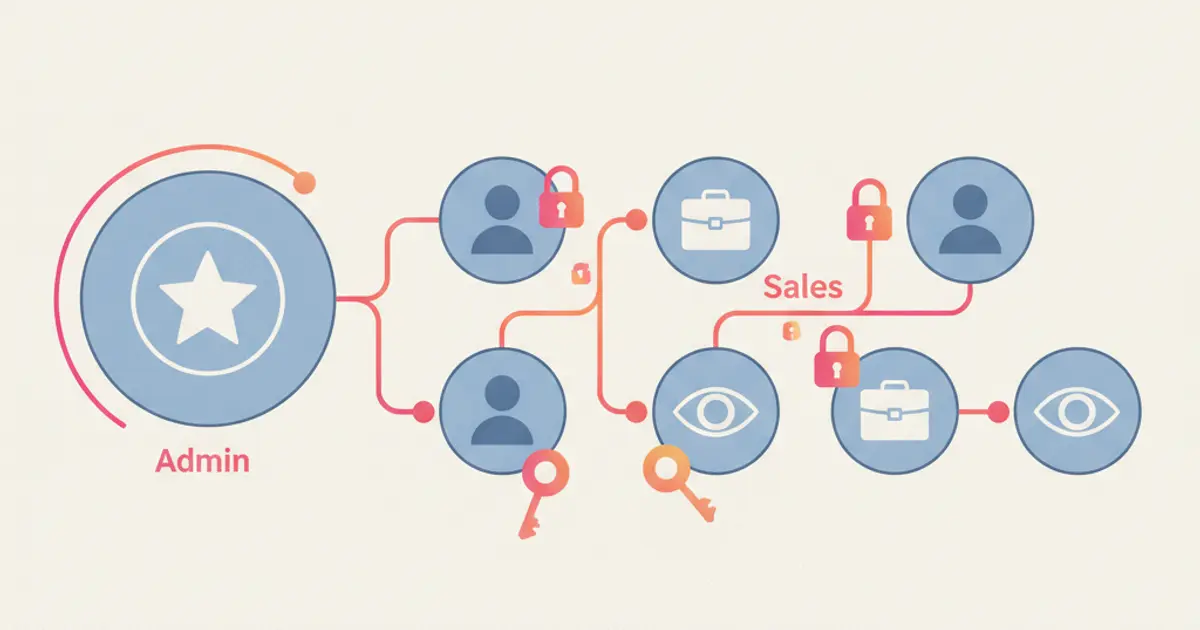
CRM (Customer Relationship Management) is a strategy and system for managing interactions between prospective buyers and active customers within a structured, transparent operational workflow.
A CRM unifies contact information, conversational histories, sales opportunities, follow-up tasks, transactions, and post-purchase support. This ensures team members always know who the customer is, what interactions have already occurred, and what exact step must be taken next.
That final step is where many organizations struggle. Businesses rarely lack customer data; they possess names, WhatsApp numbers, order details, and support logs scattered across separate inboxes.
The core problem is that fragmented data fails to provide operational direction, leaving teams unsure of what actions to prioritize today.
CRM Is a Strategy, Process, and System
In modern enterprise operations, CRM functions as an end-to-end strategy to nurture customer relationships from initial acquisition to long-term retention. Complementing this, CRM software provides the underlying technology that executes this strategy consistently.
Deploying CRM software does not automatically improve customer relationships on its own. Success depends on establishing clear operational processes: defining when a lead is qualified, designating who executes follow-ups, establishing case handoff protocols, and standardizing how interaction outcomes are recorded.
Consider two companies utilizing identical CRM software:
- The first company establishes distinct pipeline stages, explicit deal ownership, automated follow-up schedules, and data entry governance.
- The second company simply imports thousands of static contact records without rules or ownership.
From these two scenarios, the first organization operates a structured system, whereas the second merely maintains an unorganized database.
Why Businesses Require a Dedicated CRM System
The necessity for CRM software is rarely triggered by reaching a specific contact count; it arises when teams lose contextual visibility and operational coordination.
For example: A prospective buyer reaches out via WhatsApp after viewing an ad. An administrative agent responds and logs the phone number into a spreadsheet. Two days later, the prospect returns, but a different agent is on duty.
As a result, the new representative lacks visibility into requested product specifications, previously shared quotations, or why earlier conversations stalled. The customer is forced to repeat their requirements from scratch.
These seemingly minor friction points compound across multiple touchpoints:
- Inbound leads arrive without assigned ownership or accountability.
- Follow-up cadences rely entirely on individual sales reps’ memories.
- Customer records conflict across WhatsApp threads, spreadsheets, and ERP databases.
- Marketing teams lack attribution data to identify campaigns generating high-intent buyers.
- Customer support agents operate without visibility into purchase histories or previous chat threads.
- Management only discovers pipeline bottlenecks after revenue targets are missed.
- Customers receive irrelevant promotions due to inaccurate audience segmentation.
A centralized CRM solves these systemic issues by consolidating operational context into a unified workspace.
Whenever a customer engages, the team immediately sees lead origin, product interest, communication history, deal status, upcoming tasks, and assigned account owners.
Spreadsheets Are Useful, but Not for Every Growth Stage
Spreadsheets work well for small datasets, basic workflows, and single-user environments. Operational friction emerges when an organization requires activity audit trails, real-time collaboration, automated reminders, role-based access controls, software integrations, and continuously updated reporting dashboards.
| Operational Aspect | Spreadsheets | CRM System | Upgrade Indicators |
| Data Storage | Manually maintained rows and columns | Unified customer profile with contextual interaction histories | Teams need relationship context, not just raw contact lists |
| Ownership | Static PIC or assignee columns | Active, visible ownership across leads, deals, and support cases | Tasks stall due to ambiguous responsibilities or duplicated efforts |
| Follow-Up Management | Color-coded dates or separate calendar alerts | Tasks, automated reminders, and workflows tied to customer cards | Follow-up opportunities get missed as volume expands |
| Interaction History | Difficult to interpret chronologically | Multi-channel activity timeline ordered chronologically | Customers are repeatedly asked to restate past conversations |
| Team Collaboration | Prone to duplicate file versions and desynchronized edits | Role-based permissions, internal notes, automated assignments, and handoffs | Multiple departments require simultaneous access to identical records |
| Reporting & Analytics | Requires manual formula aggregation and spreadsheet maintenance | Real-time dashboards generated from live operational activities | Strategic decisions lag due to slow, manual report compilation |
This does not mean organizations must abandon spreadsheets entirely. Spreadsheets remain valuable for ad-hoc calculations or data exports. However, when files become the primary mechanism for assigning leads, remembering follow-ups, and reconstructing customer history, a dedicated CRM system is necessary.
Core Functions of CRM in Business Operations
While CRM platforms offer extensive feature sets, the core functional architecture answers everyday operational requirements across seven key areas:
1. Centralizing Customer Data
A CRM consolidates identity details, company profiles, acquisition channels, buyer preferences, chat histories, purchase records, support tickets, and sales activities into a unified record. The objective is not accumulating infinite data, but providing sufficient context so team members never start from zero on subsequent interactions.
2. Managing Leads and Sales Pipelines
Inbound leads advance through structured stages: New, Contacted, Qualified, Proposal Sent, In Negotiation, Closed-Won, or Closed-Lost. Sales representatives prioritize high-intent deals, while managers identify stages where opportunities bottleneck.
When lead volume and scoring models become complex, teams should deploy dedicated lead management software to maintain structured workflows.
3. Ensuring Consistent Follow-Up Execution
CRMs trigger automated tasks, reminders, and workflows based on time triggers or stage transitions. For example, the system alerts reps 24 hours after proposal dispatch or flags opportunities inactive for seven days. Follow-ups no longer depend on pinned chats inside messaging inboxes.
4. Preserving Chronological Interaction Histories
Emails, chat logs, call notes, meeting minutes, and support statuses remain visible in a unified chronological feed. When an account transitions from marketing to sales, or sales to customer service, full conversational context transfers seamlessly.
5. Powering Marketing and Audience Segmentation
Marketing teams segment audiences by acquisition channel, product interest, lifecycle stage, past purchase value, or behavioral activity. Precise segmentation ensures promotional messages remain relevant and clarifies which marketing channels deliver high-value buyers.
6. Empowering Customer Support Teams
Support representatives instantly see who the buyer is, what products they purchased, previous support tickets, and completed resolutions. This visibility accelerates issue diagnosis and eliminates the need for buyers to repeat details.
7. Delivering Operational Visibility via Analytics
CRMs convert daily activities into measurable KPIs: lead velocity, First Response Time, conversion rates, win rates, sales cycle duration, pipeline value, lost deal reasons, and customer retention. Reporting delivers real value when insights trigger operational improvements, such as refining qualification scripts or expanding staffing during peak hours.
How a CRM Works: From First Touchpoint to Repeat Purchase
To understand the end-to-end workflow of a modern CRM, consider this practical scenario:
Sarah discovers an ad for an ergonomic furniture brand and sends a WhatsApp message inquiring about an office desk.
1. Data Ingestion
Sarah submits an inquiry form or initiates a chat. The CRM automatically generates a contact profile containing her name, phone number, campaign source, timestamp, and product of interest. If the contact already exists, the platform appends the new interaction to her existing record without creating duplicates.
2. Profile Enrichment
Ongoing conversation adds deeper context: workspace dimensions, budget parameters, delivery city, and target purchase timeline. This data is populated by representatives, captured via web forms, or synced through integrated third-party systems.
3. Lead Qualification and Routing
Based on location and product category, the inquiry enters the pipeline and is routed to the designated sales specialist. The rep reviews the requirements summary before replying, ensuring Sarah never has to repeat herself.
4. Pipeline and Deal Progression
Following consultation, the representative sends a formal quote and advances the deal to “Proposal Delivered.” The CRM records the deal value, latest touchpoint date, and target follow-up schedule.
5. Automated Follow-Up Triggers
If Sarah does not reply within 48 hours, the system creates an automated reminder task. When Sarah responds, the reminder deactivates to prevent redundant follow-ups. If special discounting is requested, the rep escalates the deal card to a manager for approval.
6. Transaction and Post-Purchase Logging
Upon payment confirmation, the deal stage updates to “Closed-Won.” Order manifests and warranty details synchronize directly to Sarah’s profile. Support representatives can review purchase details immediately without asking basic verification questions.
7. Lifecycle Retention and Re-Engagement
Months later, Sarah automatically enters an audience segment for complementary ergonomic accessories or maintenance guides. The business engages her using documented purchase history rather than generic spam.
This is the foundational CRM workflow: ingest data, unify profiles, prioritize opportunities, execute actions, record outcomes, and optimize processes using real data.
For organizations driving commerce through chat, a native WhatsApp CRM integration bridges the gap between messaging threads and data logging. Contextual data moves directly into pipelines and follow-up queues without manual copy-pasting across disparate tools.
Core Types of CRM Systems and When to Use Them
CRM classifications help organizations identify which specific operational challenges need solving:
1. Operational CRM
Operational CRMs streamline day-to-day sales, marketing, and support tasks. Core capabilities include contact management, sales pipelines, task automation, campaign routing, and service ticketing. This type is best suited for businesses resolving manual entry bottlenecks, missed follow-ups, or inconsistent team handoffs.
2. Analytical CRM
Analytical CRMs analyze data points to identify patterns, customer behaviors, conversion rates, customer lifetime values, and churn trends. This system is valuable when an organization collects substantial customer data but still makes strategic decisions based on intuition.
3. Collaborative CRM
Collaborative CRMs ensure multi-departmental visibility across customer touchpoints. Marketing, sales, and support operate from identical customer profiles and histories. This architecture is vital when buyers move across multiple channels and require seamless cross-team support.
Oracle highlights that modern CRM platforms extend far beyond basic sales force automation, encompassing integrated marketing, customer support, and partner relationship management.
4. AI CRM
AI CRM platforms augment core workflows with generative conversation summaries, automated data entry, intent classification, next-best-action recommendations, predictive forecasting, and autonomous AI agents. However, AI does not replace core CRM foundations: structured data governance, clear workflows, and established accountability remain essential.
CRM Use Cases Across Modern Business Sectors
CRM systems provide value across various commercial models. While data structures vary by industry, the core operational principle remains identical: every relationship maintains context, ownership, clear status, and defined next steps.
- Retail and E-Commerce: Unifies conversational inquiries, order statuses, support tickets, audience segmentation, and automated repeat purchase sequences.
- Real Estate: Tracks lead sources, property budgets, location preferences, site visit schedules, follow-up cadences, and booking statuses.
- Education: Manages prospective student inquiries, program interests, consultation bookings, document submissions, tuition payments, and enrollment records.
- Healthcare Clinics: Coordinates patient inquiries, appointment scheduling, automated reminders, feedback collection, and compliant follow-up communications.
- B2B Enterprises: Maps organizational accounts, key decision-makers, deal values, meeting minutes, proposals, negotiation milestones, and annual renewals.
- Professional Services: Centralizes client scope briefs, proposals, project handoffs, service delivery histories, and cross-selling opportunities.
- Customer Support: Connects customer identities, transaction records, support tickets, SLA targets, escalation paths, and resolution outcomes.
Actionable CRM processes are specific and operational. Stating “store customer data” is too vague; configuring “an automated follow-up reminder 48 hours post-proposal if unacknowledged” illustrates how CRM transforms passive records into revenue-driving actions.
5 Critical Signs Your Business Needs a CRM
If your organization encounters these operational symptoms, deploying a CRM is a strategic priority:
- Team members constantly ask who is handling a specific customer because account ownership and deal statuses remain invisible.
- Follow-up execution relies entirely on memory or pinned chat threads, causing leads to drop as volume increases or staff transitions occur.
- Customers are forced to repeat their background details because interaction histories do not transfer across representatives or channels.
- Reporting requires manually merging disparate spreadsheet files, delaying management visibility into pipeline risks.
- Leadership cannot diagnose why deals are won or lost because activity logs, pipeline stages, lead origins, and loss reasons are not tracked consistently.
If these challenges occur weekly across teams, adopting a structured CRM system is essential.
Framework for Implementing a CRM Without Overwhelming Your Team
A common mistake is selecting software based on exhaustive feature checklists, then forcing teams into overly complex configurations. Focus instead on real, daily workflows:
1. Define Core Problems and Target Outcomes
Isolate one to three primary bottlenecks, such as unassigned leads, delayed follow-ups, or fragmented customer histories. Pair each challenge with a measurable KPI.
2. Map Your Actual Workflow
Document the step-by-step path from lead ingestion to completion. Outline data sources, stages, decision gates, owners, SLAs, handoffs, and exceptions. Avoid copying another company’s pipeline if your sales model differs.
3. Require Only High-Value Data Fields
Include only data fields that directly inform decision-making, such as lead origin, core requirements, location, deal value, pipeline stage, latest activity, and next action. Excessive mandatory fields lead to inaccurate data entry or complete team abandonment.
4. Test Integrations in Real Conditions
Verify that the CRM connects reliably with messaging channels, lead forms, websites, and backend order systems. Test complete end-to-end scenarios rather than relying solely on vendor feature badges.
5. Launch with a Focused Pilot
Deploy the CRM with a single team, one pipeline, or one dedicated use case for several weeks. Measure baseline metrics before and after, collect agent feedback, and refine configuration rules before broad organizational rollout.
6. Establish Clear Data Governance
Designate administrators responsible for pipeline integrity, deduplication, field updates, permission roles, and data auditing. A CRM lacking governance quickly degrades into an unreliable database.
7. Train Teams Around Real Daily Tasks
Structure onboarding around practical workflows: accepting incoming leads, reviewing contextual histories, advancing pipeline stages, setting follow-up tasks, executing handoffs, and closing deals. Practical workflow training ensures high long-term adoption.
Evaluating the best CRM software platforms provides a clear benchmark when choosing systems for your organization. For deeper operational evaluation, review essential checklist criteria for WhatsApp-centric CRM selection.
Frequently Asked Questions (FAQ)
What does CRM stand for?
CRM stands for Customer Relationship Management, encompassing both business strategies and software systems designed to optimize customer interactions.
Is CRM solely a software application?
No. CRM is a comprehensive business strategy and operating framework. CRM software provides the technical infrastructure to execute that strategy through centralized databases, pipelines, tasks, automated workflows, integrations, and analytics.
What is the primary difference between a CRM and a spreadsheet?
Spreadsheets are suited for basic data storage and flexible calculations. CRMs are built for operational execution, providing chronological activity logs, deal ownership, automated reminders, multi-user collaboration, granular access permissions, and live reporting dashboards.
Is a CRM suitable for small and growing businesses?
Yes, especially when small businesses experience missed follow-ups, scattered data, or team coordination challenges. Small teams should start with streamlined pipelines and essential fields rather than complex enterprise setups.
Can a CRM integrate natively with WhatsApp?
Yes, depending on platform architecture and API capabilities. An effective integration links messaging threads directly to customer profiles, deal owners, pipeline stages, and follow-up workflows rather than merely mirroring messages onto another screen.
Does implementing a CRM automatically increase sales revenue?
Not automatically. A CRM empowers teams to prioritize opportunities, execute consistent follow-ups, and derive insights from data. Revenue growth still depends on offer quality, sales execution discipline, data accuracy, and overall customer experience.
How do organizations ensure customer data security within a CRM?
Enforce role-based access permissions, the principle of least privilege, multi-factor authentication, audit logging, export restrictions, data retention policies, and verified communication consent protocols.
Transforming Customer Data into Strategic Action
A CRM ensures customer relationships do not rely on disconnected inboxes, scattered spreadsheets, or individual memory. The platform unifies interaction context, assigns clear ownership, automates follow-ups, and identifies operational bottlenecks.
Start with one simple operational question: when a customer finishes interacting with your business today, does the team know who owns the relationship and what specific action occurs next?
If not, explore how the Cekat.ai CRM Application unifies messaging threads, customer profiles, sales pipelines, and automated follow-ups into a single workflow. The goal is not adding another data entry burden, but empowering your team to keep every commercial opportunity moving forward.