Category: Finance

  • AI Agent for Travel and Hotels: Automated Booking and Personalized Guest Experience

    In the travel and hospitality industry, opportunities often come from the very first conversation. Prospective guests ask about tour packages, room availability, prices, facilities, check-in schedules, or activity recommendations. The problem is, these conversations often come in during peak hours, at night, on weekends, or simultaneously across multiple channels such as WhatsApp, Instagram, the website, and travel marketplaces.

    For hotel managers, villa operators, guest houses, homestays, and travel agents, a slow response doesn’t just make guests wait. A response that isn’t fast enough can push prospective guests to switch to a competing property or agent that’s more ready to answer. This is where an AI agent for travel and hotel automated booking and guest experience becomes important: not just replying to chats, but helping hospitality businesses manage the customer journey from the first inquiry all the way through the end of the guest’s stay.

    At Cekat.AI, we see an AI agent for the travel and hospitality industry as an operational layer that helps teams capture demand, streamline the booking flow, maintain guest communication, and create an experience that feels personal without overwhelming the team.

    Capturing Tour Package Inquiries While Guest Interest Is Still High

    In the travel business, inquiries often come in as incomplete questions. A prospective customer might simply ask, “Do you have a 3-day 2-night Bali package?” or “Can you arrange a family trip next month?” At this point, response speed largely determines whether the conversation turns into a booking or stalls as a chat that never gets followed up.

    An AI agent can help travel agents naturally uncover initial needs, from the number of participants, departure date, destination preferences, and budget, to additional needs such as transportation, hotels, tour guides, or a custom itinerary. This process helps the team avoid asking the same questions repeatedly and manually.

    The impact isn’t just tidier operations. Travel agents can also understand customer intent faster and prioritize the prospects who are most ready to buy. With Cekat.AI, inquiry conversations can flow into a more structured system so the team can see the context, follow up, and direct customers to the most relevant package.

    Automated Booking to Reduce the Risk of Lost Leads

    At hotels, villas, and guest houses, questions about rooms often follow the same pattern: guests ask about dates, room type, capacity, price, facilities, breakfast, extra beds, cancellation policy, and payment methods. If all of this is still answered manually, the front office or admin team can lose a lot of time just answering repetitive questions.

    With AI agent-powered automated booking, this process can be made more efficient. An AI agent can help answer basic information about room availability, present room type options, explain facilities, and then guide the guest to the next booking step. Once a prospective guest shows strong interest, the system can help record booking details and make sure the team has enough information to move the process forward.

    For small properties, this matters a great deal. Not every property has a large reservations team standing by 24 hours a day. Yet guest expectations remain the same: they want a fast response, clear information, and an easy booking process. Cekat.AI helps small properties deliver a service experience that feels more professional, even with a lean team.

    Tidier, More Consistent Booking Confirmations

    Once a guest chooses a room or travel package, the next stage is booking confirmation. At this stage, small mistakes can have a big impact. A wrong date, an unrecorded guest name, unclear payment instructions, or a late confirmation message can make guests hesitant and increase the team’s workload.

    An AI agent helps make the confirmation process more consistent. Important information such as guest name, stay dates, number of guests, room type, price, payment method, and booking status can be guided through a more organized conversation flow. The team doesn’t need to start from scratch every time because the conversation context is already saved.

    For hotel managers and travel agents, the benefit isn’t just speed. A consistent process helps reduce miscommunication, improves the reservation workflow, and makes the guest experience feel more reassuring from the start. In the hospitality industry, trust is often built from small details like clear communication and fast confirmation.

    Pre-Arrival Communication for a More Personal Guest Experience

    Guest experience doesn’t start when a guest arrives at the lobby. It begins the moment a guest receives a confirmation message, check-in instructions, location information, transportation recommendations, and reminders as their arrival approaches.

    With an AI agent, hotels and travel businesses can run pre-arrival communication automatically while keeping it personal. Guests can receive information about check-in times, documents they need to prepare, early check-in options, property facilities, additional services, and recommendations for activities around the area.

    For small properties, pre-arrival communication is often not a priority because the team is focused on daily operations. Yet communication before arrival can help reduce repetitive questions, speed up the check-in process, and make guests feel looked after. Cekat.AI helps turn this communication into a more automated workflow, so the team can still add a personal touch without having to send everything one by one.

    AI WhatsApp Concierge for Guest Service That’s Always Ready

    WhatsApp has become the main channel for many guests in Indonesia. They’re more comfortable asking questions via chat than calling the front desk. From “What’s the Wi-Fi password?”, “Can I get extra towels?”, “Any restaurant recommendations nearby?”, to “What time does breakfast end?” — all of these can come in at any time.

    An AI WhatsApp concierge helps hotels, villas, and travel agents deliver faster service for guests’ everyday needs. The AI agent can answer common questions, help provide facility information, route requests to the relevant team, and make sure guests don’t feel ignored when the team is busy.

    For hotel managers, this helps maintain service levels without excessively increasing the front office’s workload. For guests, the experience feels more seamless because they can get help through a channel they already use every day. This is what practical personalized guest experience looks like: not just greeting guests by name, but understanding the context of their needs and giving a relevant response.

    Post-Stay Feedback to Understand Service Quality

    Many hotels and travel agents focus on bookings but forget that after a guest finishes their stay or trip, there’s still an important opportunity to build retention. Guest feedback can help a business understand what’s already working well, what needs improvement, and what opportunities can be offered in the future.

    An AI agent can help send post-stay feedback automatically after a guest checks out or completes a trip. This conversation can be directed to collect reviews, understand the guest experience, handle complaints faster, or offer a promotion for the next visit.

    For hospitality businesses, feedback isn’t just data. Feedback is a signal of service quality. If managed well, hotels and travel agents can improve operations, increase guest satisfaction, and build long-term relationships. With Cekat.AI, this process no longer stops at a manual message that’s often forgotten, but becomes part of a more measurable customer journey.

    Cekat.AI Helps Small Properties Deliver Star-Hotel-Level Service

    Not every property has a complex reservation system, a large customer service team, or an always-active concierge. Yet guests still compare their experience against the best service standards they’ve ever encountered. This is where Cekat.AI helps small properties level up.

    With an AI agent, CRM, automation, omnichannel conversation, and follow-up workflows in one system, Cekat.AI helps hotels, villas, guest houses, homestays, and travel agents manage conversations from inquiry through post-stay. The goal isn’t to replace the hospitality touch, but to give the team a system that’s better equipped to serve faster, more consistently, and more personally.

    In an industry that depends heavily on trust and experience, replying to chat quickly is only the beginning. The real value lies in how every conversation can turn into a tidier business process: inquiries captured, bookings confirmed, guests prepared before arrival, needs during the stay met, and feedback after the visit still managed.

    Boost Guest Satisfaction with Cekat.AI

    AI for hotels and travel isn’t just about automation. It’s about helping hospitality businesses maintain the guest experience at every stage of their journey. From automated booking and AI WhatsApp concierge to personalized guest experience, Cekat.AI helps teams work more efficiently without losing the service touch that makes guests feel looked after.

    Boost guest satisfaction with Cekat.AI and turn guest conversations into a faster, tidier customer journey ready to support the growth of your travel and hospitality business.

  • AI Sales Agent: How It Works, Benefits, and Implementation for Sales Teams

    AI Sales Agent: How It Works, Benefits, and Implementation for Sales Teams

    An AI Sales Agent is an artificial intelligence system that works automatically to support the entire sales process, from prospect qualification, customer communication, automated follow-up, and meeting scheduling, to pipeline analysis, without requiring manual intervention from the sales team at every step.

    Many sales teams face the same challenges: prospects that aren’t managed properly, delayed follow-ups, inconsistent sales pipelines, and too much time spent on repetitive administrative work. The AI Sales Agent exists to address all of these challenges systematically.

    By leveraging machine learning, customer behavior analysis, and CRM integration, an AI Sales Agent helps sales teams work faster, in a more structured way, and with a sharper focus on activities that truly generate revenue. Industry research shows that sales teams using AI close 30% more deals on average and save up to 40% of their administrative time.

    What Is an AI Sales Agent? Definition and Core Functions

    An AI Sales Agent is an artificial-intelligence-based system specifically designed to run various sales activities automatically and based on data. It understands customer behavior, prioritizes the most promising prospects, and helps sales teams communicate more effectively at a scale that would be impossible to achieve manually.

    In the context of modern sales automation, an AI Sales Agent is not a replacement for human sales staff, but a digital assistant that automates the operational layer of selling so the sales team can concentrate on high-value activities that genuinely require human judgment and intelligence.

    Core Functions of an AI Sales Agent

    • Prospect data management and analysis: Collecting, unifying, and analyzing prospect data from every communication channel in one centralized place.

    • Automatic lead scoring: Assessing and ranking each prospect’s conversion potential based on behavior, interactions, and historical data.

    • Automated multi-channel communication: Sending messages, product information, and offers via email, WhatsApp, live chat, and other channels automatically.

    • Systematic follow-up: Ensuring every prospect receives a timely follow-up without relying on manual reminders.

    • Meeting scheduling: Arranging meetings between sales reps and prospects automatically, integrated with the team’s calendar.

    • Pipeline analysis and closing-signal detection: Monitoring the status of every deal, detecting purchase-readiness signals, and notifying the sales team at the right moment.

    • Real-time CRM integration: Recording and updating all interaction activity in the CRM automatically, without manual input.

    How an AI Sales Agent Works: The Pipeline from Prospect to Closing

    An AI Sales Agent operates through a systematic, continuous sales cycle. This technology leverages data, automation, and customer behavior analysis to optimize every stage of the sales funnel:

    Stage 1: Prospect Data Collection and Integration

    The AI Sales Agent gathers prospect data from every touchpoint in a centralized way: website, sign-up forms, email, WhatsApp, social media, and existing CRM systems. The data collected includes contact information, digital activity, interaction history, and signals of interest in a product or service.

    With centralized, structured data, the AI can build a comprehensive prospect profile that serves as the foundation for every subsequent action.

    Stage 2: AI-Based Lead Scoring

    The system runs lead scoring automatically to identify the prospects most likely to convert. Scoring is based on a combination of factors: level of engagement with content, traffic source, browsing behavior, response to previous communications, demographic data, and patterns learned from historical conversions.

    High-scoring prospects are automatically prioritized for the sales team, ensuring time and energy stay focused on the most promising opportunities.

    Stage 3: Automated Multi-Channel Communication

    The AI Sales Agent initiates and manages communication with prospects automatically across every relevant channel. This includes welcome messages, personalized product information, answers to common questions, initial offer materials, and nurturing content suited to each funnel stage.

    All communication can be customized based on the prospect’s profile and behavior, so it feels personal even though it runs automatically.

    Stage 4: Automated Follow-Up and Prospect Nurturing

    Research shows that most deals fail not because prospects aren’t interested, but because of late or inconsistent follow-up. The AI Sales Agent eliminates this problem by ensuring every prospect receives a timely follow-up based on behavior analysis and their stage in the pipeline.

    Follow-up activities include: reminders and further offers, relevant promotional information, demo or meeting invitations, and educational content that helps prospects move forward in the buying process.

    Stage 5: Automated Meeting Scheduling

    The AI Sales Agent integrates with the sales team’s calendar and meeting systems to arrange meetings automatically. Prospects can pick an available time slot without back-and-forth manual coordination, and every meeting is logged automatically in the CRM.

    Stage 6: Closing-Signal Detection and Sales Team Support

    When a prospect shows signs of being ready to buy, the AI detects it in real time and immediately notifies the sales team to make a personal approach. The AI also helps prepare personalized proposals, recommends offers based on the prospect’s profile, and presents a closing-likelihood analysis based on historical data.

    On the Cekat.ai platform, this entire cycle is integrated into a single unified system that covers the AI Agent, CRM, and communication channels, including the WhatsApp Business API.

    10 Tasks an AI Sales Agent Can Automate

    Here is a complete list of sales activities an AI Sales Agent can run automatically, along with their direct impact on team productivity:

    Task

    How the AI Automates It

    Impact for the Sales Team

    Lead scoring

    Analyzes behavior, interactions, and demographic data to assign a potential score

    The sales team focuses only on high-quality prospects

    Automated follow-up

    Sends follow-up messages at the optimal time based on prospect behavior

    No prospect is missed due to delay

    Question responses

    Answers customer FAQs in real time across all communication channels

    Instant responses build prospect trust

    Meeting scheduling

    Arranges meetings between sales and prospects based on available calendars

    Eliminates manual back-and-forth scheduling

    Proposal delivery

    Creates and sends personalized proposals or offers automatically

    Significantly speeds up the sales cycle

    CRM data updates

    Logs and updates all interaction activity in the CRM in real time

    CRM data stays accurate with no manual input

    Pipeline analysis

    Analyzes the status and progress of every deal in the sales pipeline

    Full visibility into sales performance in real time

    Closing-signal notifications

    Detects purchase-readiness signals and notifies the sales team

    The sales team acts at exactly the right moment

    Prospect nurturing

    Sends relevant, educational content automatically according to funnel stage

    Prospects stay informed without manual team effort

    Performance reporting

    Generates automated sales performance reports daily, weekly, or monthly

    Sales managers get insights without time spent compiling data

    By automating these ten tasks, sales teams can shift their focus away from repetitive administrative work and toward strategic activities: negotiation, relationship building, and sales strategy development.

    AI Sales Agent vs. Human Sales Reps: The Ideal Collaboration Model

    An AI Sales Agent is most effective not as a replacement for human sales reps, but as a complementary partner. Understanding each side’s strengths is the key to building an optimal sales team:

    Aspect

    AI Sales Agent

    Human Sales Rep

    Response speed

    Instant, 24/7 without delay

    Depends on working hours and availability

    Data analysis

    Strong, processes thousands of data points in real time

    Limited by time and cognitive capacity

    Prospect volume

    Can handle thousands of prospects at once

    Limited by individual capacity

    Follow-up consistency

    Highly consistent, never missed

    Often missed due to priorities and workload

    Emotional personalization

    Limited to data-based patterns

    Very strong, understands nuance and emotion

    Complex negotiation

    Not optimal for multi-variable scenarios

    Very effective, understands conversational dynamics

    Relationship building

    Limited to text/data-based interaction

    Essential for long-term trust

    Administrative productivity

    100% automated, requires no human time

    Consumes 40-60% of working time

    Scalability

    Instant, with no added cost per prospect

    Linear with the number of staff hired

    Operating hours

    24 hours, 7 days a week at no extra cost

    Limited to 8-9 hours per working day

    Strategic conclusion: AI takes over all work that is operational, analytical, and repetitive in nature. Humans focus their energy on activities that require empathy, creativity, and judgment — areas where machines cannot compete.

    Businesses that successfully integrate both build a sales capacity far beyond what either could achieve alone.

    AI Sales Agent ROI: Real Performance Data

    The decision to adopt an AI Sales Agent should be based on measurable performance data. Below is a projection of impact based on industry studies and existing implementation benchmarks:

    Performance Metric

    Before AI Sales Agent

    After AI Sales Agent

    Improvement

    Response time to prospects

    1-24 hours

    Instant (real time)

    Up to 5x faster

    Deals successfully closed

    Team baseline

    +30% on average

    30% more closed deals

    Administrative time

    40-60% of working time

    Drastically reduced

    Saves up to 40% of time

    Prospects followed up

    Partial, dependent on manual prioritization

    100% of prospects served

    No prospect is missed

    Pipeline consistency

    Inconsistent, dependent on the individual

    Structured and measurable

    A more stable, predictable pipeline

    Prospect capacity per sales rep

    Limited by manual capacity

    10x greater

    Scalability without adding staff

    These time savings and conversion improvements happen because AI automates activities that previously consumed most of the sales team’s capacity. The result is a pipeline that is more stable, predictable, and scalable without a proportional increase in staffing costs.

    Factors That Accelerate ROI

    • High prospect volume with repetitive follow-up processes

    • Long sales cycles that require many touchpoints

    • Sales teams that spend more than 30% of their time on administrative tasks

    • Businesses with many communication channels that need to be managed cohesively

    • Companies that want to scale sales capacity without proportionally adding staff

    How to Implement an AI Sales Agent in Your Business

    Successfully implementing an AI Sales Agent doesn’t have to be complicated. With the right phased approach, businesses of all sizes can adopt this technology effectively:

    1. Audit your existing sales process: Map out your current sales flow and identify the points that consume the most time and leak the most prospects. Prioritize high-volume, repetitive processes for automation first.

    2. Prepare and structure your prospect data: Gather and clean prospect data scattered across various systems. Data quality is the foundation of AI accuracy — the more complete and structured the available data, the more accurate the resulting analysis and recommendations.

    3. Integrate with your existing CRM: The CRM becomes the central data hub the AI uses to analyze the pipeline and take action. Make sure the integration runs smoothly so no data is lost between systems.

    4. Choose the right AI Sales Agent platform: Evaluate platforms based on integration capability, ease of configuration, WhatsApp support for the Indonesian market, and scalability as your business grows. Cekat.ai provides all of this in one integrated platform.

    5. Configure workflows and automation scenarios: Define triggers, messages, and actions for each stage of the sales pipeline. Start with simple scenarios like welcome messages and basic follow-up, then increase complexity gradually.

    6. Train your sales team to collaborate with AI: Make sure the sales team understands how to read the insights the AI generates, when to step in personally, and how to make effective use of closing-signal notifications.

    7. Monitor KPIs and optimize regularly: Track key metrics: conversion rate per funnel stage, average response time, percentage of prospects followed up, and closing rate. Use this data to continually refine the AI configuration.

    With the Cekat.ai platform, implementation can start within days using ready-made sales automation templates. Even non-technical teams can configure and manage the AI Sales Agent without needing a developer.

    Cekat.ai as an AI Sales Agent Platform for Indonesian Businesses

    Cekat.ai is an AI Agent platform designed to help businesses in Indonesia automate customer communication, sales pipelines, and prospect management in one integrated system.

    Unlike sales automation tools that bolt AI on as an add-on feature, Cekat.ai is built on an AI Agent architecture that lets every customer interaction automatically trigger real actions within business systems.

    Cekat.ai’s AI Sales Agent Capabilities

    • AI Agent for customer communication: Handles conversations with prospects across every channel automatically, understands context, and takes the right action.

    • Prospect follow-up automation: A behavior-based automated follow-up system that ensures no prospect is missed.

    • AI-based lead scoring: Automatic prospect prioritization based on conversion signals learned from historical data.

    • Sales automation CRM: Full CRM integration for automatic logging of all sales activity.

    • Integrated WhatsApp Business API: Manage sales communication directly through WhatsApp, the dominant channel in Indonesia.

    • Real-time pipeline analytics: A dashboard giving full visibility into the status and progress of every deal in the sales pipeline.

    Cekat.ai’s Advantages for Indonesian Sales Teams

    • All-in-one platform: AI Agent, CRM, and communication in a single system

    • WhatsApp-first: Optimized for the dominant business communication channel in Indonesia

    • No-code: Sales teams can configure the AI without developer help

    • Fast implementation: Up and running within days using ready-made templates

    • Indonesian language: NLP that understands the context and nuance of Bahasa Indonesia

    Guide to Choosing the Right AI Sales Agent Platform

    Not all AI Sales Agent platforms are created equal. Here are the evaluation criteria to consider when choosing a solution for your business:

    • Integration capability: Make sure the platform can connect with the CRM, WhatsApp, email, and business tools you already use. A broad integration ecosystem is a must.

    • Indonesian language support: For businesses in Indonesia, NLP that naturally understands Bahasa Indonesia is a critical factor, not an optional one.

    • Ease of configuration: A platform with a no-code or low-code interface lets non-technical teams configure and optimize the AI without depending on developers.

    • Transparency and control: The sales team must have full visibility into what the AI is doing and the ability to control when the AI acts independently versus escalating to a human.

    • Scalability: Choose a platform that can grow alongside your business without requiring major migration or reconfiguration.

    • Support and onboarding: Make sure comprehensive documentation, implementation guides, and responsive technical support are available to maximize team adoption.

    FAQ: Frequently Asked Questions About AI Sales Agent

    What is an AI Sales Agent?

    An AI Sales Agent is an artificial intelligence system that works automatically to support the sales process, from prospect qualification, customer communication, and automated follow-up, to meeting scheduling and sales pipeline analysis.

    Does an AI Sales Agent replace human sales staff?

    No. An AI Sales Agent is designed to collaborate with the sales team, not replace it. AI automates operational and analytical tasks, while humans continue to handle complex negotiation, relationship building, and strategic decisions.

    What are the main benefits of using AI for sales?

    Key benefits include: instant responses to prospects, an average 30% increase in closing rate, up to 40% savings in administrative time, 100% follow-up consistency, and the ability to handle a far greater volume of prospects without adding staff.

    Is an AI Sales Agent suitable for small businesses?

    Yes. Modern AI Sales Agent platforms like Cekat.ai are designed for businesses of every size. Small and medium businesses benefit significantly, since AI allows a small sales team to operate at a capacity comparable to a much larger team.

    How does the AI perform lead scoring?

    The AI analyzes a range of signals: level of engagement with content, traffic source, on-site behavior, communication history, demographic data, and patterns learned from historical conversions to determine each prospect’s potential score.

    Can the AI perform automated follow-up on WhatsApp?

    Yes. AI Sales Agent platforms like Cekat.ai integrate directly with the WhatsApp Business API, enabling automated follow-up via WhatsApp at the optimal time based on prospect behavior.

    What’s the difference between an AI Sales Agent and a regular CRM?

    A CRM is a system for storing and managing customer data that requires manual input. An AI Sales Agent actively uses that CRM data to automate actions, analyze opportunities, and execute communication without manual intervention.

    How long does it take to implement an AI Sales Agent?

    With a platform like Cekat.ai, implementation can begin within days using ready-made templates. Full integration with existing CRM and systems typically takes 1-2 weeks depending on complexity.

    How does an AI Sales Agent help with closing?

    The AI detects purchase-readiness signals from prospect behavior, sends real-time notifications to the sales team to act at the right moment, helps prepare personalized proposals, and provides insight into the best approach based on the prospect’s profile.

    Is prospect data safe with an AI Sales Agent?

    Enterprise platforms like Cekat.ai use end-to-end data encryption, role-based access control, and infrastructure that meets security standards to protect prospect and customer data.

    The AI Sales Agent represents a fundamentally new approach to modern selling. By automating the operational layer that previously consumed most of a sales team’s time, this technology allows businesses to build a sales process that is more structured, consistent, and scalable.

    The key to a successful AI Sales Agent implementation isn’t replacing humans — it’s building the right collaboration model: AI handles volume, consistency, and data analysis, while humans focus on the empathy, negotiation, and relationship building that machines cannot replicate.

    Companies that successfully integrate both build a significant competitive advantage: a more stable pipeline, higher conversion, and scalable sales capacity without a proportional increase in staffing costs.

    Platforms like Cekat.ai make this transition easier by providing ready-to-use, integrated AI Sales Agent infrastructure optimized for the needs of businesses in Indonesia.

    Optimize Your Business’s Sales with Cekat.ai’s AI Sales Agent

    Cekat.ai helps businesses automate the sales process, from prospect management and customer follow-up to pipeline analysis, in a single fully integrated platform.

    • AI Sales Agent integrated with the WhatsApp Business API

    • Sales automation and CRM in one platform

    • Fast implementation with no dedicated engineering team required

    • See a live demo: cekat.ai

    With an AI Sales Agent, your sales team doesn’t work harder — it works smarter, focused on the activities that truly generate revenue.

  • Automating Treatment Package Offers to Increase Beauty Clinic Transaction Value

    Automating Treatment Package Offers to Increase Beauty Clinic Transaction Value

    Can Cekat.AI’s AI tools help beauty clinics offer more treatment packages to patients?

    The beauty industry has grown rapidly in recent years, not only in terms of services but also in how beauty clinics interact with their patients. Changing consumption patterns, increasingly specific customer needs, and tighter competition are forcing health & beauty businesses to keep innovating, including in their marketing and sales strategies. One of the biggest challenges many clinics face is how to optimize the transaction value of every patient visit without adding to the workload of staff who are already busy with daily operational services.

    Amid this situation, the emergence of artificial intelligence (AI) technology like Cekat.AI offers a relevant and strategic answer. Modern AI technology is no longer limited to simple chatbots; it has evolved into a smart automation system that can help beauty clinics offer treatment packages in a more personal, effective way that’s oriented toward increasing revenue. This article comprehensively discusses how an AI system like Cekat.AI can be implemented to increase patient transaction value through automated treatment package offers, while also answering the main question: Can Cekat.AI’s AI tools help beauty clinics offer more treatment packages to patients?

    Why Do Beauty Clinics Need Automated Treatment Package Offers?

    In beauty clinic business practice, there is often a gap between the potential services that could be offered and what patients actually choose. Many patients focus on just one type of treatment, even though they could achieve more optimal results, both medically and aesthetically, through a combination of treatments. On the other hand, clinic staff don’t always have enough time or data to consistently make offers to every patient, let alone personalize them.

    This is why automation is so important, as it can solve several critical problems, such as:

    • Optimizing Transaction Value per Patient
      Beauty clinics can significantly increase revenue by combining services into treatment packages that are more beneficial for patients. AI helps automatically offer add-on options without disrupting patient comfort during their visit.

    • Increasing Patient Loyalty Through a Personalized Experience
      Relevant offers, delivered at the right time, increase the likelihood that patients will take up additional treatment packages and become more loyal to the clinic’s services.

    • Improving Clinic Team Efficiency
      AI takes over the upselling and cross-selling process that usually requires staff time, allowing human staff to focus more on delivering quality in-person service.

    How Cekat.AI Intelligently Automates Treatment Package Offers

    Cekat.AI comes with advanced AI technology specifically designed to simplify business interactions with customers. Here’s how this system can support beauty clinics in effectively offering more treatment packages:

    1. Automated Package Offers Through 24-Hour Active Chat

    Cekat.AI allows clinics to set up automated communication flows with patients, whether via WhatsApp, website, or social media. Every patient who has completed a treatment automatically receives a follow-up offer or recommendation for a related treatment package based on their history. The chatbot can deliver exclusive offers without disrupting clinic staff schedules. AI can also provide contextual upsell options, such as bundling discounts after a certain treatment is completed.

    Real-world example: A patient who has just finished a brightening facial automatically receives an additional offer for a “brightening + acne control” package with a special discount valid only for a limited time.

    2. Personalizing Offers Based on Patient Data History

    Another advantage of Cekat.AI is its ability to segment and personalize based on data collected in real time. AI can analyze patient visit frequency, the types of treatments typically chosen, and the skin concerns most often discussed. From this data, the system compiles personalized offers tailored to each patient’s needs.

    For example, a patient with a tendency toward anti-aging treatments will automatically be offered a combination package of botox, dermapen, and premium masks suited to their profile, compared to a patient who mostly takes acne treatments.

    3. Automated Treatment Schedule Reminders to Boost Repeat Visits

    Cekat.AI also allows clinics to send automatic reminders to patients according to their ideal treatment schedule. This greatly helps reduce the number of patients who “go dark” after a single treatment. AI can send routine reminders, for instance one month after a facial treatment, reminding patients that it’s time for a follow-up treatment for maximum results, while also offering a discounted package for monthly treatments.

    4. Integration with Clinic Systems for a More Efficient Workflow

    Cekat.AI can be integrated directly with a clinic’s CRM system or existing patient management software. This enables real-time data management and makes it easier to sync patient history, so the offers sent are truly relevant. API usage also enables automatic booking setup when a patient responds to an AI offer with an action like “Book Now.”

    Real Impact of Implementing Cekat.AI in Beauty Clinics

    In several studies on AI usage in the health & beauty business, including feedback from Cekat.AI users, there are significant results that can be achieved in a short time. Clinics that previously did not use an automation system only made basic service sales without many add-on packages. However, after implementing Cekat.AI, clinics on average managed to increase monthly transaction value by 25% to 35% within the first three months.

    Furthermore, AI helps clinics maintain healthier relationships with patients without frequently resorting to manual hard-selling, which often becomes a source of discomfort for patients.

    Is Cekat.AI Only for Large Clinics?

    One of Cekat.AI’s main advantages is its scalability. This AI can be used by clinics of various sizes, from small beauty clinics just starting out to large franchises with branches in multiple cities. With a flexible, adaptable model, even clinics with a limited number of staff can maximize revenue from automated offer services.

    The Right Time to Switch to AI

    The main question, “Can Cekat.AI’s AI tools help beauty clinics offer more treatment packages to patients?”, can be answered firmly: yes, and very effectively.

    With smart automation, relevant personalization, data integration, and easy 24-hour communication management, Cekat.AI provides a real solution for beauty clinics to not only increase revenue but also deliver a better, more professional customer experience. Digital transformation in the beauty sector is no longer just a trend, but an essential need for sustainably growing a business amid ever-evolving market competition.

    Interested in Increasing Your Clinic’s Revenue?

    Optimize your beauty clinic business with modern AI technology that can increase transaction value, reduce operational burden, and build better customer loyalty.
    See how Cekat.AI can deliver a positive impact within the first 30 days of use.

    Visit Cekat.AI’s official website now to get a free demo and personal consultation regarding your clinic business needs.

  • Affordable Workflow Automation Tool: An Alternative to Zapier & Make.com for Indonesian Businesses

    Affordable Workflow Automation Tool: An Alternative to Zapier & Make.com for Indonesian Businesses

    Many businesses are starting to realize that automation is no longer optional, but a necessity. The problem is that after starting to use tools like Zapier or Make.com, a reality often emerges that isn’t discussed upfront: costs that keep climbing without you noticing.

    At first it looks cheap. But as workflows increase, integrations become more complex, and data volume grows, the bill grows along with it. At this point, the question is no longer “do we need automation or not,” but “is the tool we’re using actually right for our budget and business context in Indonesia?”

    What Is a Workflow Automation Tool?

    A workflow automation tool is software that connects various business applications and automates workflows based on specific triggers. For example, a system can automatically send an email when there’s a new lead, or instantly update a CRM whenever a WhatsApp message comes in.

    In simple terms, this tool replaces repetitive manual work with an automated process that runs without needing constant supervision.

    Why Do Many Businesses Feel Automation Becomes Expensive?

    On paper, automation does look like it saves money. But in practice, there are several things that often get left out of the calculation.

    Per-task costs that look small but add up

    Zapier and Make.com use a task or operation-based pricing model. A single simple workflow can consist of many small steps. Every step is counted as a cost.

    At first it’s barely noticeable. But once:

    • the number of leads increases

    • workflows multiply

    • processes become more complex

    costs rise exponentially along with it.

    Hidden costs that are hard to predict

    Many new users only realize this after they’ve been running for a while:

    • data polling that keeps running in the background

    • certain integrations that fall into a premium category

    • task retries when an error occurs

    Things like this make budgeting hard to control.

    Wasted time and resources

    For Make.com in particular, flexibility is high. But there are consequences:

    • it takes time to learn

    • it requires technical people

    • workflow maintenance isn’t always simple

    When you add it all up, this isn’t just the cost of the tool, but an operational cost as well.

    When Do Zapier or Make.com Stop Being Efficient for Indonesian Businesses?

    Many businesses jump straight into using global tools without considering whether they actually fit.

    Let’s take a more critical look.

    Pricing in USD

    For businesses in Indonesia, this isn’t a small matter.

    • exchange rates can fluctuate

    • budgeting becomes unstable

    • it’s difficult for small businesses that are cost-sensitive

    Local integrations are still limited

    Business needs in Indonesia are often different:

    • WhatsApp as the main channel

    • local payment systems

    • CRMs used domestically

    Not all of this is well accommodated by global tools.

    Support isn’t contextual

    When issues arise:

    • you have to communicate in English

    • not every case is understood within the local business context

    This slows down problem solving.

    Too complex for simple needs

    Not every business needs advanced automation. Many only need:

    • auto reply

    • lead tracking

    • simple notifications

    But they end up having to use a system that’s more complex than what’s actually needed.

    Comparing Workflow Automation Tools

    To make this more objective, here is a comparison overview that can serve as an initial reference:

    Tool

    Price per month

    Ease of Use

    AI Native

    Indonesia Support

    Best For

    Cekat.ai

    Flexible, based on need

    Easy

    Yes

    Yes

    AI and WhatsApp-based automation

    Zapier

    Starting around 20 USD

    Easy

    Partial

    No

    General automation

    Make.com

    Starting around 9 USD

    Moderate

    Partial

    No

    Complex workflows

    n8n

    Free or self-hosted

    Fairly technical

    Partial

    Community

    Technical users

    What often gets overlooked is this: the starting price is not an indicator of the actual cost.

    Cekat.ai: A More Relevant Approach for Indonesian Businesses

    Instead of just offering automation, Cekat.ai focuses on efficiency that is genuinely felt in day-to-day operations.

    More transparent and controlled costs

    There’s no confusing pricing model based on tiny tasks. You know what you’re paying for, and why.

    AI built in from the start

    Automation doesn’t just execute commands, it can also respond and support business processes more intelligently.

    If you want to understand this concept further, you can read:
    /blog/ai-agent/

    Ready for modern communication needs

    WhatsApp isn’t an add-on, it’s a core part of the workflow. This matters because many businesses in Indonesia rely on direct communication.

    Easy to use without a technical team

    Not every business has a developer. With a simpler approach, implementation becomes faster.

    To see how automation and AI work together:
    /blog/crm-omnichannel/automasi-workflow-ai-agent-cara-kerja/

    A Perspective That’s Often Overlooked

    Many people focus on “the most features” or “the most popular tool.”

    Yet the more important questions are:

    • does this tool match the way my business actually operates?

    • will the cost still make sense as my business grows?

    • can my team actually use it?

    This is where many decisions that initially looked right turn out to be inefficient in the long run.

    FAQ

    Is there a cheaper alternative to Zapier?

    Yes. Besides n8n, which is open source, Cekat.ai offers a more efficient approach without a confusing cost model.

    Which workflow automation tool supports WhatsApp?

    Cekat.ai is designed to support WhatsApp integration that is more relevant for businesses in Indonesia.

    How much does Zapier vs Make.com vs Cekat.ai cost?

    Zapier starts at around 20 USD per month, Make.com around 9 USD, while Cekat.ai adjusts its cost to fit business needs.

    Can n8n be used without coding?

    Technically yes, but it still requires a reasonable level of technical understanding.

    Which automation tool is easiest for beginners?

    Cekat.ai and Zapier are relatively easier to use compared to other, more complex tools.

    Can Cekat.ai replace Zapier for Indonesian businesses?

    In many cases, yes. Especially for businesses that need local integrations, WhatsApp automation, and clearer cost control.

    Workflow automation remains an important investment. But not every tool delivers the same value for every business.

    Zapier and Make.com remain strong in terms of features. However, for many businesses in Indonesia, there’s a gap between what’s offered and what’s actually needed.

    Choosing an affordable workflow automation tool for Indonesia isn’t about finding the cheapest option, but the one that makes the most sense operationally, cost-wise, and in terms of ease of use.

    Optimize Your Business Automation with Cekat.ai

    If you’re starting to feel that the cost of automation no longer matches the results, this might be the right time to switch to a more efficient approach.

    Cekat.ai helps you build an automation system that is simple, relevant, and still powerful, without unnecessary complexity.

    You can start from a small need and grow from there as your business requires.

    Automation should make a business lighter, not add more burden.

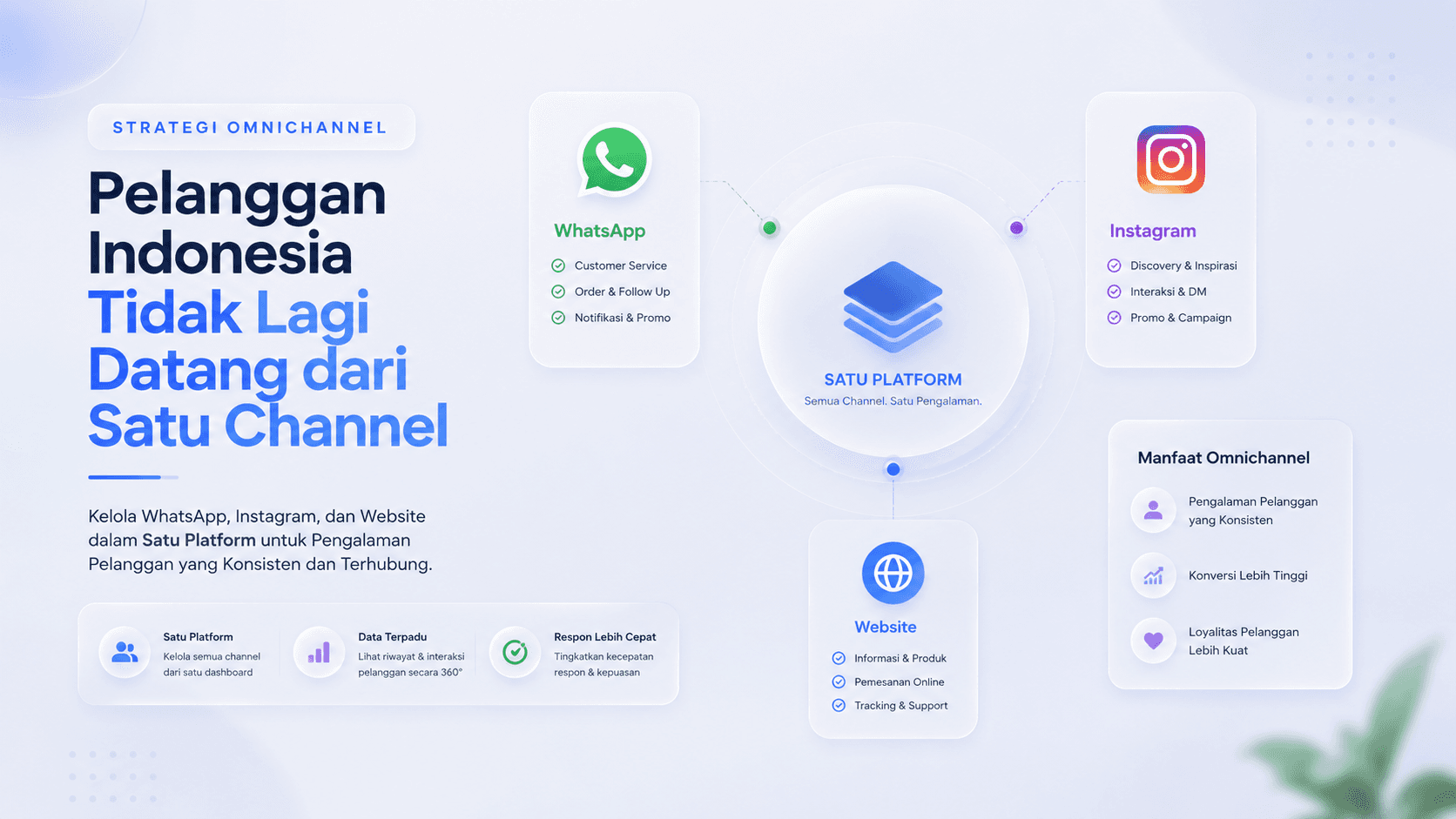
  • Omnichannel Strategy for Indonesian Businesses: Managing WhatsApp, Instagram, and Website on One Platform

    Omnichannel Strategy for Indonesian Businesses: Managing WhatsApp, Instagram, and Website on One Platform

    For many businesses in Indonesia, the customer communication problem is no longer simply “how to reply to chats faster.” The challenge has grown more complex: customers ask questions on WhatsApp, reply to a story on Instagram, fill out a form on the website, then send another chat from a different channel. On the business side, all these conversations are often handled by different teams, different devices, and record-keeping systems that are not always connected.

    This is where an omnichannel strategy becomes important. For marketing managers and business owners, every customer message is part of the customer journey. One chat that is replied to late can send a lead straight to a competitor. One inquiry that is not recorded can make a campaign look busy without producing optimal conversion. One missed follow-up can become revenue leakage that is hard to trace.

    Because of this, an omnichannel strategy for Indonesian businesses across WhatsApp, Instagram, and website is not just about being present on many platforms. What matters more is how a business manages all those channels as a single, connected, measurable conversation system that the team can easily execute on.

    Why Indonesian Businesses Need a More Structured Omnichannel Strategy

    Indonesian customers move actively between channels. They might discover a brand from an Instagram ad, check its credibility on the website, then ask more detailed questions via WhatsApp. For customers, this movement feels natural. For businesses, however, switching channels often creates operational gaps.

    The problem arises when WhatsApp is managed by the sales admin, Instagram DMs are handled by the social media team, and website chat is rarely monitored because it is treated as just a secondary channel. As a result, the customer experience becomes inconsistent. Some customers get a fast response, others wait too long. Some leads are followed up immediately, others get lost because their message is buried among other chats.

    For a business that is scaling, this pattern risks holding back growth. A marketing campaign might successfully drive a lot of traffic, but the process after a customer reaches out may not be ready to handle that volume. An omnichannel strategy helps unify these conversation touchpoints so that each channel no longer works in isolation, but becomes part of the same workflow.

    Managing WhatsApp, Instagram, and Website on One Platform

    An effective omnichannel strategy starts from one simple principle: customers can come from anywhere, but the business team must be able to see and handle them from one place. This is the role of a unified inbox.

    With a unified inbox, messages from WhatsApp, Instagram DM, and website chat can all land in the same dashboard. The team no longer needs to keep switching apps to check new messages. Every conversation can be monitored, replied to, given a status, and routed to the right team member.

    For a marketing manager, this helps ensure that leads from a campaign do not stop at the engagement stage. When someone clicks an ad, opens the website, then asks a question via WhatsApp or Instagram, that conversation can flow directly into a more organized follow-up process. For a business owner, a unified inbox provides clearer visibility into the team’s response quality, the number of incoming inquiries, and potential opportunities that have not yet been handled.

    Cekat.AI helps businesses manage this process through an omnichannel inbox that unifies conversations from various channels on a single platform. So WhatsApp, Instagram, and the website are no longer separate points of communication, but part of a customer journey that can be managed more consistently.

    A Unified Inbox Reduces the Risk of Missed Messages

    One of the most common problems in managing multiple channels is missed messages. Not because the team isn’t working, but because the system was not designed to handle scattered conversations. When chat volume increases, new messages can pile up. When an admin changes shifts, conversation context can be lost. When a customer switches channels, their previous interaction history is not always visible.

    A unified inbox helps reduce that risk by bringing conversations together into a single workspace. The team can see incoming messages from various channels without losing context. Conversations that have not been replied to can be monitored more easily. Leads that need follow-up can be flagged. Repeated questions can be directed to faster, more consistent responses.

    The impact goes beyond a tidier operation. Businesses also have a bigger opportunity to maintain customer momentum. In many cases, customers reach out to a business when their interest is at its peak. If the response is late or the message is missed, that intent can fade. With a good omnichannel system, businesses can capture customer interest while the timing is still relevant.

    Consistent Response Time Builds Trust

    In a competitive market, response speed is part of the brand experience. Customers don’t compare businesses only by price or product. They also judge how quickly a business responds, how clear the information provided is, and how easily they can get help.

    The problem is that response time often becomes inconsistent when communication channels are scattered. WhatsApp might get a fast reply because it’s treated as the top priority. Instagram DMs might be delayed because the social media team is focused on content. Website chat might only be active during certain hours. From the customer’s perspective, this inconsistency can feel like unstable service.

    An omnichannel strategy helps businesses create a more consistent response standard. With a single inbox for WhatsApp, Instagram, and website chat, the team can work based on conversation priority rather than on whichever app happens to be open. This makes the customer handling process more measurable and helps businesses build trust from the very first interaction.

    Cekat.AI sees customer conversations not just as chats that need replies, but as important points in the revenue journey. When response time is more consistent, the chances of turning an inquiry into a qualified lead, a transaction, or a follow-up opportunity are better protected.

    An Omnichannel Strategy Helps Marketing See the Customer Journey More Clearly

    For marketing managers, omnichannel is not just an operational tool. It’s a way to understand how channels work together to generate demand. Without a connected system, marketing performance is often only visible through surface metrics like clicks, reach, impressions, or the number of incoming chats. Yet what matters more is what happens after a customer starts interacting.

    Is a lead from Instagram followed up on? Does a question from the website turn into a WhatsApp conversation? Has a customer who asked about pricing received a follow-up? Does the campaign generate quality conversations, or just traffic without clear intent?

    By managing WhatsApp, Instagram, and website on one platform, businesses can see the customer journey more holistically. Conversations are no longer scattered across many apps. The team can more easily understand which channel generates the most inquiries, which topics are asked about most often, and which part of the follow-up process needs improvement.

    This is why an omnichannel strategy in Indonesia should be seen as part of a growth system, not just a customer service system. When conversation data is more organized, businesses can make marketing and sales decisions with greater confidence.

    From Multi-Channel to Truly Connected Omnichannel

    Many businesses feel they are already omnichannel simply because they have WhatsApp, Instagram, and a website. However, being present on many channels does not necessarily mean an omnichannel strategy is actually in place. If each channel is still managed separately, data is not connected, and follow-up depends on an admin’s memory, the business is actually still at the multi-channel stage.

    Effective omnichannel requires connection between channels. When a customer asks a question on Instagram and then continues the conversation on WhatsApp, the team should still be able to understand the context. When an inquiry comes in from the website, the business should be able to follow up without losing the initial data. When a customer needs help, the team should be able to see the conversation status and interaction history more easily.

    This difference is what makes a unified inbox such an important foundation. Without a unified inbox, omnichannel can easily turn into just a lot of entry points that are hard to control. With Cekat.AI’s unified inbox, businesses can turn conversations from various channels into a workflow that is more organized, measurable, and ready to scale.

    Cekat.AI as a Unified Inbox for Businesses Ready to Scale

    Cekat.AI helps Indonesian businesses unify customer communication from WhatsApp, Instagram, and website into a single omnichannel inbox. The goal is not just for the team to reply to chats from one place, but for the business to manage the customer journey better from the very first inquiry.

    With Cekat.AI, customer conversations can be handled in a more structured way. The team has a clearer workspace to monitor incoming messages, keep responses consistent, and reduce the risk of losing leads because of scattered channels. For business owners, this helps create a more scalable process. For marketing managers, this helps ensure campaign effort doesn’t stop at traffic, but continues into conversations, follow-ups, and conversion opportunities.

    In practice, an omnichannel strategy for Indonesian businesses across WhatsApp, Instagram, and website will become even more important as customer expectations rise. Businesses that are fast, organized, and consistent in responding will find it easier to build trust than businesses still relying on manual processes across many apps.

    Time to Unify WhatsApp, Instagram, and Website in One Inbox

    Customers already move in an omnichannel way. They don’t distinguish whether an interaction starts on WhatsApp, Instagram, or the website. What they expect is a fast response, consistent information, and an easy experience.

    Because of this, businesses also need to manage communication in a more connected way. An omnichannel strategy is no longer just an option for big brands, but a necessity for Indonesian businesses that want to reduce missed messages, maintain response time, and turn conversations into more measurable business opportunities.

    Cekat.AI is here as a unified inbox to help businesses manage WhatsApp, Instagram, and website on one platform. With a more organized system, teams can work with greater focus, customers get a more consistent experience, and businesses have a stronger foundation to scale.

    Try Cekat.AI’s omnichannel inbox for free and start managing all customer conversations from one, more practical platform.

  • How to Implement an AI Agent in Your Business: A Step-by-Step Guide for Beginners

    How to Implement an AI Agent in Your Business: A Step-by-Step Guide for Beginners

    AI agent implementation is the process of integrating an artificial intelligence system that can understand conversational context, execute tasks independently, and interact with customers or other business systems into operational business workflows, from customer service and sales automation to CRM management and cross-department workflows.

    Most business owners who first hear about AI agents react with two opposing feelings: enthusiasm at the potential, and hesitation because they don’t know where to start. Do you need a development team? Does your data need to be complete already? Is the process complicated? How long until it’s up and running?

    The good news is that AI agent implementation in 2026 is far more accessible than most people imagine. Modern platforms allow businesses of all sizes, including SMEs without an internal technical team, to implement a functional AI agent in a matter of days, not months. What’s needed isn’t deep technical expertise, but the right understanding of a structured implementation process.

    This guide presents the complete, practical steps for AI agent implementation, from initial preparation to ongoing optimization, especially for businesses adopting this technology for the first time.

    What Is an AI Agent? Understanding the Basics Before Implementation

    Before moving into the implementation stage, it’s important to understand exactly what an AI agent is and how it works, so that the expectations you build from the start genuinely match the reality of the technology.

    An AI agent is an artificial intelligence system designed to perform tasks independently based on a defined goal, rather than simply responding to pre-programmed commands. Unlike rule-based chatbots that can only respond to explicitly defined scenarios, an AI agent can understand context, make decisions based on the situation, and execute a series of actions to achieve a specific outcome.

    In a business context, an AI agent can handle tasks such as answering customer questions on WhatsApp naturally, qualifying leads based on defined criteria, automatically updating CRM data, routing conversations to the right human agent, sending follow-ups at the optimal time, and even executing cross-system workflows without manual intervention.

    Aspect

    Rule-Based Chatbot

    Modern AI Agent

    How it works

    Responds based on keywords or a pre-programmed flow

    Understands context and reasons to determine the best action

    Flexibility

    Fails when a question doesn’t match the script

    Can handle variations in questions and new scenarios

    Task execution

    Only displays text responses

    Can take action: update CRM, send messages, create tickets

    Personalization

    Limited to simple variables like name

    Deep personalization based on customer history and context

    Learning ability

    Static, does not improve from interactions

    Can be optimized based on real interaction data

    Escalation to humans

    Based on specific keywords or buttons

    Based on detection of context, sentiment, and issue complexity

    System integration

    Limited to a single platform

    Can interact with CRM, APIs, databases, and other tools

    Cekat.AI is built on genuine AI agent architecture, not a chatbot with an AI layer added on top. This means every conversation can trigger real actions in your business systems automatically.

    Preparing for AI Agent Implementation: 5 Things You Need to Set Up

    The success of an AI agent implementation is largely determined by the quality of preparation before the technical process begins. The following five things need to be carefully prepared so the implementation runs smoothly and produces a measurable impact:

    1. Clarify Your Goals and the Use Case You Want to Achieve

    An AI agent is not a generic solution that works optimally right away without clear direction. Businesses need to specifically define what they want to achieve from this implementation. Is the main goal to reduce customer service response time? To automate follow-ups with incoming leads? Or to reduce the CS team’s workload by handling FAQs independently?

    The more specific the goal, the more focused the AI agent configuration will be, and the easier it becomes to measure success. A vague goal like “we want to use AI” without a clear definition is the root cause of unrealistic expectations.

    2. Identify the Processes with the Highest Automation Potential

    Not every business process is suitable for automation with an AI agent right from the start. Begin with processes that share these four characteristics: high volume (occurring dozens to hundreds of times per day), repetitive and based on relatively consistent rules, requiring a fast response, and currently consuming a significant amount of your team’s time.

    The most common and effective processes to automate in the early stage include:

    • Answering common questions about products, pricing, business hours, and policies

    • Initial qualification of incoming questions or messages from prospective customers

    • Automatic follow-up with leads who have filled out a form or contacted the business

    • Sending order confirmations, status notifications, and payment reminders

    • Collecting customer satisfaction data after an interaction ends

    3. Prepare and Clean Your Customer Data

    The quality of an AI agent’s responses depends heavily on the quality of the data and information it’s given. Before implementation, audit your existing customer data: make sure contact details are complete, interaction history is documented, and product and policy information is available in a structured format.

    Data that is messy, inconsistent, or scattered across multiple unintegrated systems will directly affect the accuracy and relevance of the responses generated by the AI agent.

    4. Build a Comprehensive Knowledge Base

    A knowledge base is the foundation of an AI agent’s ability to answer customer questions accurately. This should include complete product and service information, FAQs grouped by topic, business policies such as terms and conditions, returns, and warranties, as well as standard procedures for handling various types of questions.

    The more comprehensive the knowledge base you prepare, the more accurate the AI agent’s responses will be, and the lower the chance of irrelevant or misleading answers.

    5. Define KPIs and a Measurement Baseline

    Before implementation begins, record the current baseline conditions for the metrics you’ll be measuring: what is the current average response time, how many messages are handled per day, what percentage of questions can be resolved without escalation, and what is the average customer satisfaction score (CSAT). This baseline data is the point of comparison for measuring the real impact of your AI agent implementation.

    Step-by-Step AI Agent Implementation: 8 Complete Steps

    With thorough preparation, the AI agent implementation process can be carried out in a structured way through the following eight steps. This sequence is designed to minimize the risk of error and maximize the chances of success, even for businesses that have never used AI technology before.

    Step 1: Choose the Right AI Agent Platform

    Choosing a platform is a strategic decision that affects the entire implementation process and the long-term user experience. Evaluate platforms based on the following criteria:

    Selection Criteria

    What to Evaluate

    Notes for Indonesian Businesses

    Ease of configuration

    Is the platform no-code or low-code? Can non-technical teams use it?

    Most Indonesian businesses don’t have a large in-house development team

    WhatsApp Business API integration

    Does it use Meta’s official API? Does it support template messages and broadcasts?

    WhatsApp is the primary business communication channel in Indonesia

    AI agent capability

    Can it understand natural context? Can it execute cross-system workflows?

    Distinguish a genuine AI agent from a rule-based chatbot that merely looks like AI

    Indonesian language support

    Does its NLP understand informal Indonesian, abbreviations, and local idioms?

    Informal Indonesian is very different from formal written Indonesian

    Scalability and pricing

    How does the pricing structure scale with volume? Are there hidden costs?

    Make sure the pricing model is predictable as your business grows

    Support and onboarding

    Is there a structured onboarding guide? Is support available in Indonesian?

    Onboarding quality determines the speed of adoption and early success

    Step 2: Connect Your Communication Channels

    After choosing a platform, the next step is to connect your business’s existing communication channels. The recommended integration order for Indonesian businesses is to start with WhatsApp Business API as the priority channel, then gradually add Instagram DM, Facebook Messenger, website live chat, and email.

    To connect WhatsApp Business API, a business needs a verified WhatsApp Business account, a phone number dedicated to the business, and a registration process through the chosen AI agent platform as an official Meta Business Solution Provider (BSP). The verification process generally takes one to three business days.

    Step 3: Build and Configure Your AI Agent

    This is the stage where the AI agent starts to take shape according to your business’s specific needs. Three main components need to be configured:

    • Knowledge base: Enter all the information you prepared earlier: product information, FAQs, business policies, and standard procedures. This is the “brain” of the AI agent that determines how accurate its answers will be

    • Conversation flow: Define how the AI agent will start a conversation, how it identifies user needs, when it provides information directly, when it collects more data, and when it hands off to a human agent

    • Escalation conditions: Clearly define when the AI agent should hand the conversation over to a human team: when a question is too complex, when strong negative sentiment is detected, when the customer explicitly asks to speak with a human, or when there have been more than two misunderstandings in a single conversation

    Step 4: Integrate with Your Existing Systems

    An AI agent that stands alone without a connection to existing business systems only delivers half of its potential benefit. Integration with other systems allows the AI agent to retrieve and update data in real time, for example checking order status from an e-commerce system, updating customer data in the CRM after every conversation, or automatically creating a support ticket when a complaint requires further handling.

    Modern AI agent platforms like Cekat.AI provide pre-built connections to many popular systems, so the integration process doesn’t require coding skills from the business team.

    Step 5: Run Internal Testing Before Going Live

    Before the AI agent interacts directly with real customers, run a comprehensive series of internal tests. The internal team needs to simulate various conversation scenarios, including both ideal scenarios and difficult or unusual ones.

    Things that need to be tested in this phase:

    • Response accuracy for questions in the prepared FAQ list

    • Ability to handle questions not covered in the knowledge base

    • Accuracy of escalation conditions to human agents

    • Performance of integrations with connected systems

    • Consistency of language style and tone of voice across various situations

    • Ability to understand variations in writing style and informal language from Indonesian customers

    Document all findings from internal testing and fix issues before moving on to the next stage. Don’t rush into the go-live phase before the main scenarios are working well.

    Step 6: Soft Launch with Limited Volume

    After internal testing is complete, run a soft launch by directing a small portion of real conversation volume to the AI agent. This approach allows the business to observe the AI agent’s performance under real conditions while still retaining the ability to intervene if problems occur.

    During the soft launch phase, the CS team continues to actively monitor conversations handled by the AI agent. Any response that isn’t quite right should be recorded immediately and used to improve the knowledge base or the conversation flow configuration.

    Step 7: Full Go-Live and Active Monitoring

    After the soft launch has run for one to two weeks without significant issues, the business can proceed to a full go-live. At this stage, the AI agent handles the entire volume of incoming conversations, with the human team ready to handle escalations routed by the system.

    Monitor the key KPIs intensively during the first two to four weeks after the full go-live: average response time, resolution rate without escalation, customer satisfaction from post-conversation surveys, and escalation volume to human agents. This data forms the basis for optimization in the next step.

    Step 8: Ongoing Optimization

    A successful AI agent implementation doesn’t mean the process is finished after go-live. The ongoing optimization phase is what determines how much benefit can ultimately be extracted from this investment in the long run.

    Conduct a routine review at least every two weeks during the first three months: analyze conversations that ended in escalation or dissatisfaction to identify failure patterns, update the knowledge base based on new questions coming from customers, and adjust escalation conditions based on real experience. After three months, the review cycle can be slowed down to monthly.

    With the Cekat.AI platform, all eight of these steps can be carried out without a dedicated development team. Ready-made conversation flow templates and a visual configuration interface allow operations or CS teams to build and optimize the AI agent independently.

    The Most Common and Effective AI Agent Implementation Use Cases

    Understanding the most common and proven use cases can help a business determine the most relevant entry point for implementation given its current situation:

    Use Case

    Process Being Automated

    Measurable Impact

    Best Suited For

    Customer Service FAQ Automation

    AI agent answers common questions about products, pricing, stock, business hours, and purchase procedures

    40-60% reduction in the volume of questions reaching human agents, instant 24/7 response

    All types of businesses with high volumes of repetitive questions

    Automatic Lead Qualification

    AI agent qualifies prospective customers based on defined criteria before handing off to the sales team

    Sales team only handles validated leads, improving conversion efficiency

    B2B businesses, property, education, and professional services

    Automatic Sales Follow-up

    AI agent sends scheduled follow-up messages to prospects who haven’t responded or haven’t decided yet

    Increased contact rate with prospects without adding to the sales team’s workload

    Businesses with sales cycles that require multiple touchpoints

    Post-Purchase Support

    AI agent handles post-purchase questions: shipping status, product guidance, and warranty claims

    Reduced post-transaction CS workload, increased customer satisfaction

    E-commerce, retail, and physical product businesses

    Automatic Appointment Booking

    AI agent facilitates appointment scheduling directly through WhatsApp without staff intervention

    Reduced staff time spent coordinating schedules, fewer no-shows thanks to automatic reminders

    Clinics, salons, consultants, and appointment-based businesses

    Automatic Feedback and Surveys

    AI agent sends a short satisfaction survey after every interaction ends and analyzes the responses

    Real-time customer satisfaction data without a time-consuming manual survey process

    Any business that wants to consistently monitor service quality

    AI Agent Implementation KPIs: How to Measure Success

    The success of an AI agent implementation must be measurable objectively. Here are the key metrics that need to be monitored consistently:

    KPI

    Definition

    How to Measure

    Realistic Initial Target

    Automation Rate

    Percentage of conversations resolved by the AI agent without escalation to a human

    Number of conversations resolved by AI / Total conversations x 100

    40-60% in the first month, increasing as the knowledge base is optimized

    First Response Time

    Time from an incoming message to the first response being sent

    Average time from the platform’s conversation logs

    Under 10 seconds for conversations handled by the AI agent

    Resolution Rate

    Percentage of conversations successfully resolved without needing further interaction

    Conversations with resolved status / Total conversations x 100

    Depends on industry, initial target of 50-70%

    CSAT (Customer Satisfaction)

    Customer satisfaction score after interacting with the AI agent

    Short survey after the conversation, on a 1-5 scale or with emoji ratings

    A score above 3.5/5 is considered good for the early phase

    Escalation Rate

    Percentage of conversations passed from AI to a human agent

    Number of escalations / Total conversations x 100

    Target < 40% after the first month, decreasing as optimization continues

    Agent Productivity

    Volume of conversations handled per human agent after AI reduces the workload

    Total conversations handled by the team / Number of active agents

    Increases by 30-50% once AI takes over FAQs and initial qualification

    Common Mistakes in AI Agent Implementation and How to Avoid Them

    Understanding the most frequent mistakes helps businesses avoid pitfalls that can slow down or even derail an implementation:

    • Starting too big at once: Trying to automate too many processes at once in the first phase is one of the most common reasons an implementation becomes overwhelming. Start with one or two of the highest-impact use cases, master them, then expand gradually.

    • A knowledge base that’s too thin: Many businesses implement an AI agent with a minimal knowledge base, then get disappointed when its responses aren’t accurate. Invest enough time to build a comprehensive knowledge base before go-live.

    • Not clearly defining escalation conditions: An AI agent without proper escalation conditions will try to handle every conversation, including ones that should be handled by a human. The result is frustrated customers and a poor service image. Define in detail when AI should hand a conversation over to the human team.

    • Neglecting the early monitoring phase: After go-live, many businesses assume the AI agent can already run on its own without supervision. The first two to four weeks are a critical period that determines long-term quality. Actively monitor every conversation during this period.

    • Not communicating the change to the internal team: AI agent implementation changes how the CS and sales teams work. Without adequate communication and training, teams tend to resist or ignore the new system. Involve the team from the start and show them how the AI agent helps their work rather than threatening it.

    • Choosing a platform based on lowest price alone: The cheapest AI agent platform isn’t always the most cost-effective in the long run. Consider the total cost of ownership, including implementation costs, the time needed for setup, support quality, and scalability costs as the business grows.

    FAQ: Frequently Asked Questions About AI Agent Implementation

    What is AI agent implementation?

    AI agent implementation is the process of integrating an artificial intelligence system that can communicate naturally and perform tasks independently into business operations, from customer service and sales automation to CRM management and workflows, with the goal of improving efficiency and service quality.

    Does AI agent implementation require a development team?

    With modern no-code platforms like Cekat.AI, AI agent implementation doesn’t require a dedicated development team. Non-technical operations or CS teams can configure, manage, and optimize the AI agent using an intuitive visual interface.

    How long does AI agent implementation take?

    With the right platform and adequate preparation, a basic AI agent implementation for one or two use cases can be completed in 3-7 business days. A more complex implementation with many integrations and use cases may take 2-4 weeks.

    Can an AI agent speak Indonesian?

    Yes, modern AI agent platforms like Cekat.AI have natural language processing capabilities that understand Indonesian naturally, including informal variations, common abbreviations like “mau” becoming “mw,” and everyday business conversation context in Indonesia.

    How much does AI agent implementation cost?

    Costs vary based on the platform and the scale of implementation. For SMEs, AI agent platform costs range from hundreds of thousands to several million rupiah per month. This cost can generally be justified by the savings from a reduced CS team workload and faster response times that impact customer retention.

    How does an AI agent handle questions it can’t answer?

    A well-configured AI agent will automatically recognize when a question is beyond its scope and hand the conversation over to the right human agent, rather than giving an inaccurate answer or leaving the customer without a response.

    Can an AI agent be integrated with WhatsApp?

    Yes. AI agent platforms like Cekat.AI support full integration with Meta’s official WhatsApp Business API, allowing the AI agent to operate directly on WhatsApp as the primary communication channel for Indonesian businesses.

    Can an AI agent replace the CS team?

    An AI agent is designed to complement and expand the capacity of the CS team, not replace it. AI automatically handles the volume of repetitive questions, while the human team focuses on conversations that require empathy, creativity, and complex judgment.

    What’s the difference between an AI agent and a regular chatbot?

    A rule-based chatbot can only respond to previously programmed scenarios. An AI agent understands context naturally, can make decisions based on the situation, execute actions in other systems, and handle variations in questions that were never anticipated in advance.

    How do you get started with AI agent implementation?

    Start by defining one or two priority use cases, prepare a comprehensive knowledge base, choose an AI agent platform that fits the needs of an Indonesian business, run internal testing, then do a soft launch before going fully live. The complete guide is available in this article.

    AI agent implementation in 2026 is no longer the exclusive domain of large companies with full-fledged technical teams. With the right platform, a structured implementation process, and thorough preparation, businesses of all sizes can integrate an AI agent into their operations and feel the benefits in far less time than they might imagine.

    The key to successful AI agent implementation doesn’t lie in the most sophisticated technology, but in the right approach: start with a specific, high-impact use case, build a comprehensive knowledge base, test thoroughly before go-live, actively monitor during the early period, and continuously optimize based on real data.

    The shift from rule-based chatbots to genuine AI agents is a fundamental change in how businesses interact with customers. Businesses that make this transition early will build an operational advantage and customer experience that becomes increasingly difficult for competitors still relying on manual processes or older-generation chatbots to catch up with.

    Start Implementing an AI Agent for Your Business with Cekat.AI

    Cekat.AI provides an AI agent platform designed specifically for the needs of Indonesian businesses, with the ability to implement a functional AI agent without needing a dedicated development team. From official WhatsApp Business API integration and natural Indonesian-language AI agents, to customer service automation and sales automation, everything can be configured through an intuitive visual interface.

    • A native AI agent that naturally understands the context of Indonesian business conversations

    • Fast implementation in a matter of days with ready-to-use conversation flow templates

    • Official WhatsApp Business API integration, omnichannel inbox, CRM, and workflow automation all in one platform

    • Structured onboarding support in Indonesian to ensure a successful implementation

    Businesses that implement an AI agent earlier build a real operational advantage: faster responses, more consistent service, and a team that can focus on the work that truly requires a human touch.

  • AI + CRM: 9 Automations for Sales & Support (Lead Scoring, Nurture, & NPS)

    AI + CRM: 9 Automations for Sales & Support (Lead Scoring, Nurture, & NPS)

    As CRM becomes the backbone of sales operations, AI is emerging as the “brain” that makes CRM far smarter, faster, and more proactive. This is the new direction many small and medium businesses in Indonesia are taking: AI CRM — a CRM enhanced with artificial intelligence to automate sales and customer service activities end to end.

    This article covers the difference between a regular CRM and an AI-powered CRM, nine of the most impactful automations, example rules/triggers, and how the flow works inside a modern CRM.

    What Is an AI CRM?

    AI CRM is a CRM equipped with artificial intelligence capabilities to analyze data, provide recommendations, and automate sales & support activities — from prioritizing leads, to sending nurture messages, to running automatic satisfaction surveys.

    AI does not replace the CRM, but becomes an intelligence layer on top of it: reading patterns, providing context, and executing repetitive tasks without manual intervention.

    Regular CRM vs AI-Powered CRM

    Aspect

    Regular CRM

    CRM + AI

    Data Input

    Manual, often messy

    AI auto-extracts data from chat, forms, and history

    Follow-Up

    Depends on sales

    AI sends reminders + auto messages

    Lead Prioritization

    Determined by intuition

    AI calculates a score: purchase intent, activity, channel

    Reporting

    Static (Excel/dashboard)

    AI generates insights and action recommendations

    Customer Service

    Manual via CS

    AI Agent handles it 24/7 + auto-escalates

    The end result: less repetitive work, more focus on closing sales and improving the customer experience.

    9 Key Automations in AI CRM (With Rule & Text Examples)

    Here are the automations most relevant for small & medium businesses in Indonesia.

    1. Automatic Lead Scoring

    AI reads prospective customers’ behavior patterns and assigns a priority score.

    Example rule:

    • Score +20: opens the catalog more than 2 times

    • Score +30: asks about price

    • Score +50: fills out a form or clicks a payment link

    Example auto-text:

    “Hi! We noticed you’re interested in Product X. If you need help choosing a size/variant, I’m happy to help.”

    2. Automatic Nurturing Chat

    Leads who haven’t purchased yet will receive education, promotions, or recommendations based on their habits.

    Trigger: 24 hours after the last interaction.
    AI action: send relevant follow-up content.

    3. Follow-Up Reminders for Sales

    AI detects opportunities that are starting to “go cold.” Sales don’t need to remember everything.

    Trigger: lead hasn’t replied in 48 hours.
    Action: push a notification to sales + follow-up template.

    4. AI Agent Answers Repetitive Questions

    From business hours, pricing, and catalog, to shipping cost checks — the AI Agent handles it automatically 24/7.

    Condition: general questions.
    If complex: AI escalates to a human with a summary of the issue.

    5. Automatic Customer Profile Enrichment

    AI fills in data from conversations: needs, budget, product preferences.

    Example automatic extraction:

    • Product of interest: “Whitening skincare”

    • Budget: “300–500 thousand”

    • Concern: “Afraid of irritation”

    6. Automatic Pipeline Management

    AI moves leads between stages without manual input.

    Example rule:

    • If payment link is clicked → move to “Checkout”

    • If no response in 3 days → “Needs Follow-Up”

    7. Automatic Email/WhatsApp Sequences

    Similar to marketing automation, but conversation-based.

    Example sequence:

    1. Day +1 product education

    2. Day +3 testimonials

    3. Day +5 limited-time promo to trigger conversion

    8. Automatic CSAT / NPS Surveys

    After every conversation ends, AI requests feedback and then summarizes satisfaction trend insights.

    Example NPS question:

    “How likely are you to recommend our service to a friend/family member?”

    AI then maps out detractors, passives, and promoters.

    9. Automatic Reports & Insights

    Sales don’t need to analyze data manually. AI provides conclusions and action recommendations.

    Example AI insight:

    • “Product A has the highest conversion rate among customers coming from Instagram.”

    • “Leads with a first response time under 10 minutes have a 2.4x higher chance of closing.”

    Example CRM + AI Agent Workflow (Simplified Visual)

    Lead Comes In → AI Reads the Conversation → Auto Lead Scoring

    → AI Sends a Quick Reply → Auto Nurture

    → Sales Follow-Up (AI Reminder) → Checkout

    → AI Sends NPS → AI Generates Insight

    AI is active at every point, not just at the end of the funnel.

    Do SMEs Need a CRM with AI?

    This is a fair question, especially for small businesses that don’t yet have a large team.

    The fact is: SMEs are actually the ones most impacted, because:

    • Sales staff are often multitasking → AI becomes extra manpower.

    • Follow-ups are often late → AI reminds & sends them automatically.

    • WhatsApp becomes the main channel → AI can read and manage chats.

    • There’s no dedicated admin for data entry → AI auto-enriches it.

    In other words, AI CRM makes SMEs look like a business with a much bigger team than they actually have.

    AI isn’t a replacement for CRM — AI is a major upgrade that makes CRM work faster, more accurately, and more intelligently. The nine automations above show how businesses can save time, increase conversions, and speed up customer service simply by adding an AI layer to an existing CRM.

    For businesses relying on WhatsApp, forms, or simple funnels, AI CRM offers an efficiency boost that’s immediately noticeable.

    Start Building Your AI CRM with Cekat.ai

    If you want a CRM that connects directly with WhatsApp, can calculate automatic lead scoring, run nurturing, and manage CS 24/7 through an AI Agent, Cekat.ai provides an AI-native solution for sales and support.

    See how AI works on top of your business’s CRM flow — without complicated implementation.

    Learn more at Cekat.ai and start automating your sales today.

  • WhatsApp API Cost Structure: How Meta Calculates Conversations

    WhatsApp API Cost Structure: How Meta Calculates Conversations

    Key Advantages

    • Conversation-Based Billing Architecture: Invoiced per 24-hour conversation session with unlimited messaging throughput within an active window, rather than legacy per-message SMS rates.
    • Official Message Category Tiers: Meta enforces differentiated rate structures across Marketing, Utility, Authentication, and Service conversations.
    • Cost Efficiency via Conversational AI: Maximizes inquiry resolution and multi-intent triage within a single 24-hour operational window.
    • Seamless Multi-Channel CRM Integration: Connects official WhatsApp Business API endpoints directly to CRM platforms for transparent commercial ROI tracking.

    WhatsApp API pricing frequently causes confusion for growing organizations. Many businesses assume WhatsApp API charges are calculated on a per-message basis, similar to traditional SMS or legacy chat tools. This assumption is incorrect. Under Meta’s pricing framework, the WhatsApp Business API operates under conversation-based pricing—a commercial model tied directly to the operational context of the engagement rather than individual message counts.

    Understanding this billing architecture is vital to maintaining operational cost efficiency. Integrating an official WhatsApp Business API solution enables enterprises to manage high-volume programmatic messaging without budget surprises. Discover foundational distinctions in our guide to how the WhatsApp API differs from standard WhatsApp.

    This comprehensive guide details how the WhatsApp API cost structure functions, the message categories that determine rates, and the strategic implications for your enterprise communication stack.

    Why Does the WhatsApp API Avoid a Per-Message Pricing Model?

    The standard assumption is that higher message volume automatically yields higher operational invoices. In reality, per-message billing fails to reflect the dynamics of modern consultative customer engagement.

    The WhatsApp Business API is engineered for continuous, bilateral customer interactions rather than one-way notifications. Consequently, Meta deploys conversation-based pricing, where charges are billed per 24-hour conversation session regardless of how many individual messages are exchanged within that window.

    This model encourages organizations to:

    • Maintain contextual relevance and avoid unsegmented broadcast spam.
    • Prioritize first-contact resolution speed and service quality.
    • Leverage workflow automation and conversational AI to resolve multiple customer intents within a single session.

    What Is Conversation-Based Pricing in the WhatsApp API?

    Conversation-based pricing is a billing model where a conversation serves as the measurable cost unit within a rolling 24-hour conversation window.

    A conversation is initiated when:

    • Business-Initiated: The business delivers an approved outbound template message to a customer.
    • User-Initiated: The business replies to an inbound inquiry sent by a customer.

    For 24 hours following the opening message, the business can exchange unlimited messages with that recipient without incurring additional per-message fees, provided the interaction remains within the same conversation category.

    Official WhatsApp API Conversation Categories

    WhatsApp API fees vary depending on the message type. Meta classifies conversations into distinct commercial tiers according to official WhatsApp API conversation categories:

    1. Marketing Conversations

    Used for promotional discounts, product announcements, seasonal campaigns, or re-engagement initiatives deployed via enterprise WhatsApp blast tools.

    Key characteristics:

    2. Utility Conversations

    Designed for transactional and operational updates directly triggered by an action or transaction the customer completed.

    Examples include:

    • Order confirmations and digital checkout receipts.
    • Logistics shipping milestones and tracking numbers.
    • Payment reminders and billing receipts.
    • Account status updates and appointment alerts.

    Utility conversations are significantly more economical than marketing messages, generate exceptional open rates, and provide high utility that customers actively anticipate.

    3. Authentication Conversations

    Engineered exclusively for identity verification and account security workflows, including One-Time Password (OTP) delivery and multi-factor authentication codes.

    Key characteristics:

    • Standardized and tightly governed template formatting.
    • Protects customer account security and payment transactions.
    • Billed under a dedicated security authentication tariff.

    4. Service Conversations

    Inbound customer care threads initiated when a user contacts your support desk. When a support representative or bot responds, a 24-hour service window opens, allowing agents to troubleshoot and resolve inquiries freely.

    Strategic Implications of Pricing for Business Growth

    The conversation-based pricing model establishes an essential operating rule: WhatsApp API expenditure is directly controlled by conversational workflow design. If an enterprise treats the API like an unsegmented broadcast channel, costs can scale unnecessarily. Conversely, when managed as a structured conversational ecosystem, the channel becomes exceptionally cost-effective.

    Key strategic considerations include:

    • Inefficient Automation Wastes Budget: Fragmented bot logic that fails to resolve queries can cause customers to re-engage across multiple unnecessary 24-hour windows.
    • Conversational AI Maximizes Session Value: Deploying a WhatsApp AI chatbot enables teams to resolve product inquiries, provide shipping updates, and assist with checkout within a single 24-hour session.
    • Connected CRM Architecture: Integrating messaging streams into a centralized CRM application prevents redundant marketing templates from being dispatched to active negotiation deals.

    In essence, WhatsApp API pricing is not merely an expense calculation—it is a reflection of your communication architecture and workflow efficiency.

    Frequently Asked Questions (FAQ)

    1. Does the WhatsApp Business API charge for every individual message sent?

    No. The WhatsApp Business API utilizes a conversation-based pricing model where fees are billed per 24-hour conversation session. Within an active 24-hour window of the same category, businesses can exchange unlimited messages without per-message surcharges.

    2. When does the 24-hour conversation window start?

    The 24-hour window starts either when a business delivers an approved template message to a user (business-initiated) or when the business sends its first reply to an inbound customer message (user-initiated).

    3. How can businesses reduce WhatsApp API operational costs?

    Deploy intelligent conversational AI to resolve multiple customer intents within a single 24-hour window, segment audience cohorts before broadcasting promotional campaigns, and ensure templates are accurately categorized (Utility vs. Marketing).

    Optimize Your WhatsApp API Architecture with Cekat.ai

    Understanding the WhatsApp API pricing model is the first step toward building a high-ROI conversational strategy. Powered by the official WhatsApp Business API and AI Agents from Cekat.ai, your enterprise can resolve more customer needs within a single conversation window—from utility updates to multi-agent consultative closing.

    With this approach, your messaging expenditures remain transparent, predictable, and aligned with sustainable business growth. Explore flexible plan options on our pricing and subscription page or consult with our growth team today.

  • What is an AI Agent? Definition, How It Works, and Benefits for Business

    What is an AI Agent? Definition, How It Works, and Benefits for Business

    An AI Agent is an artificial intelligence system capable of understanding goals, making decisions, and carrying out actions autonomously to achieve a specific outcome — without needing continuous human direction.

    Unlike conventional chatbots that only answer questions based on a script, an AI Agent can plan and execute tasks automatically. This technology is increasingly adopted by modern businesses because of its ability to automate operational processes end to end — from customer service, CRM data management, sales processes, to cross-department workflows.

    Definition of an AI Agent

    An AI Agent is artificial intelligence-based software capable of receiving information from its surrounding environment, understanding context, making decisions, and carrying out a series of actions to achieve a defined goal.

    In a business context, an AI Agent functions as a digital workforce (AI workforce) that can replace or support human work on repetitive, process-based tasks.

    Key Characteristics of an AI Agent

    • Autonomy: Works independently without requiring human instruction at every step

    • Contextual understanding: Understands conversations, data, and situations holistically

    • Decision-making: Determines the best action based on goals and existing conditions

    • Automatic execution: Carries out real actions within business systems, not just responses

    • Adaptive learning: Improves performance based on data and prior interactions

    These capabilities are what fundamentally set an AI Agent apart from rule-based automation and conventional chatbots.

    How an AI Agent Works

    An AI Agent operates through a continuous cycle that includes perception, processing, decision-making, and execution. Here are the detailed stages of how an AI Agent works:

    • Receiving input: Information comes in from various sources: customer conversations, website forms, WhatsApp messages, email, CRM data, or internal business systems.

    • Understanding context and intent: The AI Agent uses Natural Language Processing (NLP) and Large Language Model (LLM) technology to understand context, user goals, and relevant business conditions.

    • Planning actions: The system determines the sequence of steps needed to effectively fulfill the request — including weighing constraints and business priorities.

    • Executing automatic actions: The AI Agent carries out real actions: answering questions, recording and updating customer data in the CRM, creating service tickets, sending notifications, processing orders, or triggering other workflows.

    • Evaluation and iteration: The system evaluates the results of its actions, learns patterns, and optimizes responses for subsequent interactions.

    On a platform like Cekat.ai, this AI Agent work cycle is integrated directly with the CRM system, communication channels, and business workflows — so automatic actions happen in real time and in a coordinated way.

    7 Benefits of an AI Agent for Business

    Implementing an AI Agent delivers a real impact on operational efficiency and service quality. Here are the seven most significant benefits:

    • Customer service automation: An AI Agent can handle up to 80% of routine customer questions automatically, freeing up human teams to focus on more complex, higher-value cases.

    • Instant 24/7 response: Customer requests are processed in real time with no operational-hours limit. Businesses no longer lose opportunities due to limited team working hours.

    • Significant operational efficiency: Administrative and repetitive tasks — such as data entry, report generation, or customer follow-up — can run automatically without manual intervention.

    • Unlimited scalability: Companies can serve a far larger volume of customers without proportionally increasing headcount. An AI Agent scales to demand, not to headcount.

    • Business ecosystem integration: An AI Agent connects with CRM, customer databases, e-commerce systems, communication platforms, and other business tools to create a seamless, unified workflow.

    • Data analysis and customer insight: Every customer interaction becomes a source of data that can be analyzed to identify trends, needs, and business opportunities that were previously undetected.

    • Improved customer experience: Consistent, accurate, and personal responses — based on interaction history and customer preferences — measurably improve customer satisfaction and loyalty.

    AI Agent vs Conventional Chatbot: A Full Comparison

    The fundamental difference between an AI Agent and a conventional chatbot is often a key question when businesses want to choose an automation solution. The table below explains the key differences between the two:

    Aspect

    AI Agent

    Conventional Chatbot

    Definition

    An AI system that understands goals and carries out automatic actions independently

    A program that answers questions based on a script or rules

    Core capability

    Plans, decides, and executes multi-step tasks

    Responds to questions one at a time

    Contextual understanding

    Understands long, cross-session conversation context

    Usually limited to keyword matching

    System integration

    Connected with CRM, databases, workflows, and business APIs

    Usually only used for chat UI

    Automatic action

    Can create tickets, update CRM data, send notifications, process orders

    Cannot perform actions outside the conversation

    Task complexity

    Handles multi-step, cross-department business processes

    Limited to simple conversations

    Example use cases

    Sales automation, CRM automation, end-to-end customer service

    FAQ bot, simple live chat

    In short: if a business only needs a simple FAQ bot, a conventional chatbot may be sufficient. But for real business process automation — sales automation, CRM automation, or end-to-end customer service — an AI Agent is a far better choice.

    Types of AI Agents for Business

    Based on their function and application area within a business, AI Agents can be categorized as follows:

    • AI Customer Service Agent: Handles customer questions, complaints, and service requests automatically across various communication channels.

    • AI Sales Agent: Assists the sales process from lead qualification, automatic follow-up, to proposal creation — automating the sales pipeline end to end.

    • AI CRM Agent: Updates customer data, logs interactions, and manages the sales pipeline in the CRM automatically based on real activity.

    • AI Support Agent: Manages service tickets, classifies priority, and routes requests to the right team — significantly reducing resolution time.

    • AI Marketing Agent: Analyzes customer behavior, runs personalized campaigns, and optimizes conversion based on real-time data.

    • AI Workflow Automation Agent: Automates cross-department processes — from customer onboarding, invoice processing, to internal team task coordination.

    Industries That Benefit Most from AI Agents

    AI Agents have a highly significant impact across various business sectors, especially industries with high volumes of customer interaction and complex repetitive processes:

    • E-commerce and retail: Customer service automation, order tracking, and product recommendations

    • Banking and fintech: Data verification, 24/7 customer service, and transaction anomaly detection

    • Education and edtech: Personalized tutoring, enrollment administration, and student support

    • Healthcare and healthtech: Consultation scheduling, initial triage, and medical record management

    • Property: Automatic lead qualification, site visit scheduling, and prospect CRM management

    • Travel and hospitality: Booking, schedule changes, and automated guest services

    • Logistics and supply chain: Shipment tracking, automatic notifications, and partner coordination

    • SaaS and technology: Customer onboarding, technical support, and automated account management

    How Cekat.ai Implements AI Agents for Business

    Cekat.ai is an AI Agent platform for businesses in Indonesia designed to help companies build and manage AI Agents that are fully integrated with their business ecosystem.

    Core Capabilities of the Cekat.ai Platform

    • Sales automation: Automates the entire sales pipeline from lead generation to closing

    • CRM automation: Real-time synchronization and updating of customer data without manual input

    • AI chatbot: An AI-based chatbot that understands context and can carry out business actions

    • Customer service automation: Handling of customer questions, complaints, and requests 24/7

    • Workflow automation: Automation of business processes across departments and systems

    • Business process automation: End-to-end integration with the tools and platforms businesses already use

    Cekat.ai’s Advantages as an AI Agent Platform

    • Fast implementation: Businesses can start using an AI Agent within days using ready-made templates

    • Broad integration: Connects with CRM, WhatsApp Business, e-commerce, and popular business systems

    • Scalable: Can handle thousands of simultaneous interactions without performance degradation

    • Indonesia localization: Understands the Indonesian language, local business context, and applicable regulations

    • No-code interface: Even non-technical teams can build and manage AI Agents easily

    With this approach, Cekat.ai makes the AI Agent a core component of a business’s operational automation strategy — not just a complementary tool, but an AI workforce that truly gets the work done.

    How to Choose the Right AI Agent Platform for Your Business

    Before implementing an AI Agent, businesses need to consider several key factors:

    • Integration needs: Make sure the AI Agent platform can connect with the systems your business already uses (CRM, e-commerce, communication, etc.)

    • Language capability: For businesses in Indonesia, the platform must have strong Indonesian-language processing capability.

    • Scalability: Choose a platform that can grow alongside your business without requiring system migration.

    • Ease of implementation: A platform with a no-code or low-code interface enables faster, more efficient implementation.

    • Support and ecosystem: Make sure technical support, documentation, and an active community are available to maximize platform use.

    • Data security: Verify the security systems, data encryption, and regulatory compliance the platform applies.

    FAQ: Frequently Asked Questions About AI Agents

    Below are answers to the most common questions about AI Agents and their implementation for business:

    What is an AI Agent?

    An AI Agent is an artificial intelligence system capable of understanding goals, making decisions independently, and carrying out automatic actions to complete tasks without needing continuous human direction.

    What’s the difference between an AI Agent and a chatbot?

    A chatbot only answers questions based on a script, while an AI Agent can plan and execute business tasks automatically, such as updating the CRM, creating tickets, or processing orders.

    Is an AI Agent suitable for small businesses?

    Yes. Modern AI Agent platforms like Cekat.ai are designed for businesses of all sizes — from SMEs to enterprises — with fast implementation and no need for a dedicated technical team.

    How does an AI Agent help customer service?

    An AI Agent can handle up to 80% of routine customer questions automatically, deliver instant 24/7 responses, and integrate interaction data directly into the CRM system.

    What are some example use cases of AI Agents in business?

    Examples include: AI customer service agent, AI sales automation, AI CRM agent for automatic data updates, AI support agent for ticket management, and AI workflow automation across departments.

    Is an AI Agent safe to use for business?

    Enterprise AI Agent platforms like Cekat.ai come equipped with data security systems, encryption, and role-based access control to ensure the safety of business and customer information.

    Why are more and more businesses using AI Agents?

    AI Agents can significantly improve operational efficiency, speed up customer service response, and reduce operational costs — without needing to add large numbers of staff.

    Does an AI Agent replace human jobs?

    An AI Agent automates repetitive and administrative tasks, allowing human teams to focus on higher-value work such as strategy, customer relationships, and business innovation.

    How long does it take to implement an AI Agent for a business?

    With a platform like Cekat.ai, businesses can implement an AI Agent within days, not months — thanks to ready-made templates and integrations with commonly used business systems.

    What is Cekat.ai?

    Cekat.ai is an AI Agent platform for businesses in Indonesia that lets companies build and manage integrated AI Agents for sales automation, CRM automation, customer service, and workflow automation.

    The AI Agent is an artificial intelligence technology that is transforming how modern businesses operate. With the ability to understand context, make independent decisions, and execute automatic actions, an AI Agent enables companies to significantly improve operational efficiency while delivering a better customer experience.

    The fundamental difference from a conventional chatbot is the AI Agent’s ability to actually get work done — not just answer questions. This makes it an ideal solution for end-to-end sales, CRM, customer service, and business workflow automation.

    More and more businesses in Indonesia are starting to adopt AI Agents as part of their digital transformation strategy. Platforms like Cekat.ai make this process easier by providing ready-to-use, integrated AI Agent infrastructure that can be tailored to each business’s specific needs.

    Start Using an AI Agent for Your Business

    Join hundreds of businesses in Indonesia already using AI Agents through Cekat.ai to boost team productivity and customer service quality.

    • See an AI Agent demo Cekat.ai

    • Start a free trial, no credit card required

    The Cekat.ai platform lets businesses build AI Agents fully integrated with their communication systems, CRM, and workflows — with no need for a dedicated engineering team, and no need to build a system from scratch.

    AI Agent technology is no longer just a competitive advantage — it is the new standard for efficient, scalable business operations.

  • WhatsApp API Template Message: Structure & Examples

    WhatsApp API Template Message: Structure & Examples

    WhatsApp API Template Message is the core foundation of structured business communication that complies with Meta’s policy and is ready to scale. Unlike regular WhatsApp chat, sending messages through the WhatsApp API cannot be done freely — especially when a business wants to reach out to a customer first or send a message outside the 24-hour customer care window.

    This article takes an in-depth look at what a WhatsApp API template message is, its types, and the correct copywriting structure so messages not only pass the pre-approved template process but are also effective for business.

    What Is a WhatsApp API Template Message?

    A Template Message is a standardized message format that must be pre-approved by Meta before a business can use it via the WhatsApp API. This template acts as a control mechanism to keep business communication relevant, spam-free, and protective of the overall WhatsApp user experience.

    Template messages are generally used to:

    • Reach customers outside the 24-hour window

    • Proactively send important notifications

    • Run automation flows (order updates, reminders, OTP, etc.)

    Without a valid template message, the WhatsApp API does not allow outbound messages to be sent.

    Why Must Template Messages Be Pre-Approved?

    Meta enforces a pre-approved template system to ensure:

    1. Message content is relevant and informative, not aggressively promotional

    2. Language is neutral and clear, without manipulation or misleading claims

    3. Consistent user experience across businesses

    Every template goes through both automated and manual review, including checks on:

    • Sentence structure

    • Word choice

    • Category fit (utility, marketing, authentication)

    • Compliance with WhatsApp Business policy

    A small copywriting mistake can cause a template to be rejected, which directly affects business operations.

    Types of WhatsApp API Template Messages

    WhatsApp groups template messages into several main categories. Understanding the differences matters because they affect cost, use case, and approval rate.

    1. Utility Template

    Used for transactional or operational information the user expects to receive.

    Example use cases:

    • Order status updates

    • Payment confirmations

    • Appointment reminders

    Key traits:

    • Informative

    • Non-persuasive

    • Directly related to the user’s activity

    2. Marketing Template

    Used for promotional or engagement communication that is optional in nature.

    Example use cases:

    • Discount promos

    • Product offers

    • Marketing campaigns

    Key traits:

    • Contains a call to action

    • Must remain relevant and spam-free

    • Subject to the strictest approval process

    3. Authentication Template

    Used to verify a user’s identity.

    Example use cases:

    • Login OTP

    • Account verification

    • Password reset

    Key traits:

    • Very short

    • Security-focused

    • Usually given high delivery priority

    The Correct Structure for a WhatsApp API Template Message

    A good template message is not just about passing approval — it must also be clear, concise, and contextual. In general, a template structure consists of three main parts:

    1. Header (Optional)

    Serves as a marker for the message context.

    • Can be text, image, or video

    • Used to increase message clarity

    Example:

    Your Order Update

    2. Body (Required)

    The core part of the message containing the main information.

    Copywriting principles for the body:

    • Neutral, professional language

    • Avoid excessive claims

    • Use variables clearly ({{1}}, {{2}})

    Example:

    Hi {{1}}, your order number {{2}} is being processed and is expected to arrive on {{3}}.

    3. Footer & Button (Optional)

    Used for a closing note or a follow-up action.

    Common buttons:

    • Call to action (View order)

    • URL tracking

    • Quick reply

    Important note: Buttons must not be coercive or misleading.

    Example of an Effective Template Message

    Category: Utility

    Header: Order Status
    Body:
    Hi {{1}}, your order {{2}} has been shipped and is on its way.
    Estimated arrival: {{3}}.

    Button: Track Order

    A template like this is:

    • Informative

    • Contextual

    • Safe from Meta rejection

    • Easy to integrate into an automation flow

    Common Mistakes That Cause Template Rejection

    Some frequent mistakes include:

    • Language that is too promotional for a utility category

    • Variables with unclear context

    • Ambiguous or manipulative sentences

    • Slipping hidden promotions into an operational message

    A template message isn’t just a technical formality — it is a direct representation of your brand on WhatsApp.

    A WhatsApp API Template Message is a crucial element of WhatsApp-based business communication. By understanding the types of templates, the correct copywriting structure, and the pre-approved template policy, businesses can build a communication system that is:

    • Compliant with regulations

    • Scalable

    • Cost-effective

    • Consistent in customer experience

    A well-designed template becomes the foundation for automation, AI agents, and long-term customer engagement.

    Template & Automation Solutions with Cekat.AI

    Managing template messages, Meta approvals, and automation integration can get complex — especially as your business scales. Cekat.AI helps businesses design WhatsApp API templates that are policy-compliant, well-structured, and ready to integrate into AI Agents and end-to-end automation flows. With Cekat.AI, you don’t just send messages — you build an efficient, intelligent, and results-driven WhatsApp communication system.